Top 5 Effective Magento 2 SEO Tips
Magento 2 gives merchants a strong technical foundation for ecommerce SEO, but the best results still depend on careful configuration, clean content, fast pages, and regular audits. These five practical tips update the original Agile Codex WordPress article for current Magento 2.4.x stores.
Magento is an open source ecommerce platform used by many B2C and B2B stores. Its catalog, URL rewrite, metadata, sitemap, canonical, and performance features can support strong search visibility when they are configured correctly. A poorly configured Magento store, however, can create duplicate URLs, weak metadata, slow product pages, and indexation problems.
Use the following Magento 2 SEO checklist as a starting point. If your store has already been upgraded to Magento 2.4.8 or another modern 2.4.x release, also review extension compatibility, Core Web Vitals, crawl/index coverage, and custom theme overrides. Our Magento SEO Audit and Technical Search Optimization service can help identify site-specific issues.
1. Avoid Duplicate Content Issues
Duplicate content in Magento 2 often comes from layered navigation filters, sorting parameters, pagination, product URLs available through multiple categories, old URL rewrites, product variants, and tracking query strings. Search engines can waste crawl budget or choose the wrong URL when too many versions of the same page are accessible.
Magento includes canonical tag settings for category and product pages. In Admin, go to Stores > Configuration > Catalog > Catalog > Search Engine Optimization and review:
- Use Canonical Link Meta Tag For Categories
- Use Canonical Link Meta Tag For Products
For many stores, enabling canonical tags for products is important. Category canonical behavior should be tested against your layered navigation strategy, category architecture, and SEO goals. If filters create many thin URLs, also review robots directives, parameter handling, faceted navigation rules, and whether important filtered landing pages need unique content.
2. Write Unique Meta Titles and Meta Descriptions
Duplicate or weak meta titles and descriptions can reduce click-through rate and make it harder for search engines to understand the purpose of a page. Every important product, category, CMS page, and blog post should have a clear, unique title and description.
As a practical guideline, keep meta titles around 50-60 characters where possible and write meta descriptions around 140-160 characters. Search engines may rewrite snippets, but well-written metadata still helps page relevance and user engagement.
Product metadata
Go to Catalog > Products > choose a product > Search Engine Optimization. Add a unique meta title and meta description based on the product name, key benefit, compatibility, and search intent.
Category metadata
Go to Catalog > Categories > choose a category > Search Engine Optimization. Write category metadata that describes the product group, not just one product. Add helpful category content when the category targets an important search query.
CMS and blog metadata
Go to Content > Pages for CMS pages, and use the blog post SEO fields for blog content. A strong blog article should have one clear H1, descriptive H2 headings, helpful internal links, and a concise meta description.
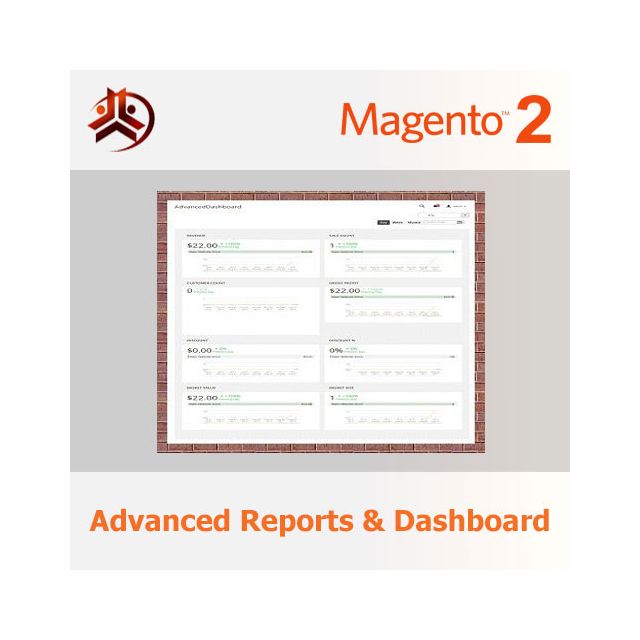
For operational pages and reporting content, make sure metadata matches the real page purpose. For example, our Magento 2 Advanced Reports & Dashboard page should target reporting and dashboard intent, while the Magento Performance Optimization page should target speed and Core Web Vitals intent.
3. Use Clean, Stable, SEO-Friendly URLs
Magento URLs should be readable, stable, lowercase, and descriptive. Avoid special characters, unnecessary parameters, duplicate paths, and frequent URL changes. A clean URL is easier for customers to understand and easier to maintain during migrations.
In Admin, go to Stores > Configuration > General > Web > Search Engine Optimization and confirm Use Web Server Rewrites is set to Yes. This removes unnecessary index.php from storefront URLs.
Then review Stores > Configuration > Catalog > Catalog > Search Engine Optimization:
- Product URL Suffix: blank is often cleaner, but keep existing suffixes if changing them would create large migration risk.
- Category URL Suffix: blank is often cleaner for modern Magento stores.
- Use Categories Path for Product URLs: use carefully. Setting this to No often reduces duplicate product URL paths. If your SEO strategy depends on category paths, make sure product canonicals and redirects are correct.
- Create Permanent Redirect for URLs if URL Key Changed: keep enabled so URL key changes create 301 redirects.
After changing URL settings, test important category, product, CMS, and blog pages. Confirm there are no redirect chains, broken internal links, or old WordPress URLs still returning 404. This is especially important after a platform migration or Magento upgrade. See our Magento 2.4.8 / 2.4.9 upgrade checklist for broader post-upgrade testing ideas.
4. Make Your Magento Store Faster
Page speed is both a ranking and conversion factor. Slow Magento pages can hurt crawl efficiency, user experience, conversion rate, and paid traffic performance. Measure performance with Google PageSpeed Insights, Lighthouse, GTmetrix, and real-user analytics instead of relying on one synthetic test.
Backend and cache
- Use production mode.
- Configure full-page cache and Varnish correctly.
- Use Redis for cache/session where appropriate.
- Keep cron, indexers, and queues healthy.
Frontend and media
- Serve correctly sized product and banner images.
- Use modern image formats where supported.
- Lazy load non-critical images.
- Reduce unused JavaScript and CSS where safe.
Magento performance work should be done carefully because checkout, header menu, minicart, product media gallery, and third-party scripts can be affected by aggressive optimization. If your store is slow after an upgrade or cache change, review our Magento Performance Optimization service.
5. Optimize Product Images and On-Page Content
Product images help customers understand your products and also support image search when configured properly. Use descriptive filenames such as magento-2-purchase-management-workflow.jpg instead of generic names like image1.jpg. Add accurate alt text that describes the image without keyword stuffing.
To edit Magento product image alt text, go to Catalog > Products > choose a product > Images and Videos, open the image, and fill the alt text field. Use natural text that explains what the image shows.
For product pages, also improve the visible content around the image:
- Use one clear H1 that matches the product.
- Add practical descriptions, setup notes, compatibility details, screenshots, FAQs, and user guides.
- Link related modules naturally. For example, inventory-related content can link to Magento 2 Inventory Management, purchasing workflows can link to Magento 2 Purchase Management, and reporting workflows can link to Magento 2 Advanced Reports.
- Use structured product data and keep price, availability, reviews, and downloadable product information accurate.
Bonus: Keep Sitemaps, Robots.txt, and Index Coverage Clean
A modern Magento 2 SEO workflow should also include technical maintenance. Generate XML sitemaps only for indexable pages, keep robots.txt clean, remove disabled demo or WordPress URLs from public links, and monitor Google Search Console for 404s, soft 404s, duplicate pages, excluded URLs, and crawl anomalies.
If you run complex stock, purchasing, or fulfillment workflows, make sure operational pages and product recommendation blocks do not create unnecessary duplicate URLs. Related content such as Magento 2 Multi Source Inventory, Low Stock Management in Magento 2, and Back-to-Back Orders using Magento 2 Purchase Management can support topical relevance when linked naturally.
Need a Magento SEO and performance review?
Agile Codex can review Magento technical SEO, index coverage, sitemap quality, page speed, product content, internal linking, and post-upgrade risks for your store.
Request a Magento SEO audit or review our Magento performance optimization service.