This is a digital Magento 2 extension. No physical product will be shipped.
Download access will be provided after successful payment.
Magento 2 Barcode Generator & Scanner
As low as $149.00 Regular Price $179.00
In stock
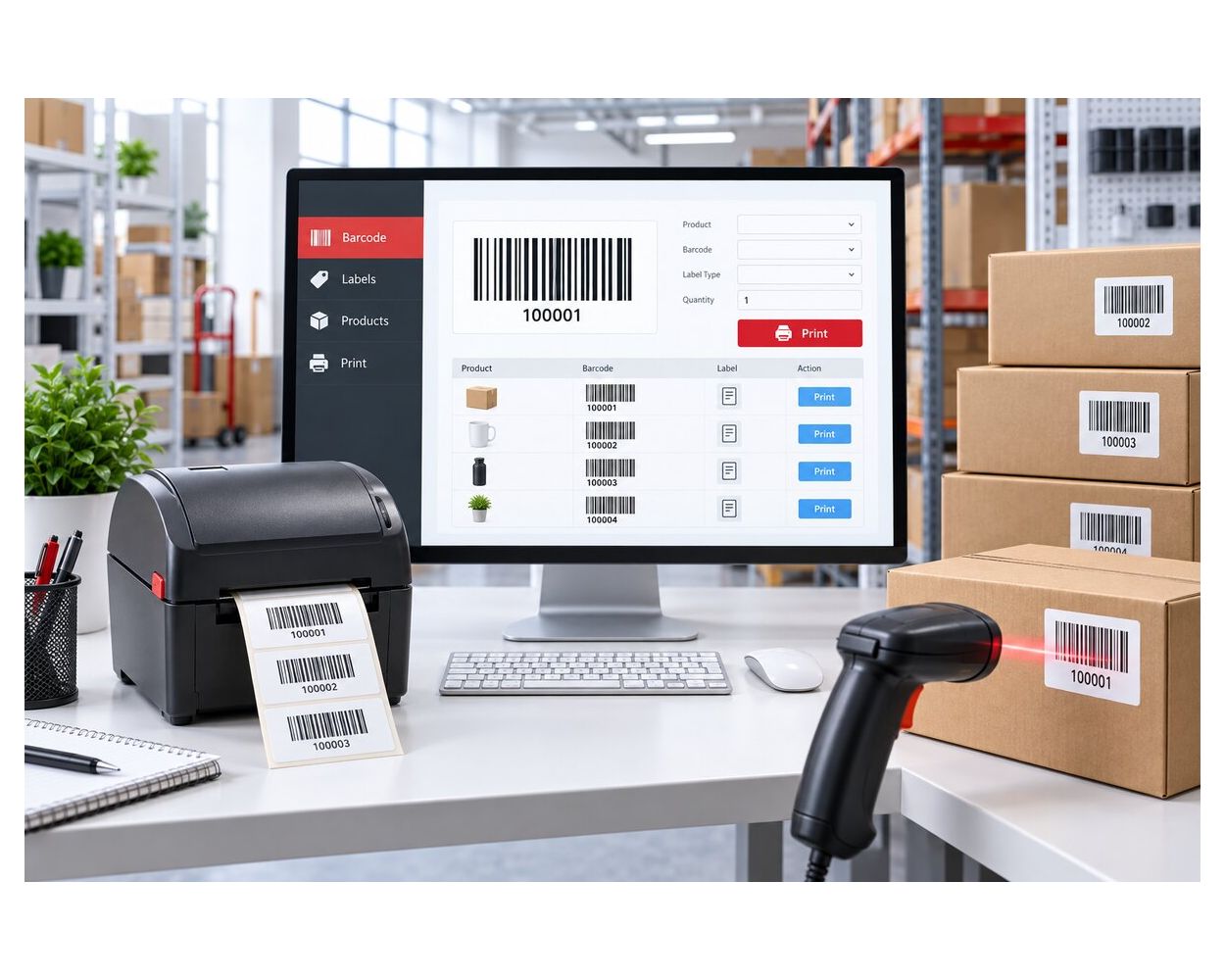
Magento 2 Barcode Generator, Label Printing & Scanner Extension helps merchants generate, import, manage, scan, and print product barcodes for faster catalog and inventory identification workflows.
- Generate unique product barcodes individually or in bulk from the Magento catalog.
- Create numeric, alphabetic, or alphanumeric barcode patterns.
- Scan barcodes to retrieve product, price, status, supplier, purchase date, and stock-availability information.
- Design Standard, A4, Jewelry, and custom barcode label templates.
- Print barcode labels in bulk with configurable dimensions, margins, quantities, and product attributes.
- Import and update product barcode assignments using CSV files.
- Manage barcodes from a searchable, filterable, and exportable Magento admin grid.
- Review generated and imported barcode history with supporting product records.
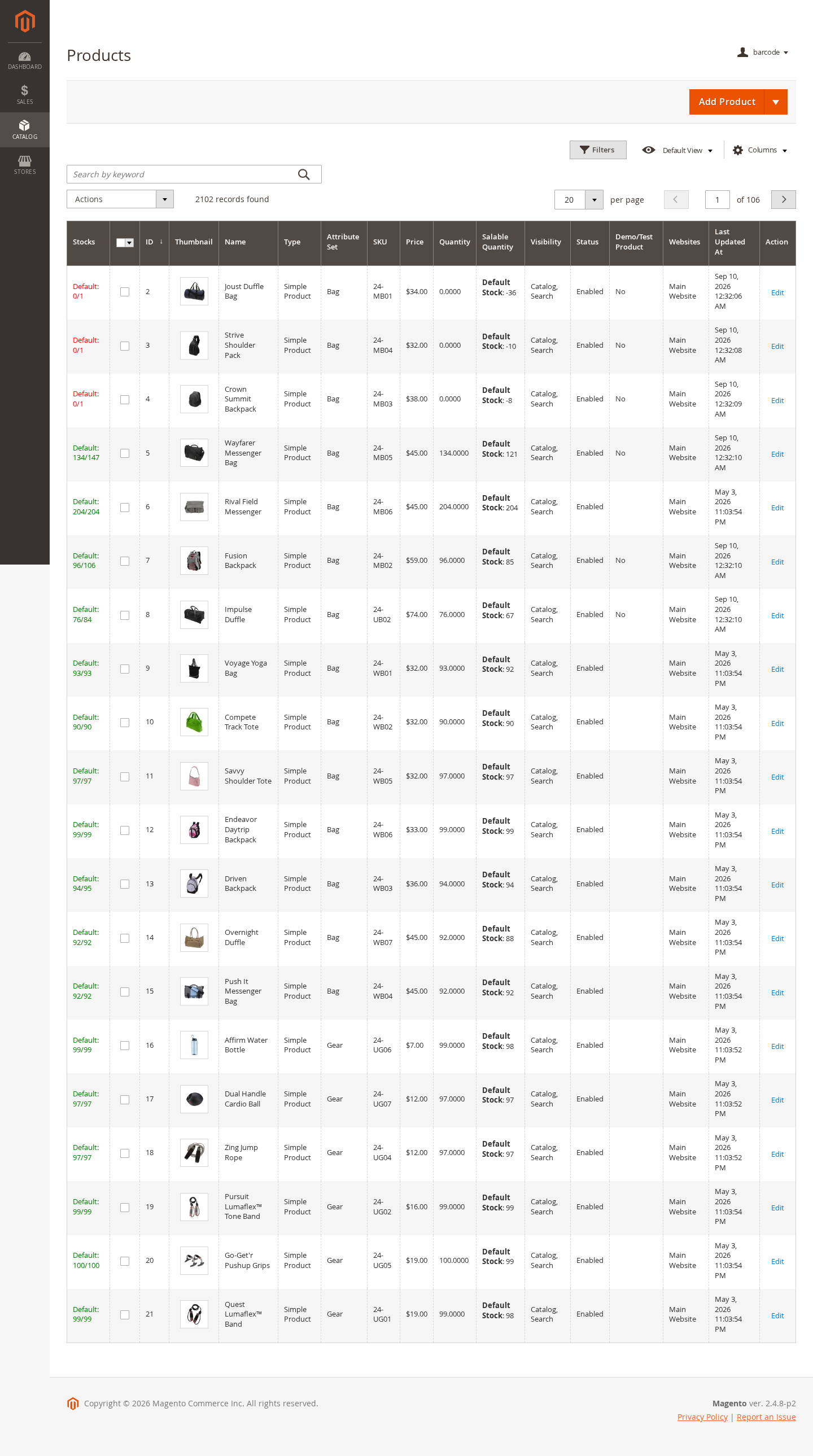
- Add Generate Barcode and Print Barcode Labels actions to the Magento product grid.
- Integrate barcode data with compatible WebPOS and warehouse workflows.
This is a digital Magento 2 extension. No physical product will be shipped.
Download access will be provided after successful payment.
Magento 2 Barcode Generator, Label Printing & Scanner Extension helps merchants create, import, manage, scan, and print product barcodes directly from the Magento admin. It connects barcode records with catalog products, supplier and purchase information, printable label templates, generation history, and stock-availability lookup to support faster product identification and day-to-day inventory workflows.
Generate Product Barcodes
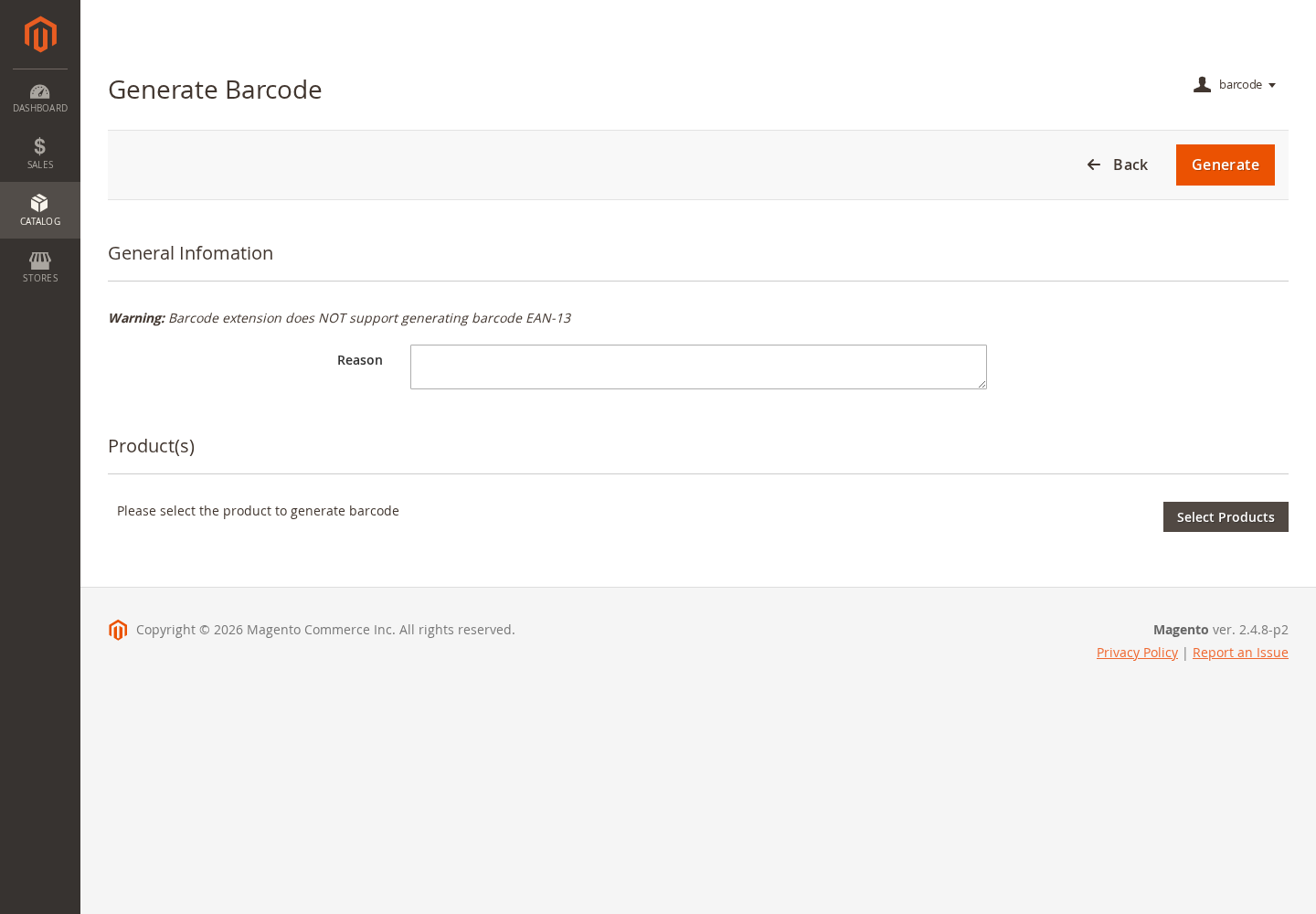
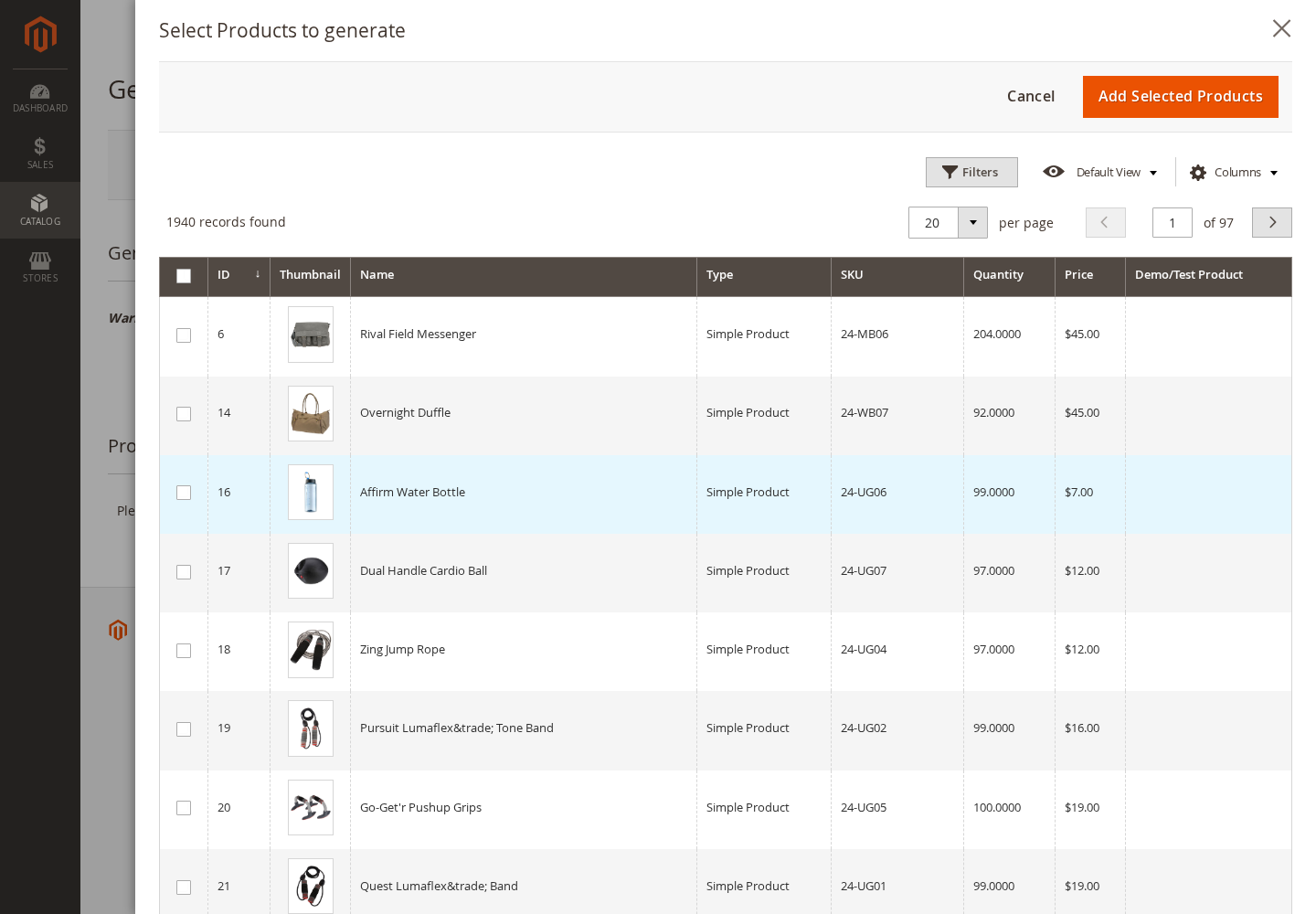
Generate unique barcode values for selected Magento products from a dedicated admin workflow or directly from the Catalog product grid. The extension can create one barcode per SKU or individual item barcodes according to the configured workflow.
- Generate barcodes for one product, a selected group, or products chosen from the catalog grid.
- Create one barcode per SKU or item-level barcode records with quantities.
- Record the administrator, reason, date, quantity, and generated products in history.
- Prevent duplicate generated values before barcode records are saved.
Configurable Barcode Patterns
Control how new barcode values are generated with simple alphabetic, numeric, and alphanumeric expressions. Static prefixes can be combined with generated sections to match internal product or warehouse identification conventions.
- Use [A.8] for eight alphabetic characters.
- Use [N.9] for nine numeric characters.
- Use [AN.6] for six alphanumeric characters.
- Combine fixed text and multiple expressions in a custom barcode pattern.
Print Barcode Labels
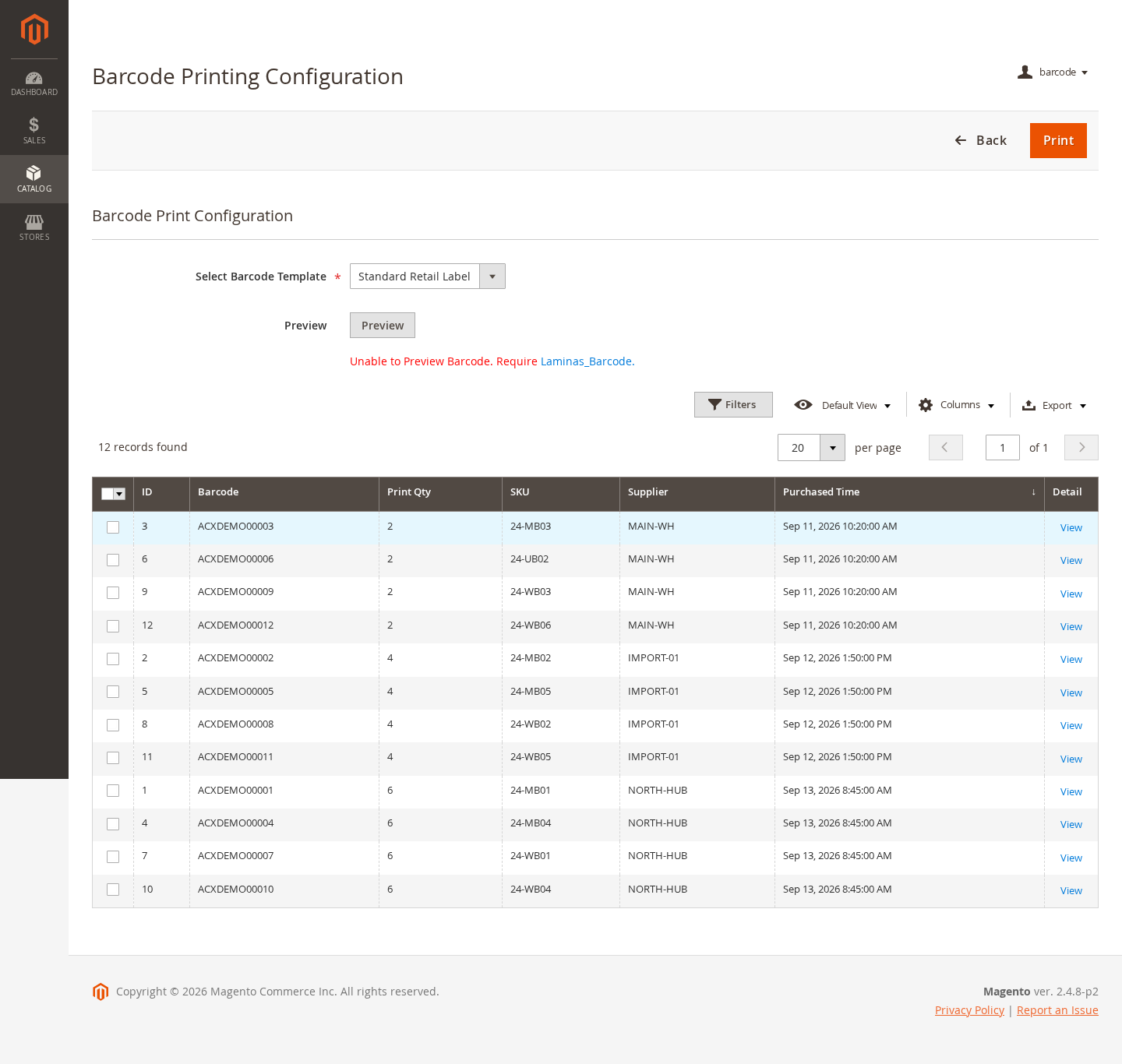
Select barcode records and prepare printable labels with the chosen template and print quantity. Barcode images are rendered through Laminas Barcode and opened in a browser print window for the merchant's configured printer and paper.
- Print selected barcode records from the barcode-management grid.
- Print labels from generation history or supported product workflows.
- Override the number of copies before printing.
- Select a default or alternate active label template.
Flexible Label Templates
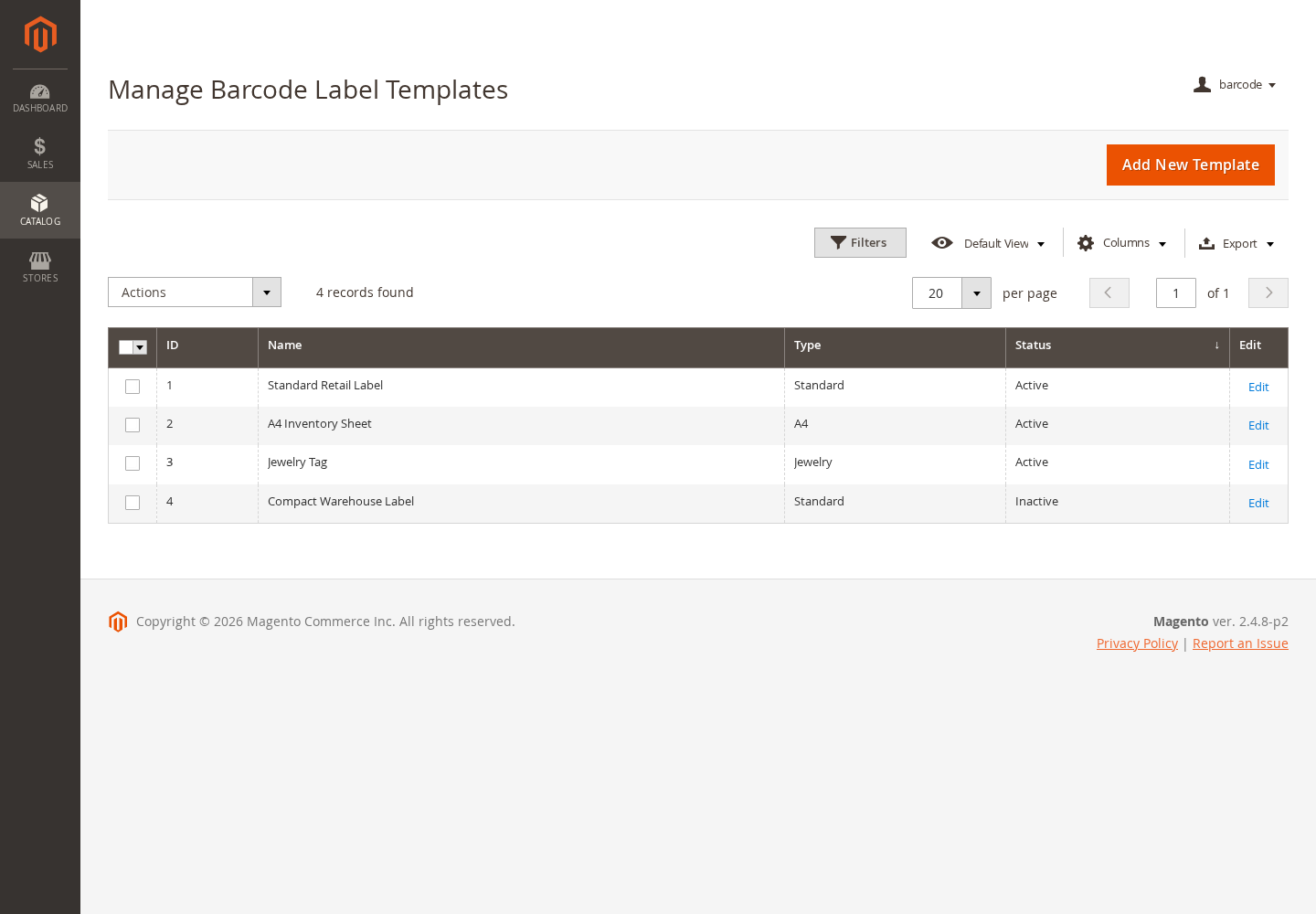
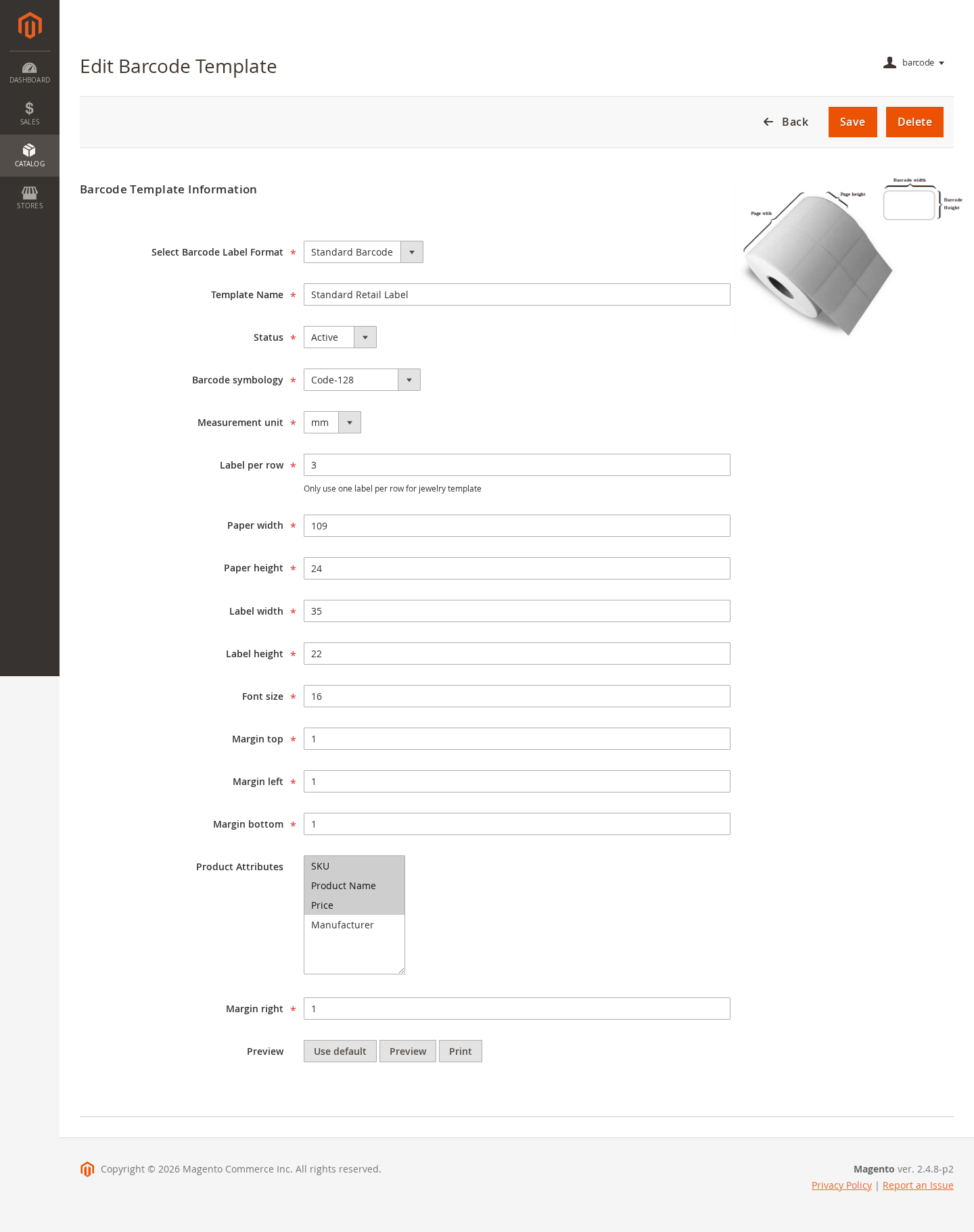
Create reusable Standard, A4, Jewelry, or custom label layouts. Each template controls the barcode format, paper and label measurements, typography, margins, labels per row, and product information displayed with the barcode.
- Configure paper width, paper height, label width, and label height.
- Set top, right, bottom, and left margins independently.
- Control font size and the number of labels printed per row.
- Include product attributes such as product name, SKU, and price.
- Enable, disable, preview, edit, or delete label templates as required.
Multiple Barcode Symbologies
Choose the barcode renderer that suits the label and scanning workflow. Available template formats include common retail, logistics, postal, and warehouse barcode symbologies supported by the bundled Laminas Barcode dependency.
- Code 128, Code 25, Interleaved 2 of 5, and Code 39.
- EAN-13 label rendering for valid EAN-compatible values.
- Identcode, ITF-14, Leitcode, and Royal Mail.
- Assign a different symbology to each label template.
Barcode Scanner and Product Lookup
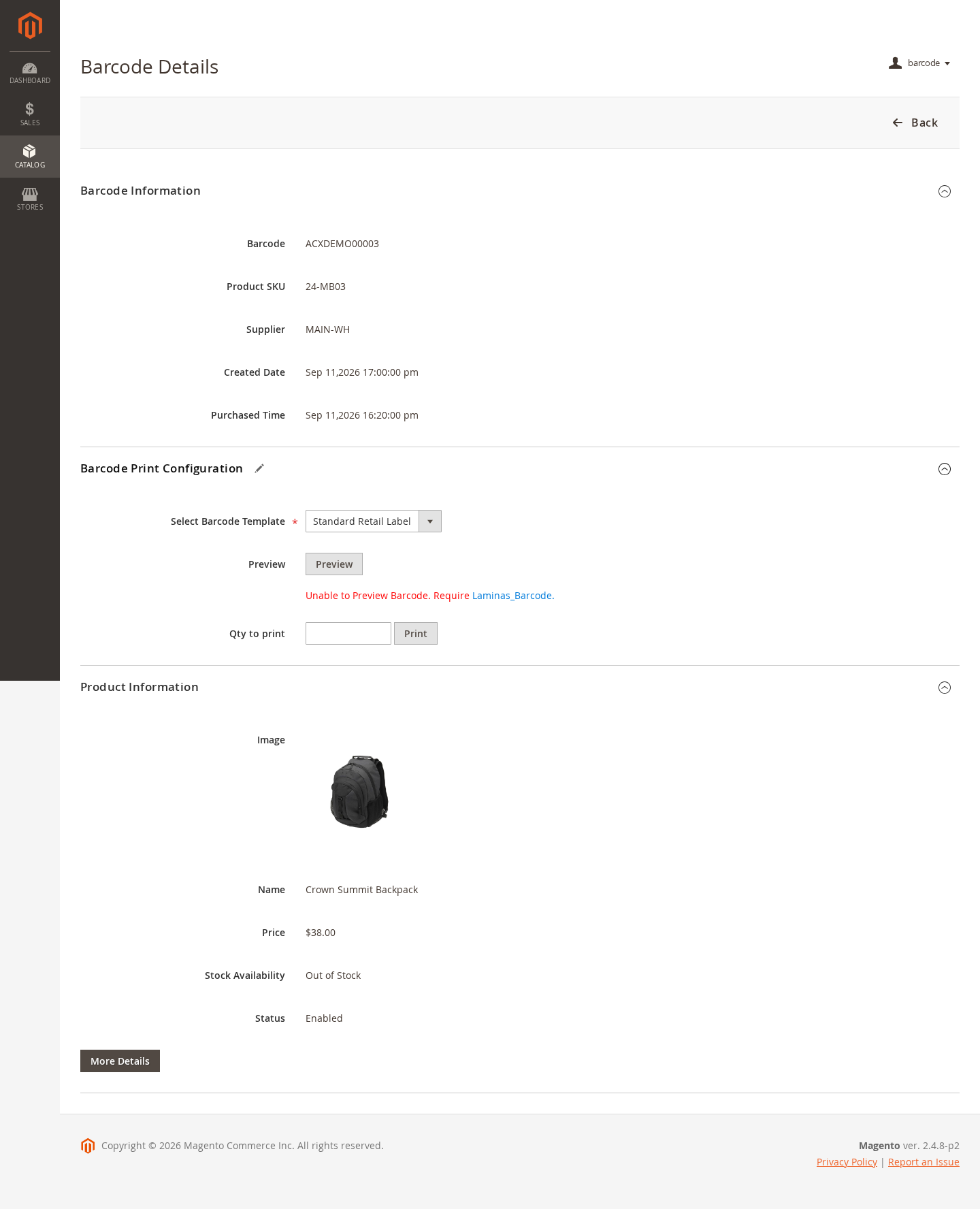
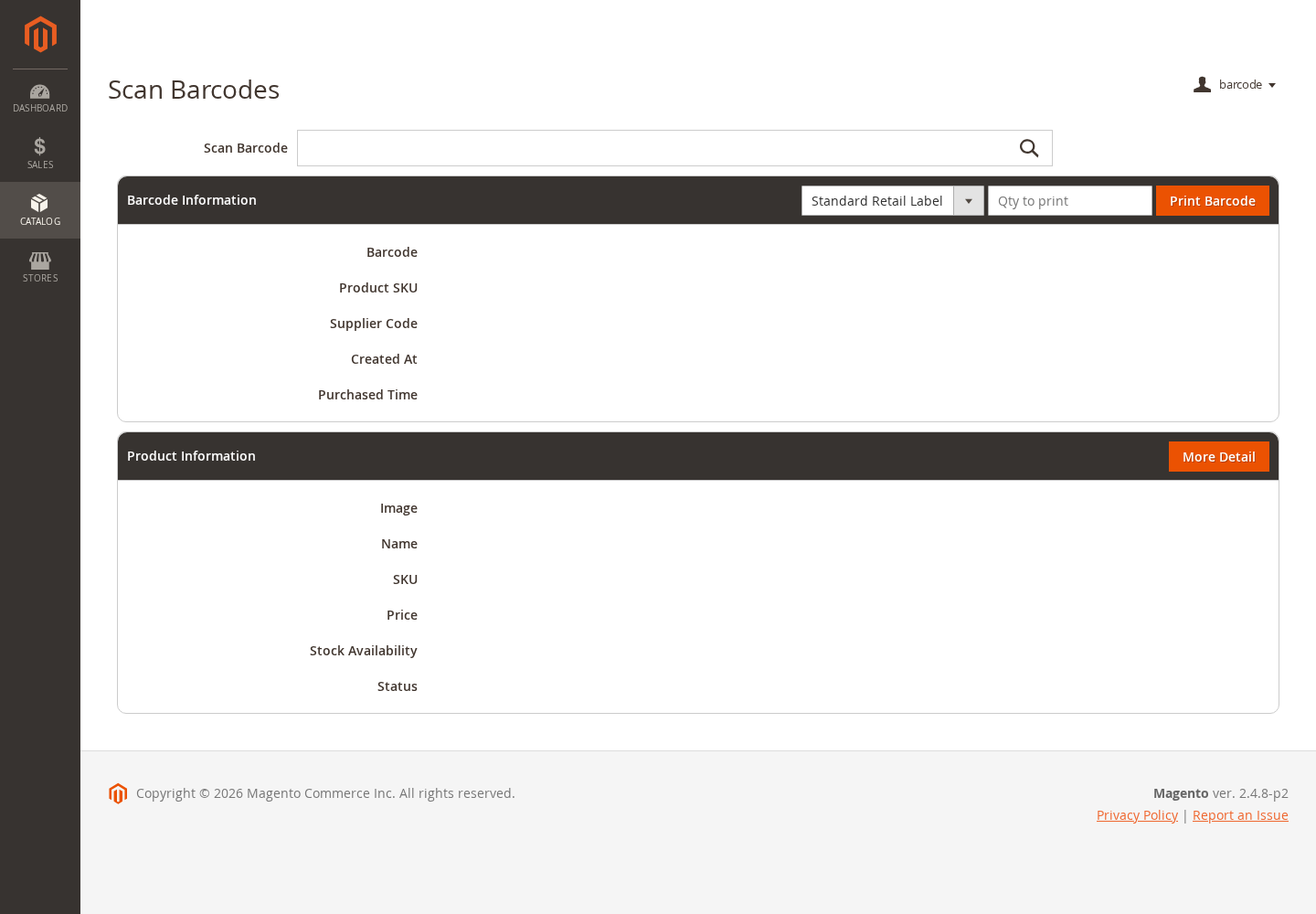
Scan a barcode with a keyboard-compatible USB or wireless scanner, or enter its value manually. The admin lookup immediately connects the barcode record with its Magento catalog product and operational details.
- Find a product by its assigned barcode value.
- View product image, name, price, weight, color, status, and stock availability.
- Review barcode quantity, supplier code, creation date, and purchase date.
- Open the related Magento product record for additional details.
- Print another label directly from the scanned barcode result.
CSV Barcode Import
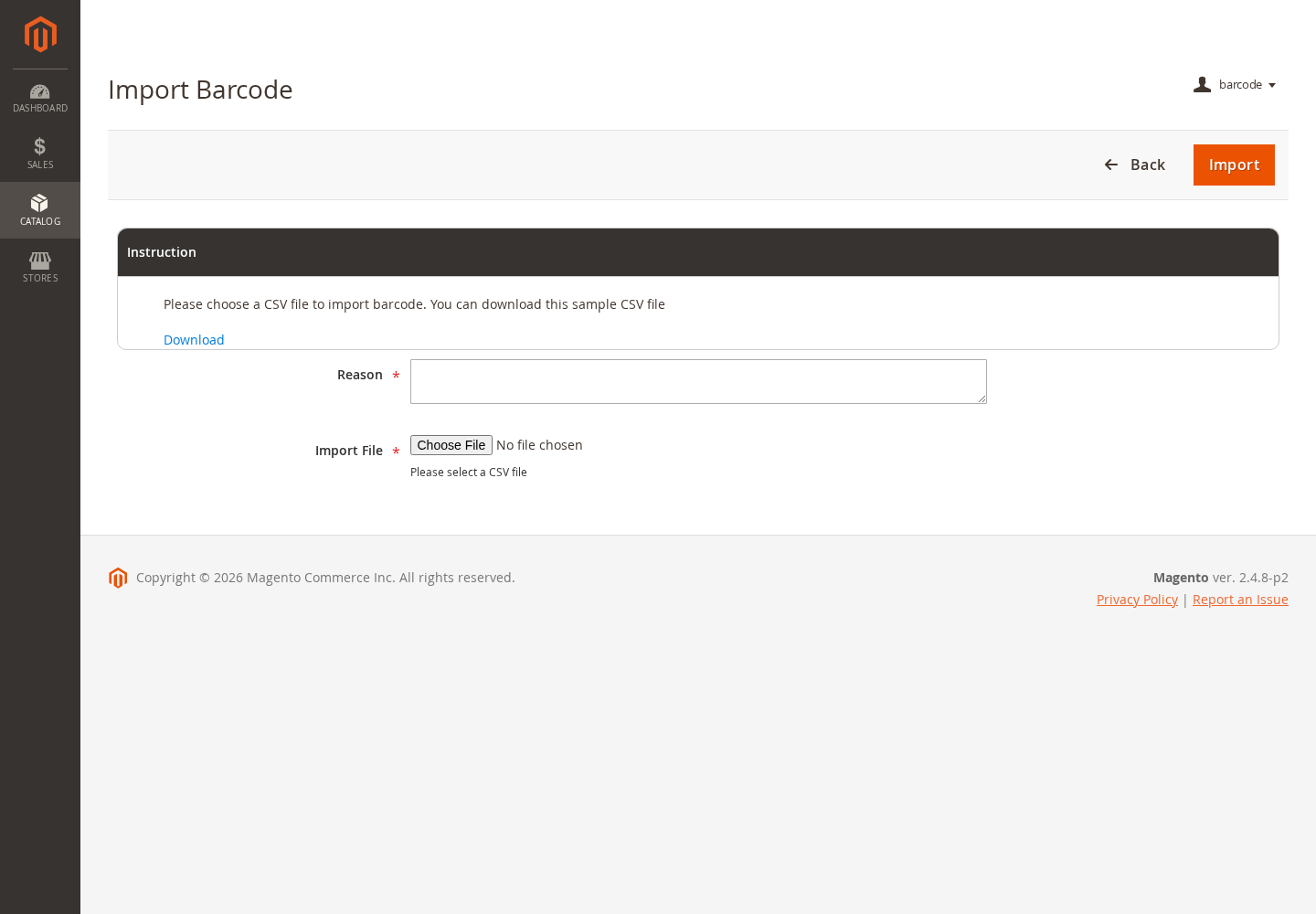
Import existing barcode assignments in bulk instead of generating every value inside Magento. The importer associates each barcode with its product SKU and can retain inventory-related metadata such as quantity, supplier code, and purchase time.
- Download and follow the provided sample CSV structure.
- Import new barcode records and update supported existing records.
- Validate product SKUs and barcode conflicts during processing.
- Download invalid rows for correction when import data cannot be accepted.
- Record successful imported quantities in barcode history.
Central Barcode Management
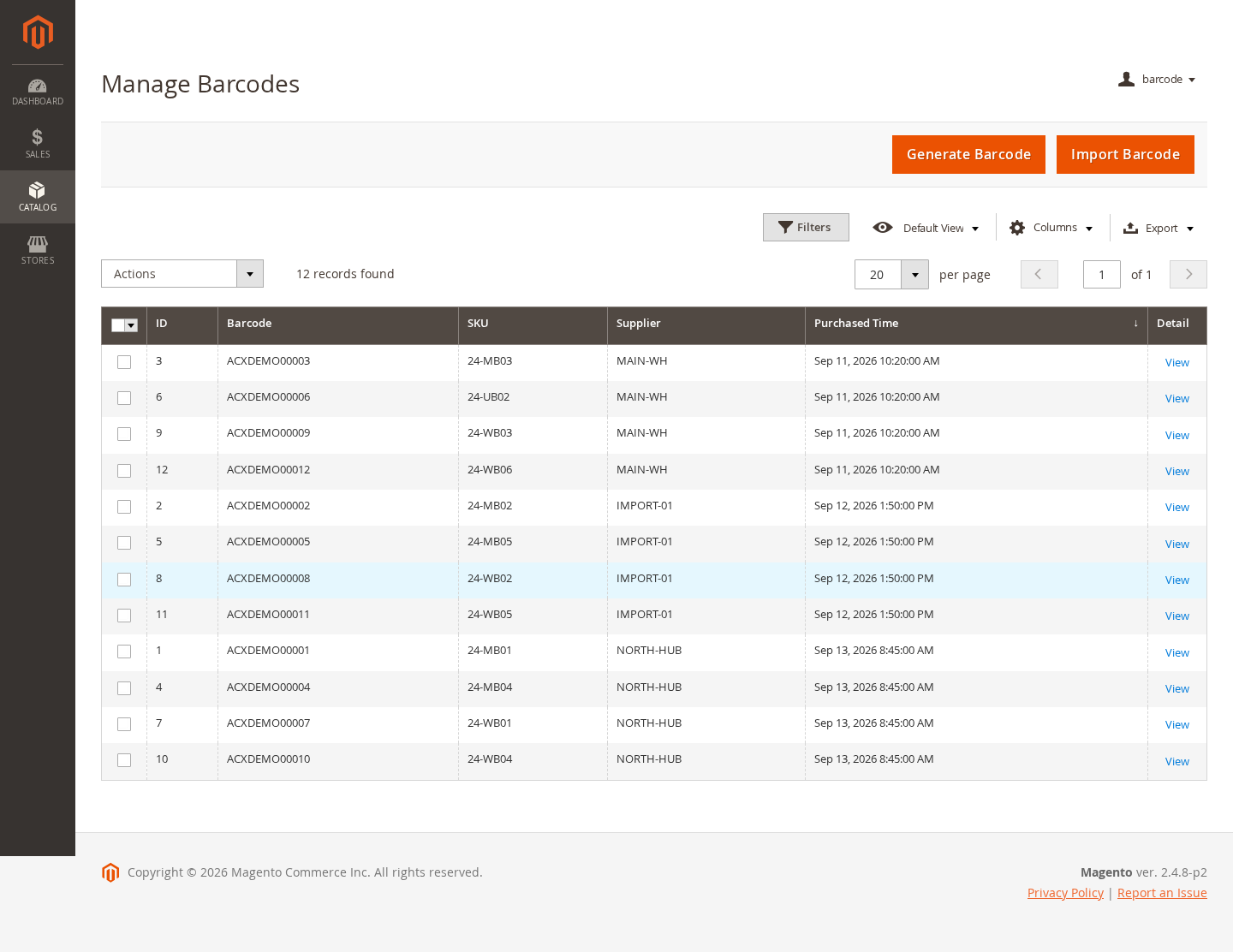
Manage product barcode assignments from a Magento UI grid with familiar filtering, sorting, pagination, column controls, selection, inline editing, and export tools.
- Search and filter by barcode, SKU, supplier, ID, or purchase date.
- Review barcode-to-product associations from one admin screen.
- Edit supported barcode fields inline.
- Select multiple barcode records for bulk label printing.
- Export grid data using Magento's standard admin-grid tools.
Generation and Import History
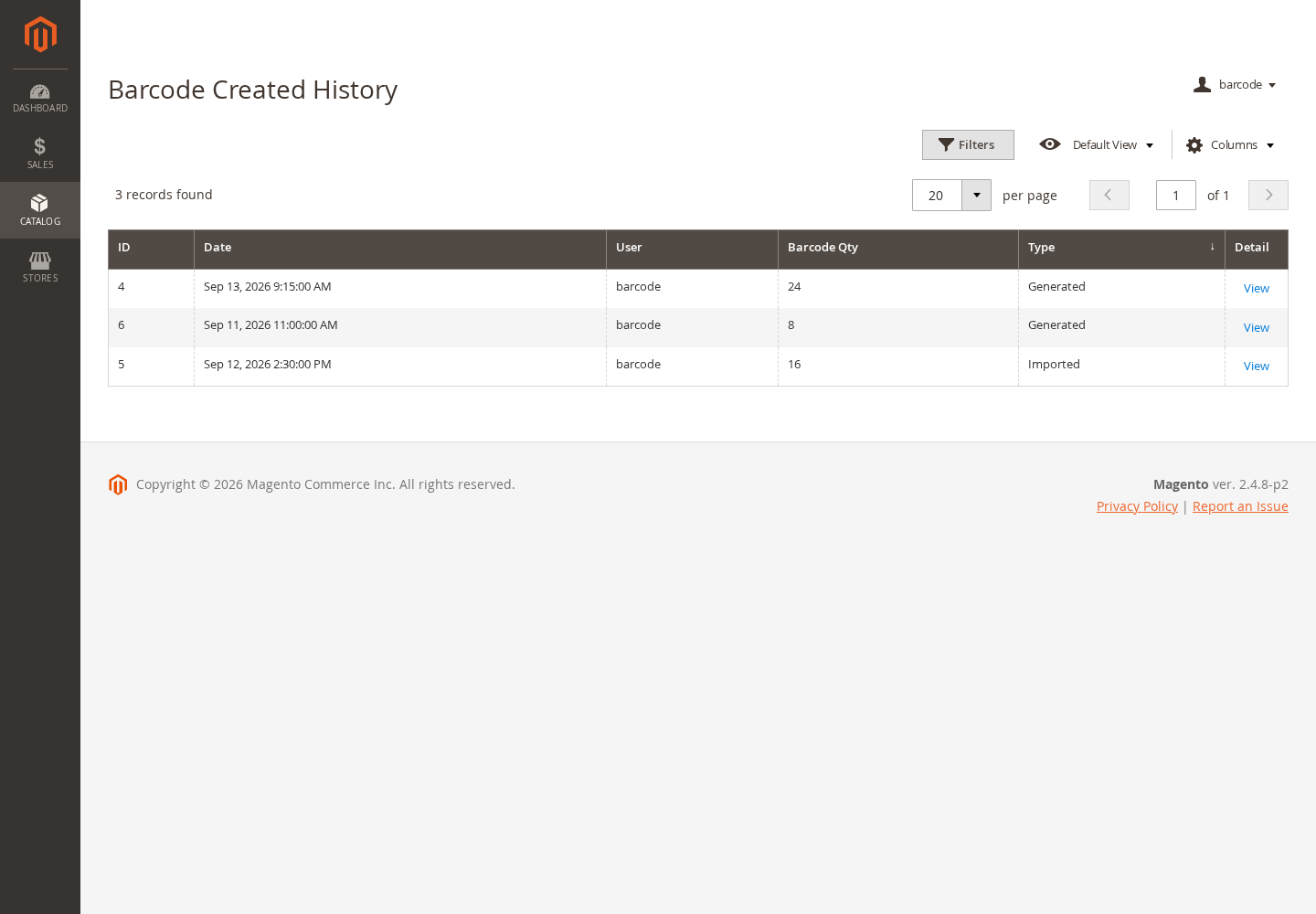
Keep an operational record of barcode batches created by administrators. History distinguishes generated and imported batches and provides access to the individual barcode and product records included in each event.
- See the creation date, administrator, quantity, and operation type.
- Add a reason to explain why a barcode batch was created.
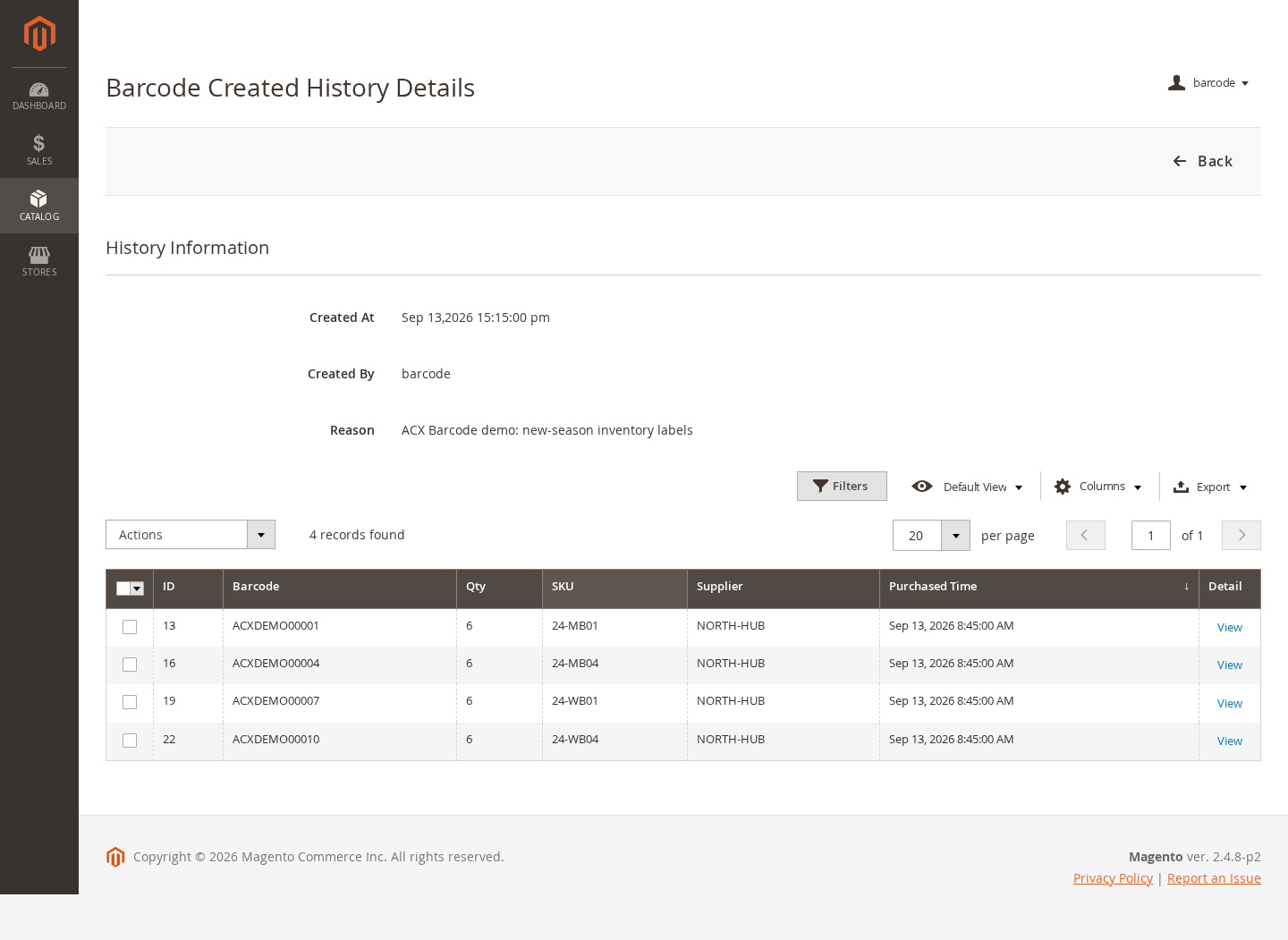
- Open batch details for barcode, SKU, supplier, quantity, and purchase information.
- Reuse a batch selection for label-printing workflows.
Catalog and Inventory Visibility
Barcode records remain connected to Magento products and expose stock availability during product lookup. Quantity, supplier, and purchase-date fields help staff identify received or labeled items without replacing Magento's native inventory-management services.
- Generate or print barcode labels from supported Catalog product selections.
- Display whether the scanned product is currently in stock or out of stock.
- Retain barcode-specific quantity and supplier metadata.
- Continue using Magento inventory or MSI tools for actual stock adjustments and source management.
Product Attribute Integration
Use an existing Magento product attribute as the barcode source when a catalog already contains UPC, EAN, manufacturer, or another external identifier. Product save and import observers keep supported barcode assignments synchronized with catalog activity.
- Select a compatible product attribute as the barcode source.
- Create barcode records when products are saved or imported.
- Keep barcode values linked to the correct Magento product and SKU.
- Use the configuration warning and backup procedures before replacing existing barcode data.
Optional WebPOS and Warehouse Integration
When compatible Agile Codex WebPOS or warehouse modules are installed, Barcode observers can expose barcode values to product-search and batch-data workflows and display warehouse stock information supplied by those companion modules.
- Include product barcode data in compatible WebPOS product responses.
- Search compatible POS product workflows by barcode.
- Display warehouse availability and shelf information when provided by an integration.
- Keep the core barcode module usable without requiring optional warehouse modules.
Magento Admin Permissions
Assign Barcode features according to staff responsibilities through dedicated Magento ACL resources instead of granting unrestricted administrator access.
- Control barcode listing, generation, import, scanning, and printing separately.
- Manage permissions for history, label templates, and configuration.
- Combine Barcode access with only the Catalog or Sales permissions required by each role.
- Use Magento form-key protection on administrative write operations.
Central Extension Configuration
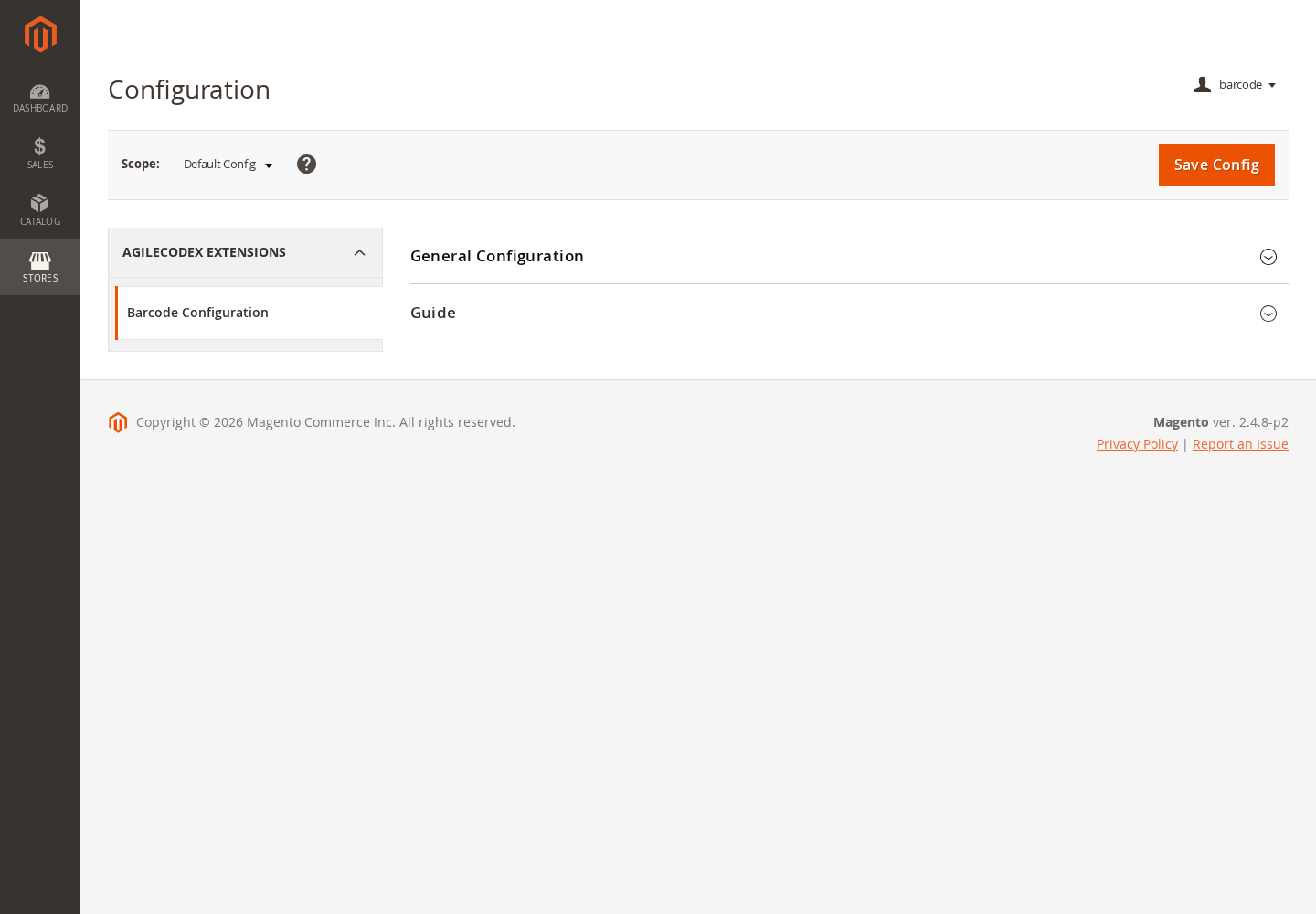
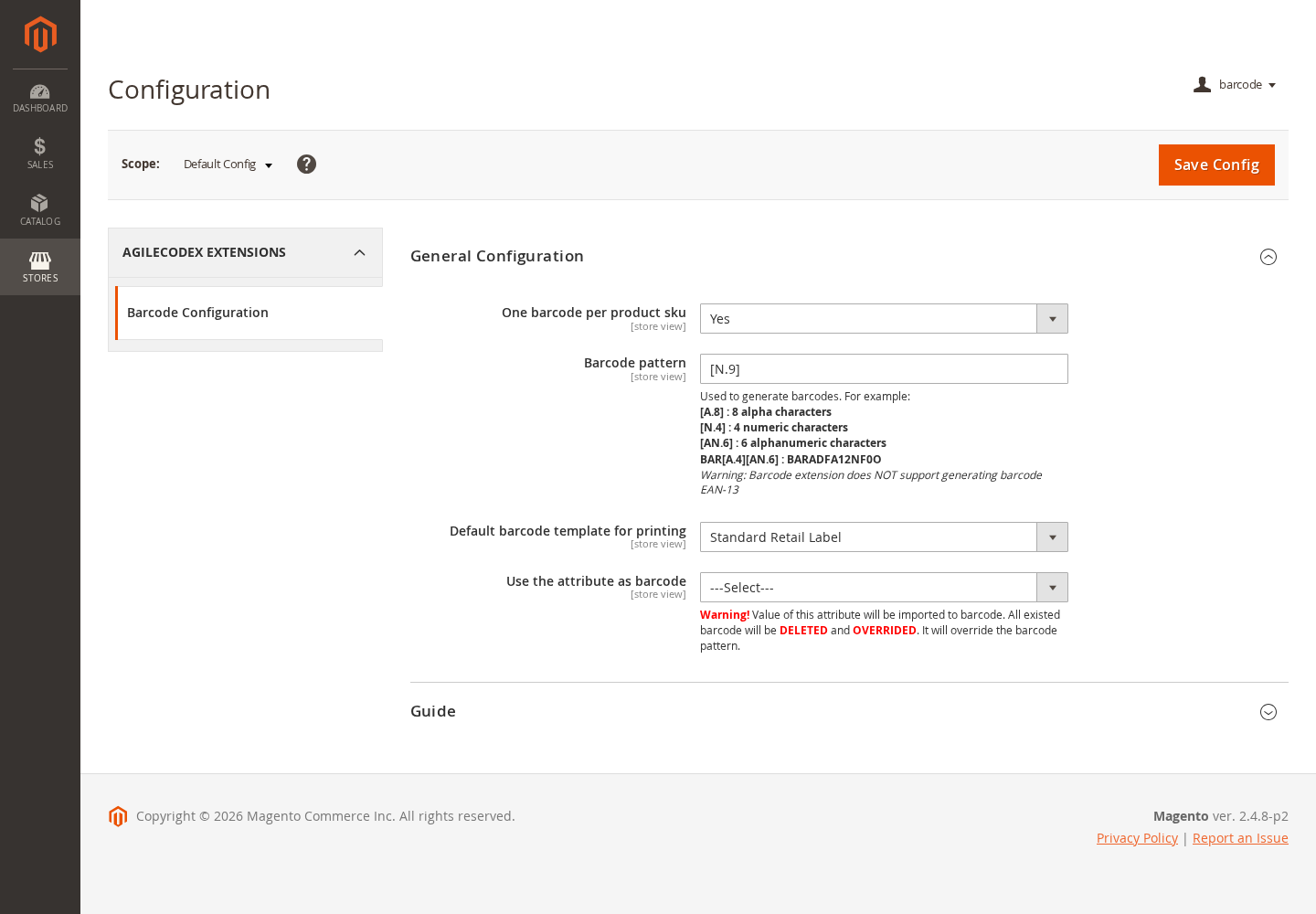
Configure barcode behavior under Stores > Configuration > Agile Codex > Barcode Configuration. Store-scoped options make it possible to align barcode behavior with the selected Magento store view.
- Choose whether each product SKU should use one barcode.
- Define the default generated barcode pattern.
- Select the default label template used for printing.
- Optionally use a product attribute as the barcode source.
Magento 2 Barcode Workflow Summary
- Configure the barcode pattern, one-barcode-per-SKU behavior, and default print template.
- Create label templates for retail labels, A4 sheets, jewelry tags, or custom paper sizes.
- Generate barcode values for selected products or import existing barcode assignments from CSV.
- Manage barcode records and print selected labels from Magento admin grids.
- Scan a barcode to retrieve its linked product and current stock-availability information.
- Review generation and import history for operational traceability.
- Continue using Magento Inventory or MSI for stock adjustments, reservations, and source quantities.
Zoom In
Barcode Management
Zoom In
Barcode Details
Zoom In
Generate Barcodes
Zoom In
Select Products
Zoom In
Import Barcodes
Zoom In
Barcode Scanner
Zoom In
Print Barcode Labels
Zoom In
Generation History
Zoom In
History Details
Zoom In
Label Templates
Zoom In
Template Editor
Zoom In
Barcode Configuration
Zoom In
Configuration Area
Zoom In
Catalog Integration