This is a digital Magento 2 extension. No physical product will be shipped.
Download access will be provided after successful payment.
Magento 2 Wholesale and Dealer Extension
As low as $199.00
In stock
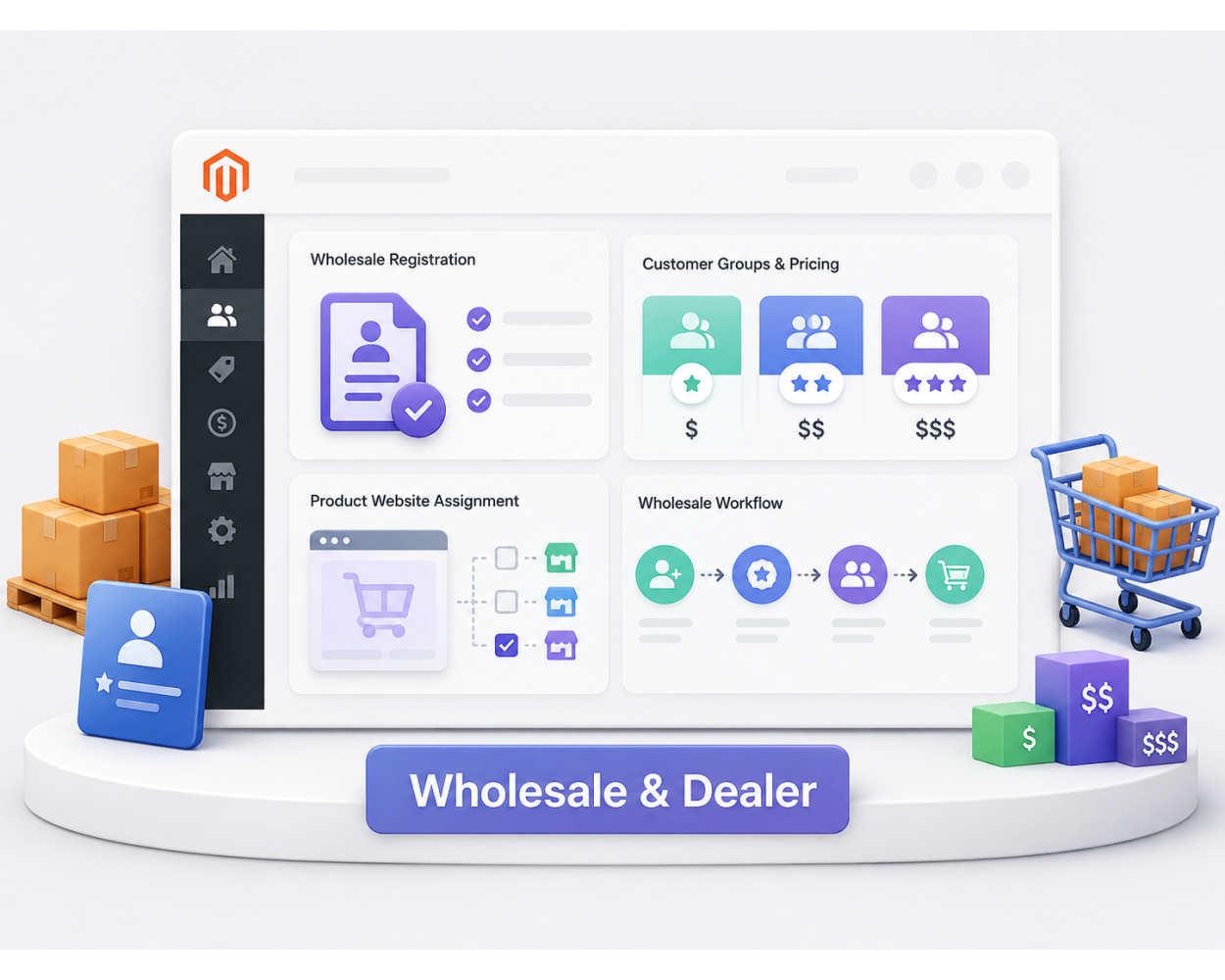
Magento 2 Wholesale and Dealer Extension helps you create a dedicated B2B storefront with wholesale registration, customer-group pricing, and optional catalog access controls.
- Create or repair a B2B website, store group, and active store view.
- Use the canonical wholesale registration route: /wholesale/account/create/.
- Assign new wholesale registrations to the configured customer group.
- Set wholesale prices from Catalog > Products > Advanced Pricing > Customer Group Price.
- Assign products to the B2B website under Product in Websites.
- Optionally require customer activation, hide prices, or restrict catalog access when those companion features are included.
This is a digital Magento 2 extension. No physical product will be shipped.
Download access will be provided after successful payment.
Build a separate Magento 2 B2B storefront for wholesale and dealer customers.
Configure wholesale registration, customer group pricing, and B2B access without duplicating products.
Use a dedicated B2B website, assign products to that website, and manage wholesale pricing through Magento Advanced Pricing.
- B2B Website Setup: Create or repair the wholesale website, store group, and active store view.
- Wholesale Registration: Send customers to /wholesale/account/create/ and assign the configured wholesale customer group.
- Customer Group Price: Set wholesale pricing from Catalog > Products > Advanced Pricing.
- Optional Access Rules: Enable customer approval, Hide Price, or Catalog Login only when those companion features are part of your package.
Supports Magento 2.4.8 storefront and admin workflows for B2B website, customer group, and product pricing setup.
Magento 2 Wholesale and Dealer Extension helps merchants run a dedicated B2B storefront for wholesale customers, dealers, distributors, and resellers. Administrators can create or repair the B2B website structure, collect wholesale registrations, assign customers to the appropriate customer group, and use Magento's native website assignment and Advanced Pricing features to manage wholesale products and pricing.
Dedicated B2B Website
Create a separate wholesale website, store group, and active store view for B2B buyers. The Create Now action can provision the B2B website or repair missing website components without creating duplicate records.
- Create or select the wholesale website from Magento configuration.
- Confirm the B2B website, store group, and active store view under Stores > All Stores.
- Use website scope to keep B2B storefront behavior separate from the retail storefront.
Wholesale Registration
Use the canonical registration route /wholesale/account/create/ for B2B registrations. New customers are assigned to the configured wholesale customer group.
- Collect company, phone, address, and Tax/VAT details when enabled.
- Assign wholesale users automatically to the selected customer group.
- Optionally require administrator approval when Customer Activation is included and enabled.
Customer Group Price and Tier Price
Wholesale pricing is normally configured from Catalog > Products > Advanced Pricing > Customer Group Price. Click Add, choose the appropriate website and Wholesale customer group, set the quantity and price, then save the product.
- Customer Group Price: Configure a special price specifically for the Wholesale customer group.
- Tier Price: Configure pricing based on both customer group and purchased quantity.
- Run Magento's catalog price index after pricing changes when required.
Product Website Assignment
Products must be assigned to the B2B website under Product in Websites. You normally do not need duplicate products for wholesale customers. Use Magento website assignment and customer-group pricing on the existing catalog product.
- Assign products to both retail and B2B websites when sold through both channels.
- Keep product visibility, stock, and category assignment aligned with the B2B catalog.
- Preserve shared product data while applying pricing to the appropriate customer group.
Optional Hide Price
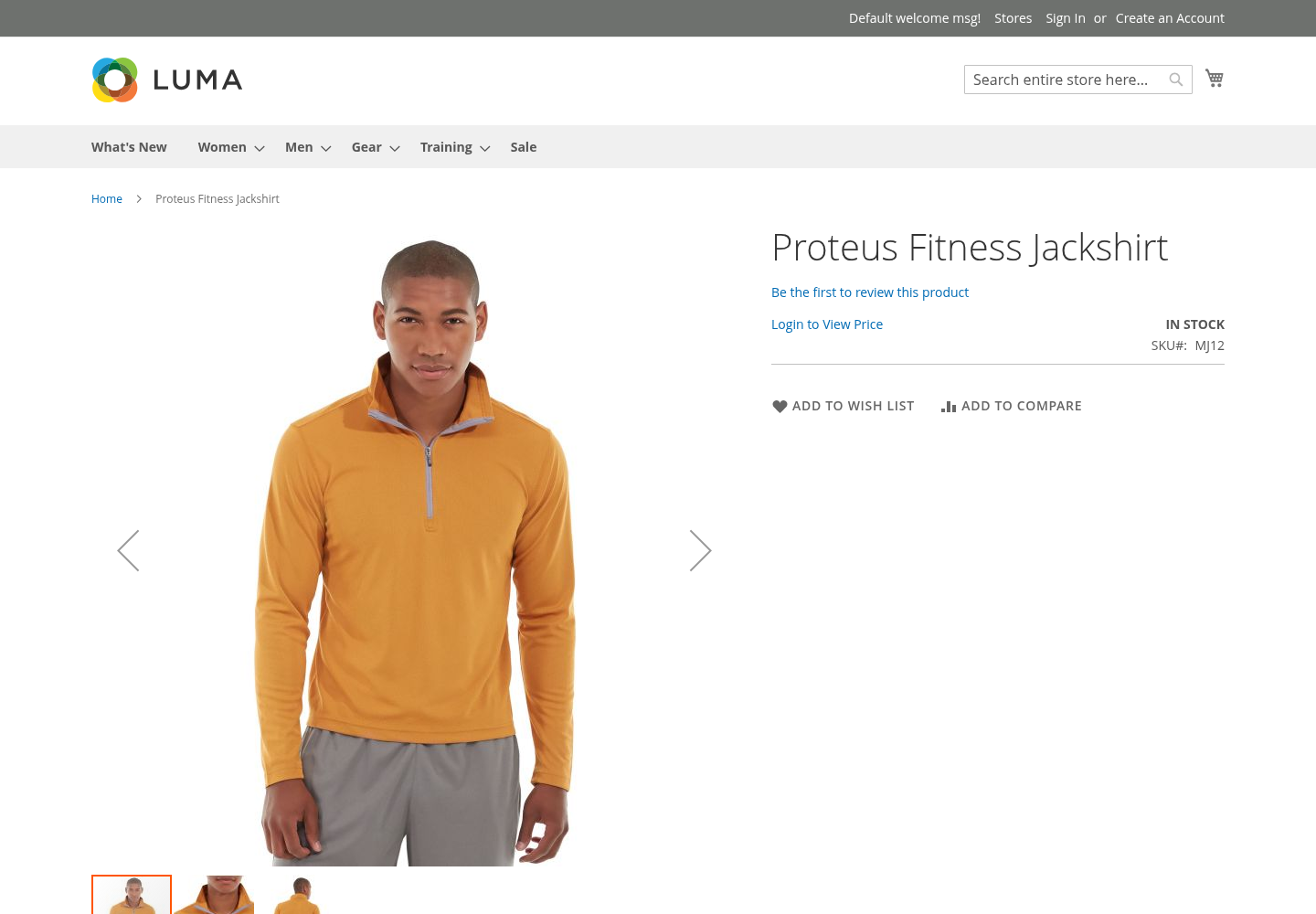
Hide Price is optional and package-dependent. When enabled, it can replace product prices with configurable text such as Login to View Price and link the text to login, registration, or another page.
- Hide price for guests or selected customer groups.
- Display a configurable replacement message and destination link.
- Use Hide Price independently from catalog-access restrictions.
Optional Catalog Login
Catalog Login is optional and package-dependent. Use it when guests or selected customer groups should be redirected before viewing category pages, product pages, catalog search, or other catalog areas.
- Restrict catalog browsing when the B2B storefront should be private.
- Keep Hide Price and Catalog Login configuration independent.
- Reject retail-customer login on a wholesale-only website when that restriction is configured.
B2B Website Store Hierarchy
Magento website, store group, and store view configuration should remain complete and active for the wholesale storefront. The extension can provision or repair the required B2B website structure when configured to do so.
- Separate B2B website scope from the main retail website.
- Use an active store view for wholesale customers.
- Review the hierarchy from Stores > All Stores after provisioning.
Wholesale Customer Access
Customers accessing the wholesale storefront can be restricted based on their configured Magento customer group.
- Allow the configured Wholesale customer group to use the B2B website.
- Prevent retail customers from using a wholesale-only storefront when restriction is enabled.
- Redirect unauthorized customers back to the login page with a clear message.
Magento 2.4.8 Workflow Summary
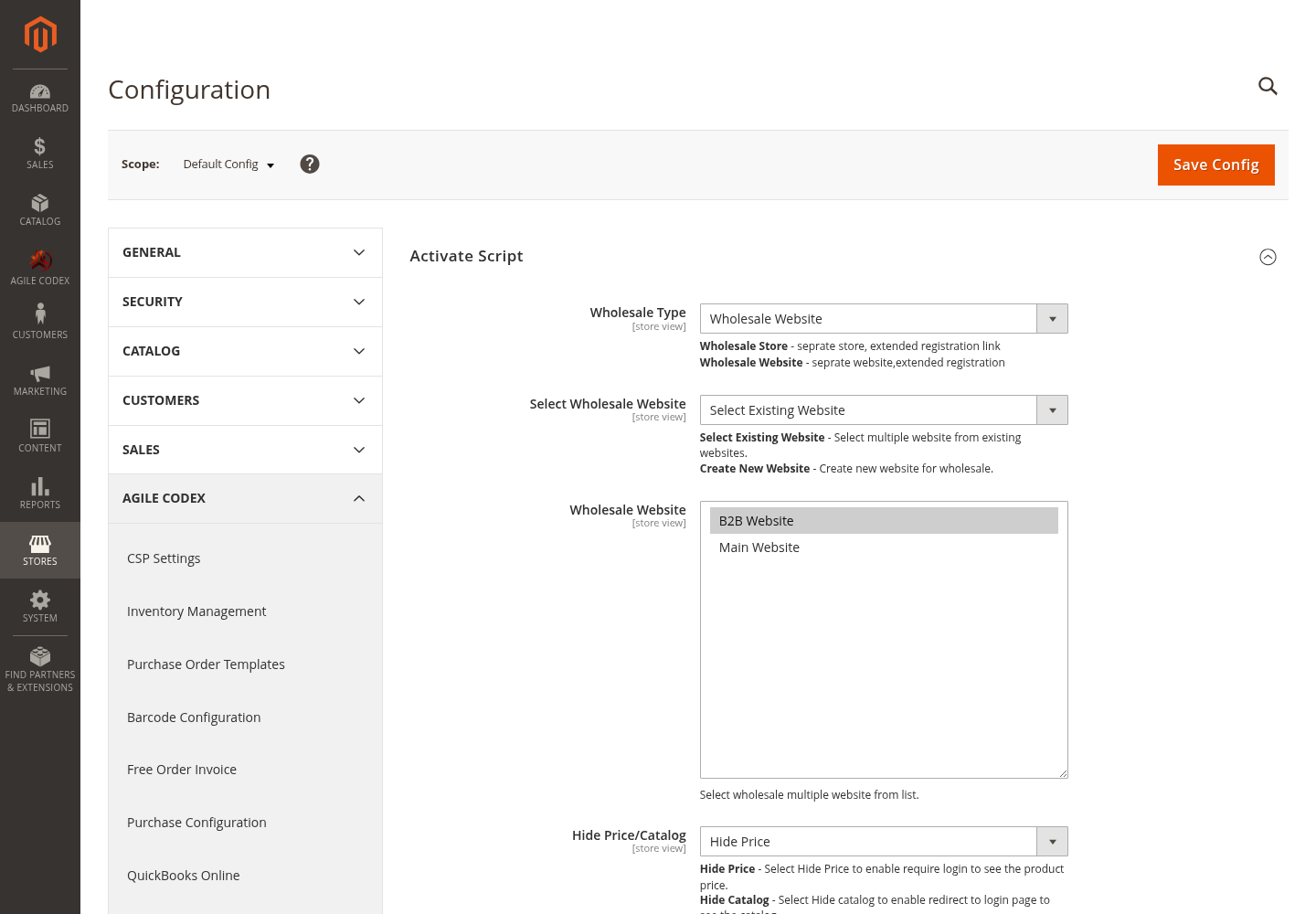
- Configure Wholesale mode and select or create the B2B website.
- Use Create Now to provision or repair the B2B website, store group, and active store view.
- Assign products to the B2B website under Product in Websites.
- Configure wholesale pricing from Catalog > Products > Advanced Pricing > Customer Group Price.
- Direct wholesale customers to /wholesale/account/create/.
- Enable Customer Activation, Hide Price, or Catalog Login only when those optional companion features are included in the package.
Zoom In
Wholesale Configuration
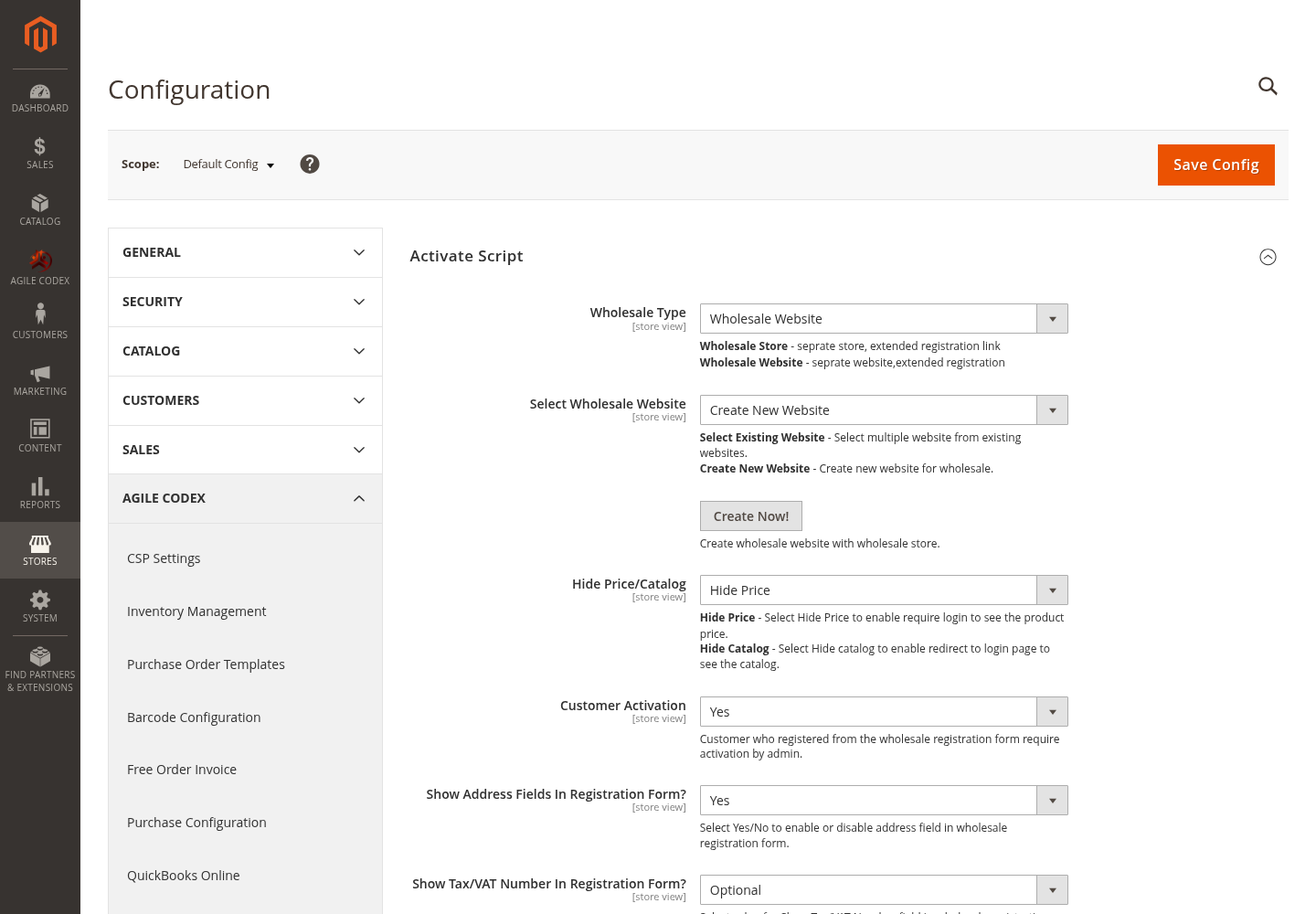
Create New B2B Website
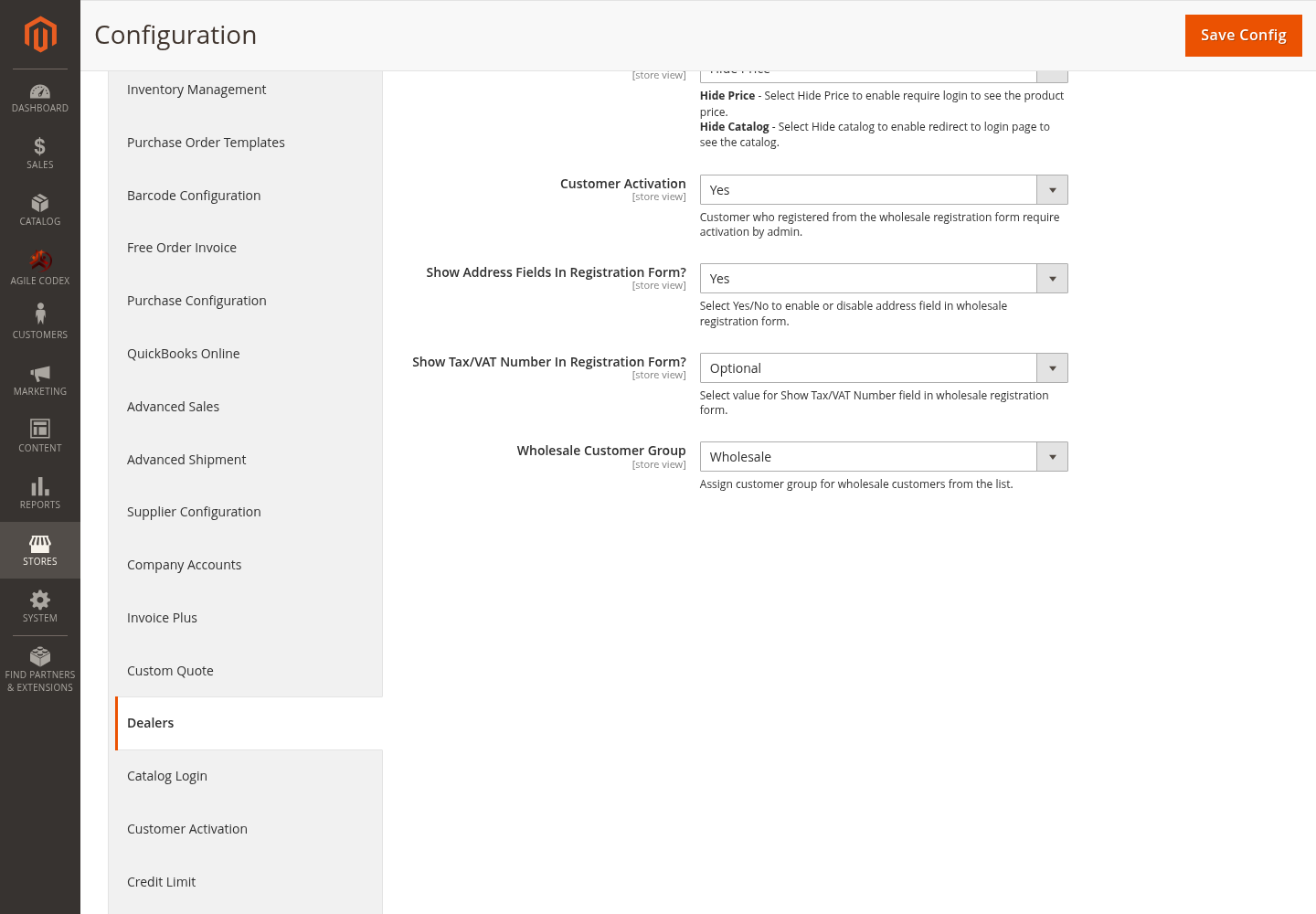
Wholesale Access Settings
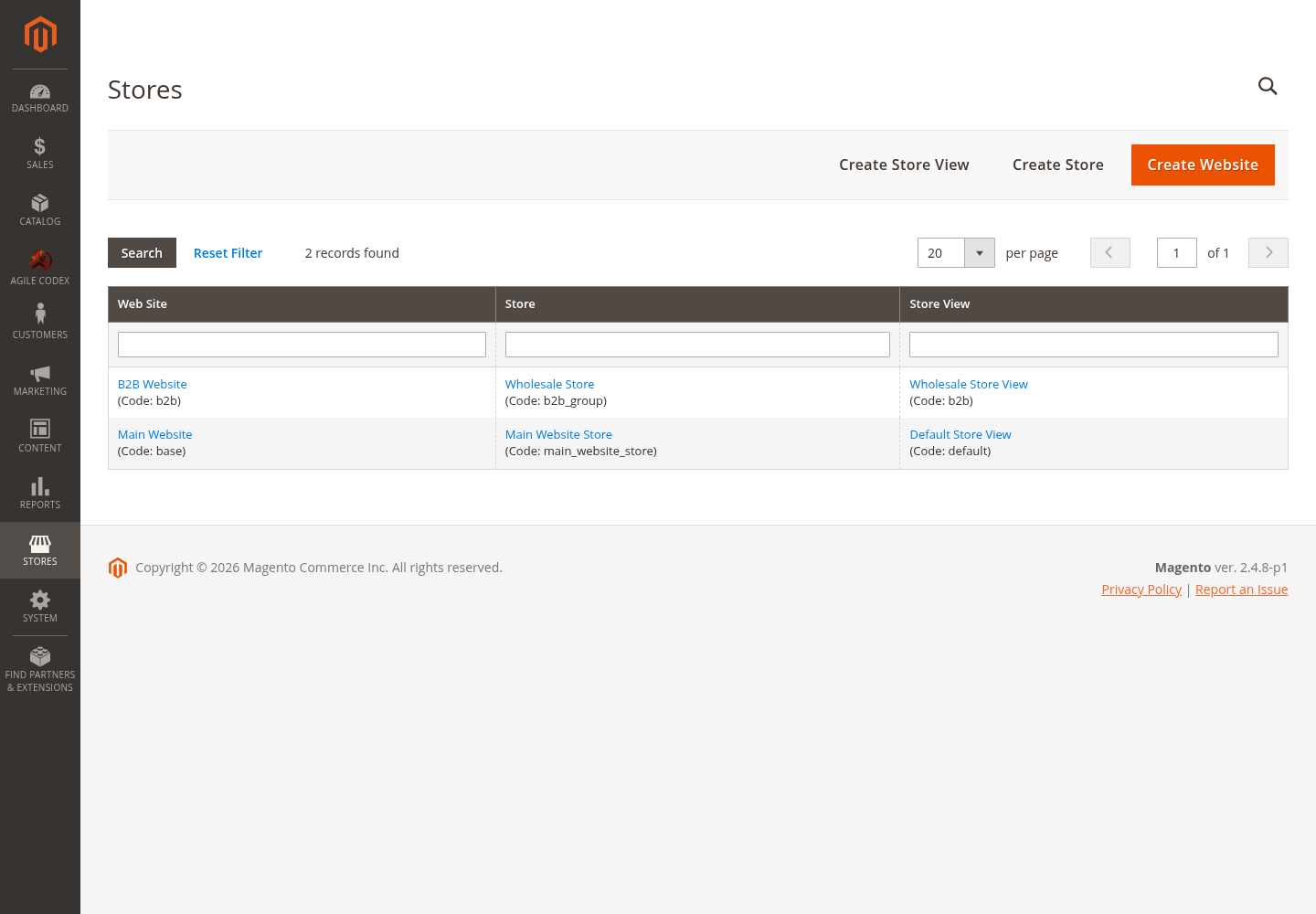
B2B Website Store Hierarchy
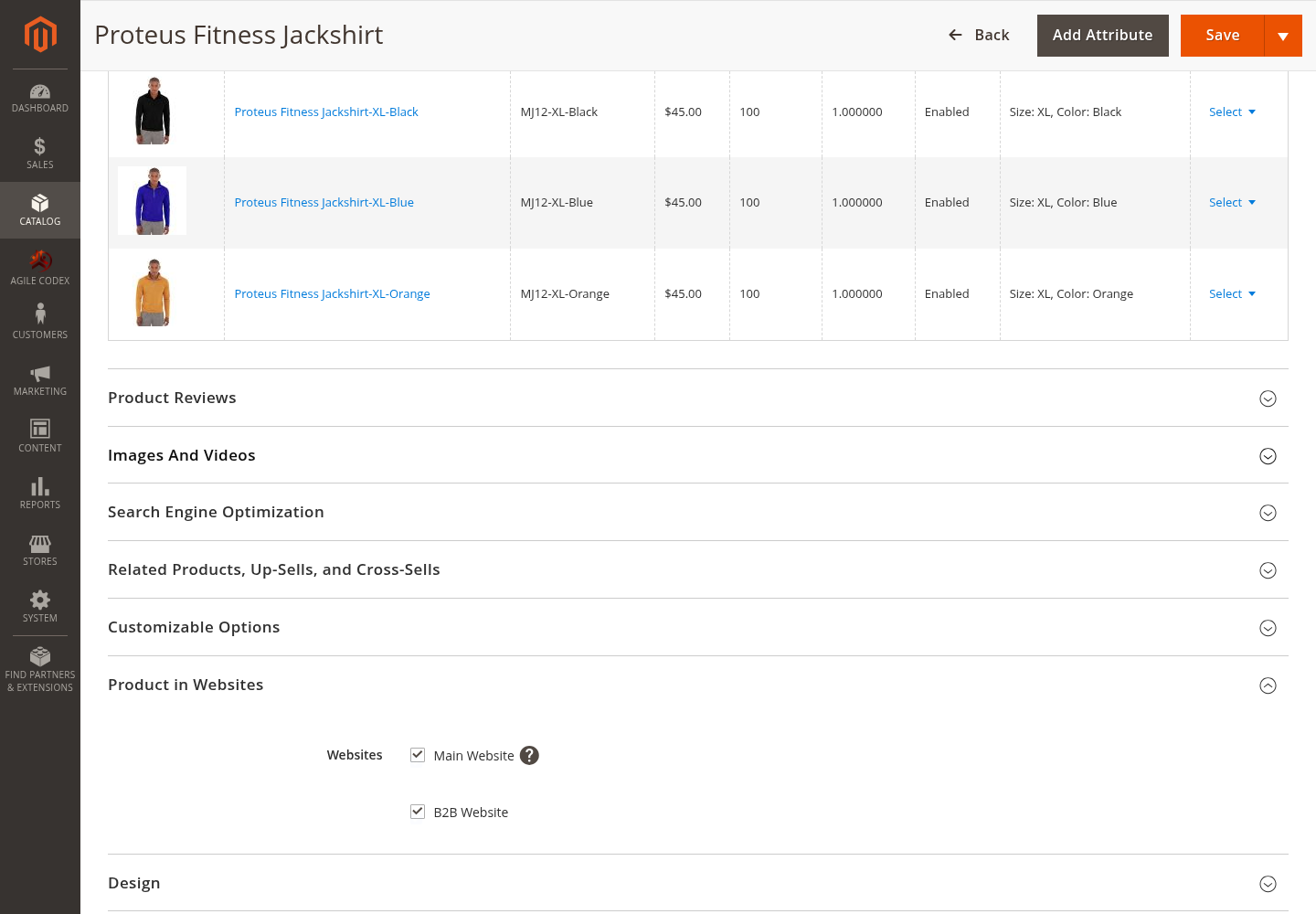
Product in Websites
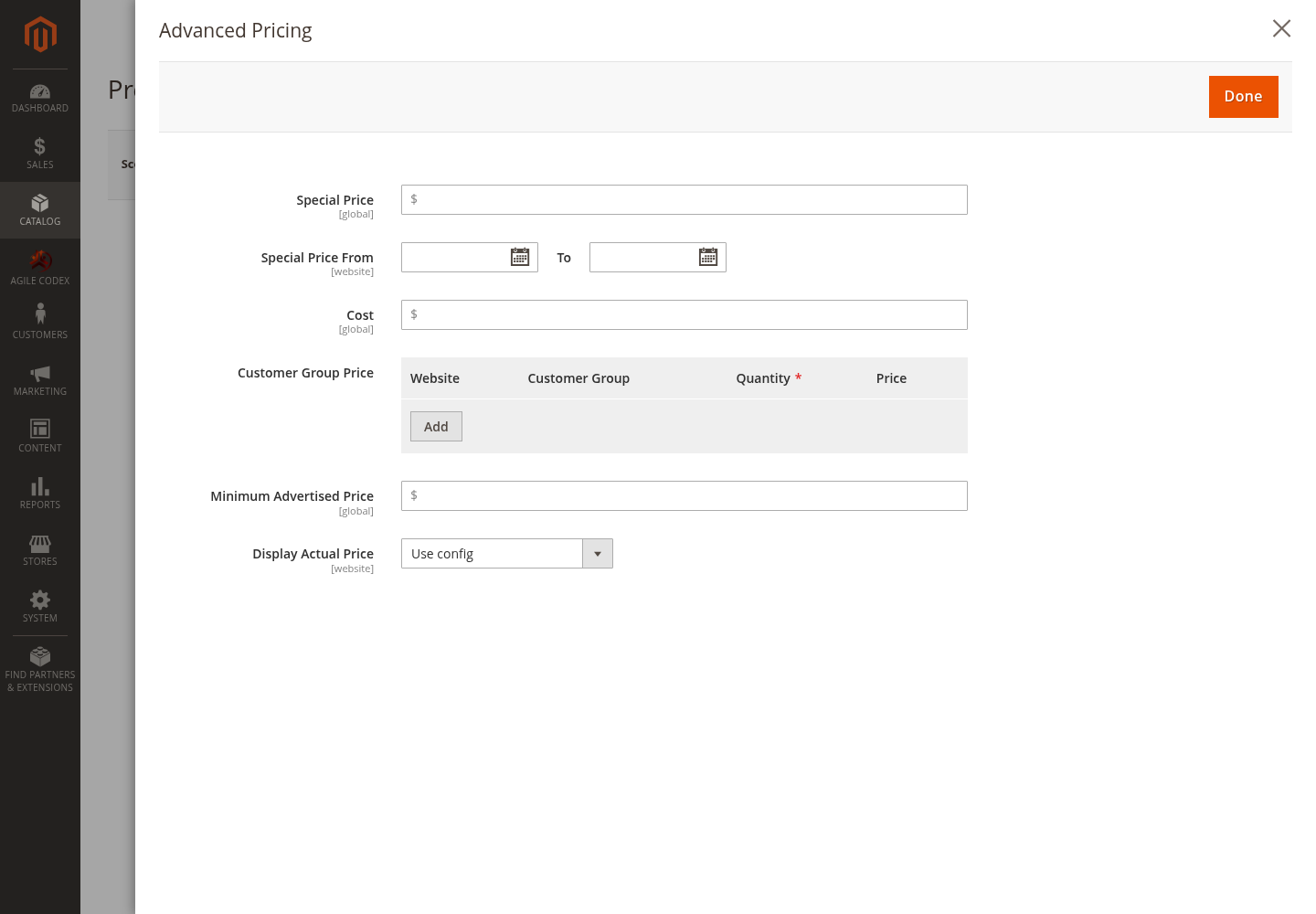
Customer Group Price
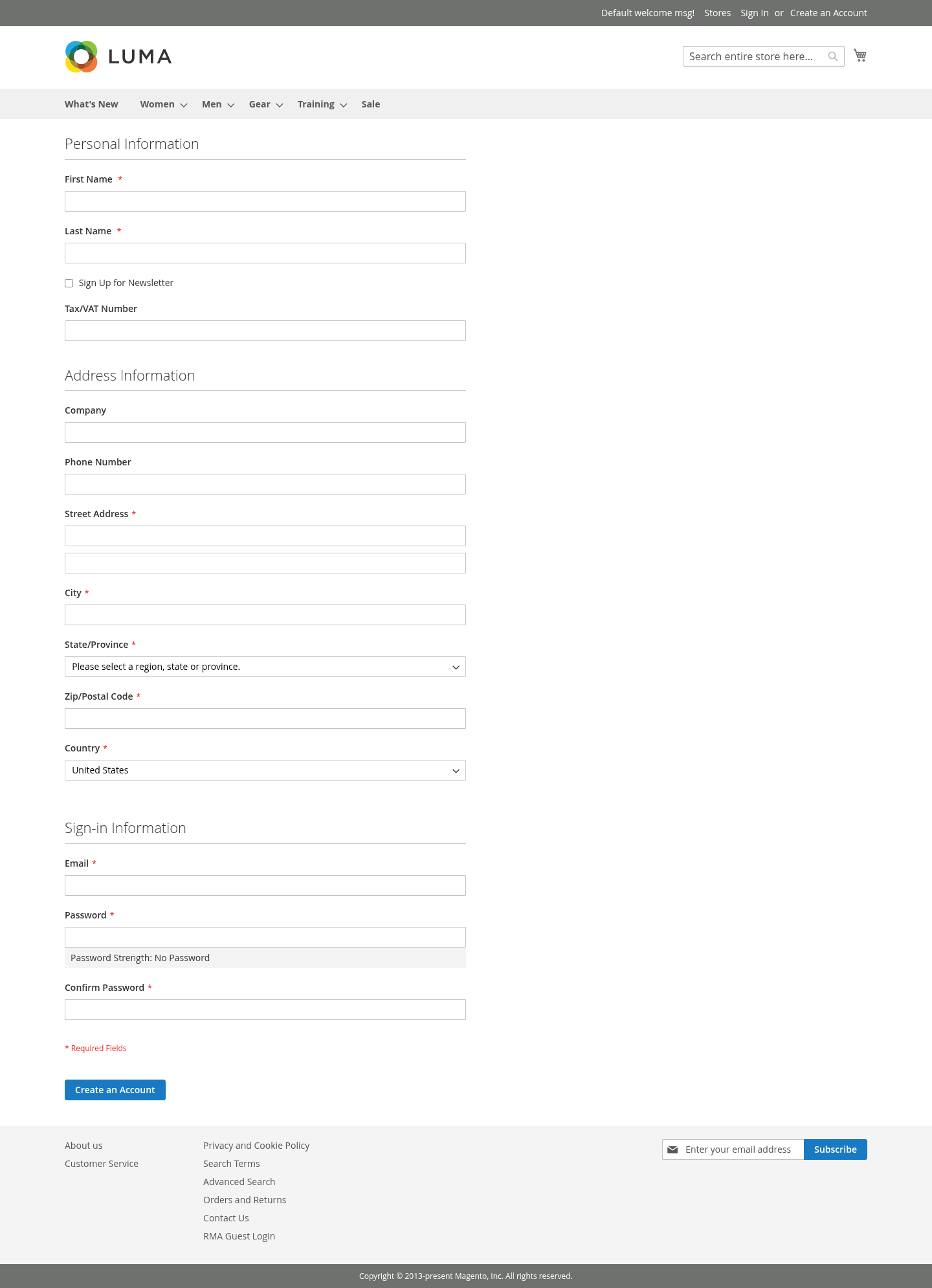
Wholesale Registration
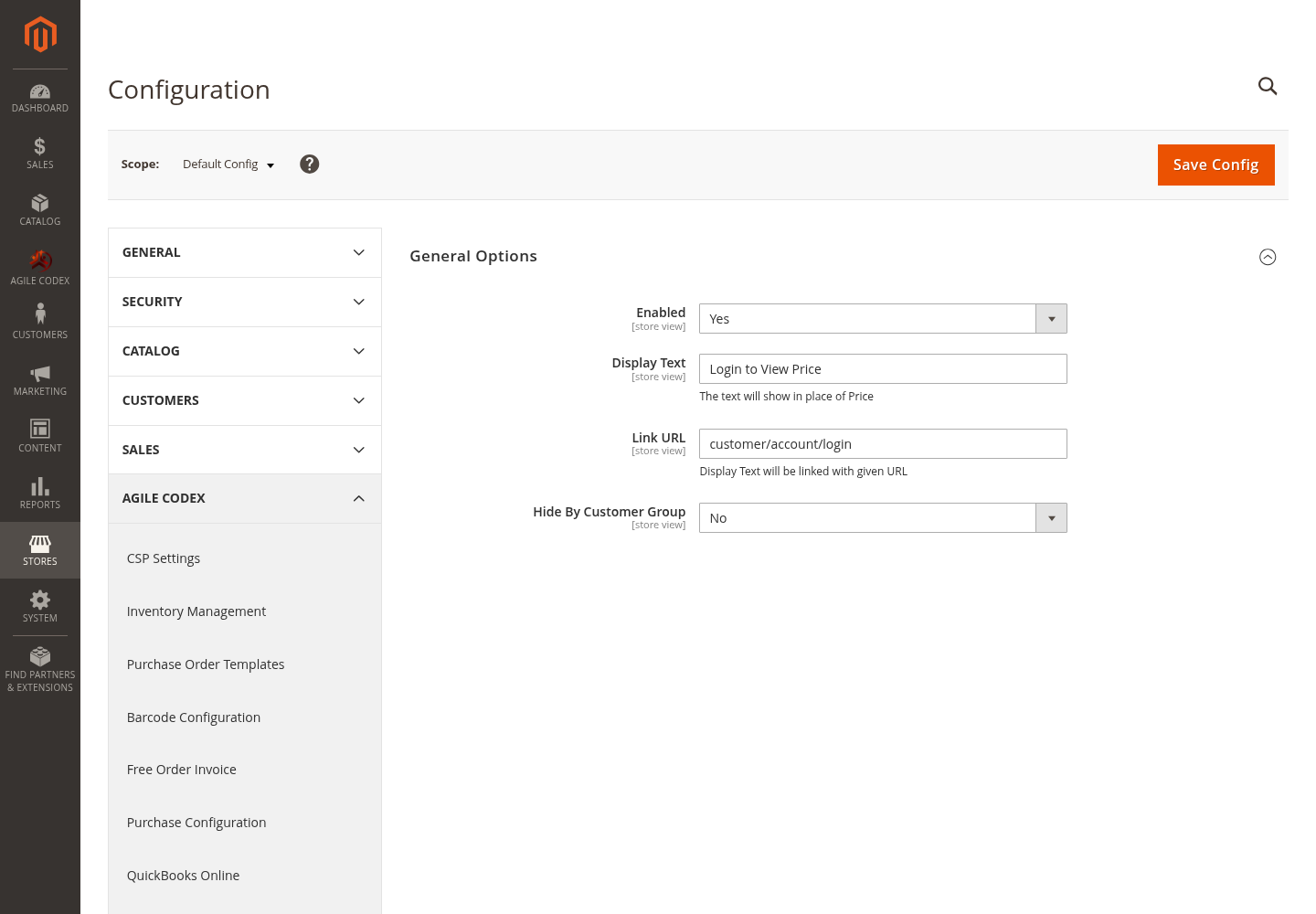
Hide Price Configuration