
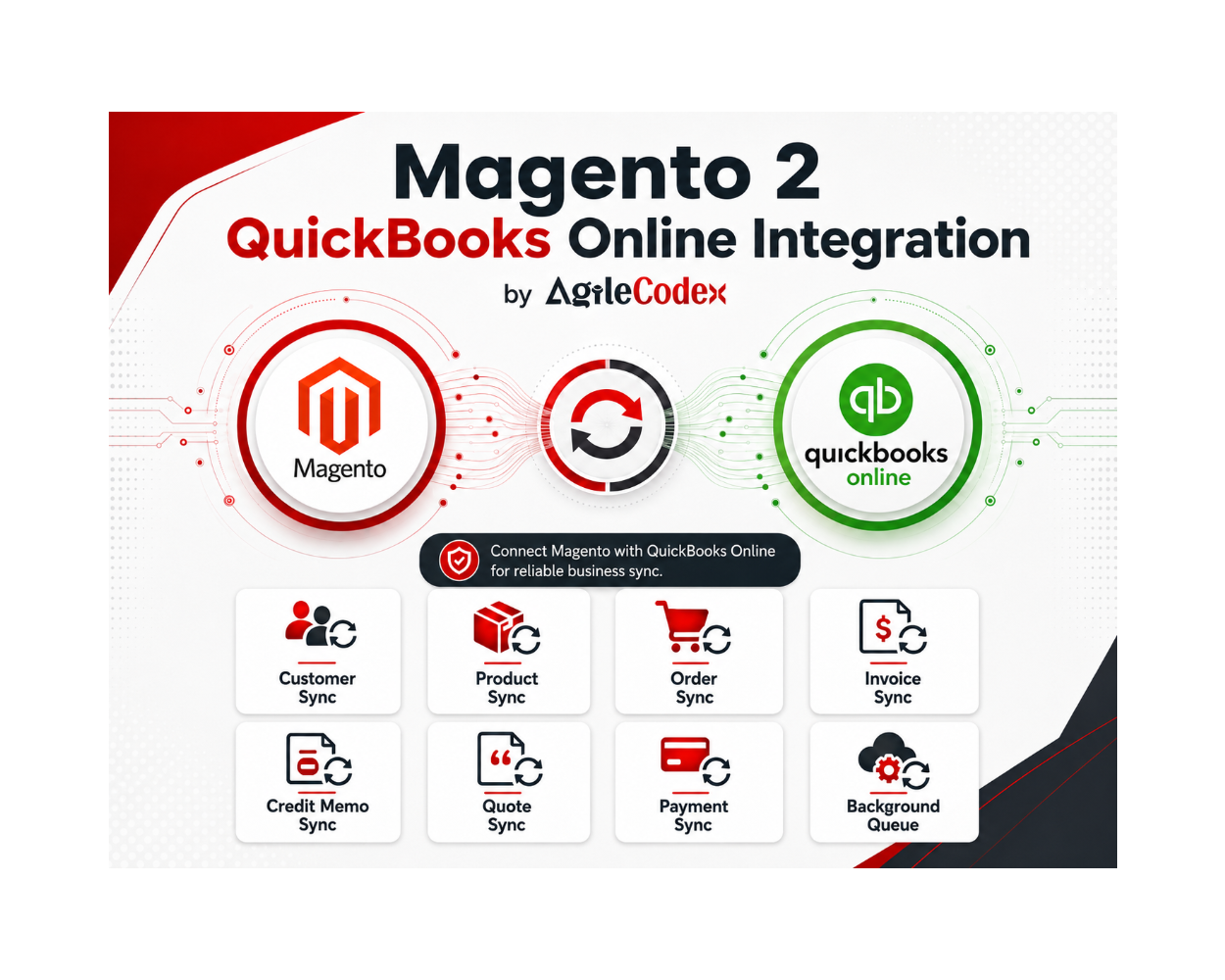
This is a digital Magento 2 extension. No physical product will be shipped.
Download access will be provided after successful payment.
Magento 2 QuickBooks Online Integration
As low as $199.00
In stock
Key Features
Connect Magento 2 with QuickBooks Online and manage synchronization for customers, products, orders, invoices, quotes, payments, credit memos, tax codes, and payment methods.
- OAuth-based QuickBooks Online connection from Magento admin
- Supports Sandbox and Production connection modes
- Dedicated connection dashboard with status, mode, company details, and redirect URI
- Sync Magento customers, products, orders, invoices, quotes, payments, and credit memos
- Queue-based synchronization for safer background processing on production stores
- Manual sync queue to add and process selected Magento records
- Payment method mapping between Magento payment methods and QuickBooks records
- Tax code mapping between Magento tax rates and QuickBooks tax codes
- Order, invoice, and credit memo sync behavior controls
- Immediate, queue, and cron-based sync options
- QuickBooks app Redirect URI guidance for easier setup
- Debug logging and diagnostics options for troubleshooting API sync issues
This is a digital Magento 2 extension. No physical product will be shipped.
Download access will be provided after successful payment.
Magento 2 QuickBooks Online Integration
Connect Magento 2 with QuickBooks Online and automate customer, product, order, invoice, quote, payment, and credit memo synchronization from one reliable integration workflow.
The AgileCodex QuickBooks Online Integration module helps Magento 2 store owners reduce manual accounting work by sending important ecommerce records to QuickBooks Online with controlled sync behavior, payment and tax mapping, queue processing, and sync history visibility.
- Sync Magento customers, products, orders, invoices, quotes, payments, and credit memos
- Use queue-based processing for safer high-volume synchronization
- Map payment methods and tax codes before sending financial data
- Review sync queue and history logs directly from Magento admin
- Connect using QuickBooks OAuth with Sandbox and Production modes
Automate Magento to QuickBooks Online Sync
Keep Magento sales operations and QuickBooks accounting records aligned without manually re-entering every order, invoice, payment, customer, or product.
Order Sync
Send Magento orders to QuickBooks Online with controlled sync behavior and retry support.
Invoice Sync
Synchronize Magento invoices with QuickBooks records for cleaner accounting operations.
Payment Sync
Send payment information to QuickBooks and keep payment records connected with sales data.
Quote Sync
Sync Magento quote workflow data with QuickBooks where quotation-based sales are required.
Customer Sync
Create or update QuickBooks customers from Magento customer and sales records.
Product Sync
Prepare Magento products as QuickBooks items before sales documents are synchronized.
Credit Memo Sync
Send refund and credit memo records to QuickBooks for better financial traceability.
Queue Processing
Use queued or cron-based processing for production stores and high-volume sync jobs.
QuickBooks Connection Dashboard
Manage the QuickBooks Online connection from a dedicated dashboard instead of searching through technical configuration fields.
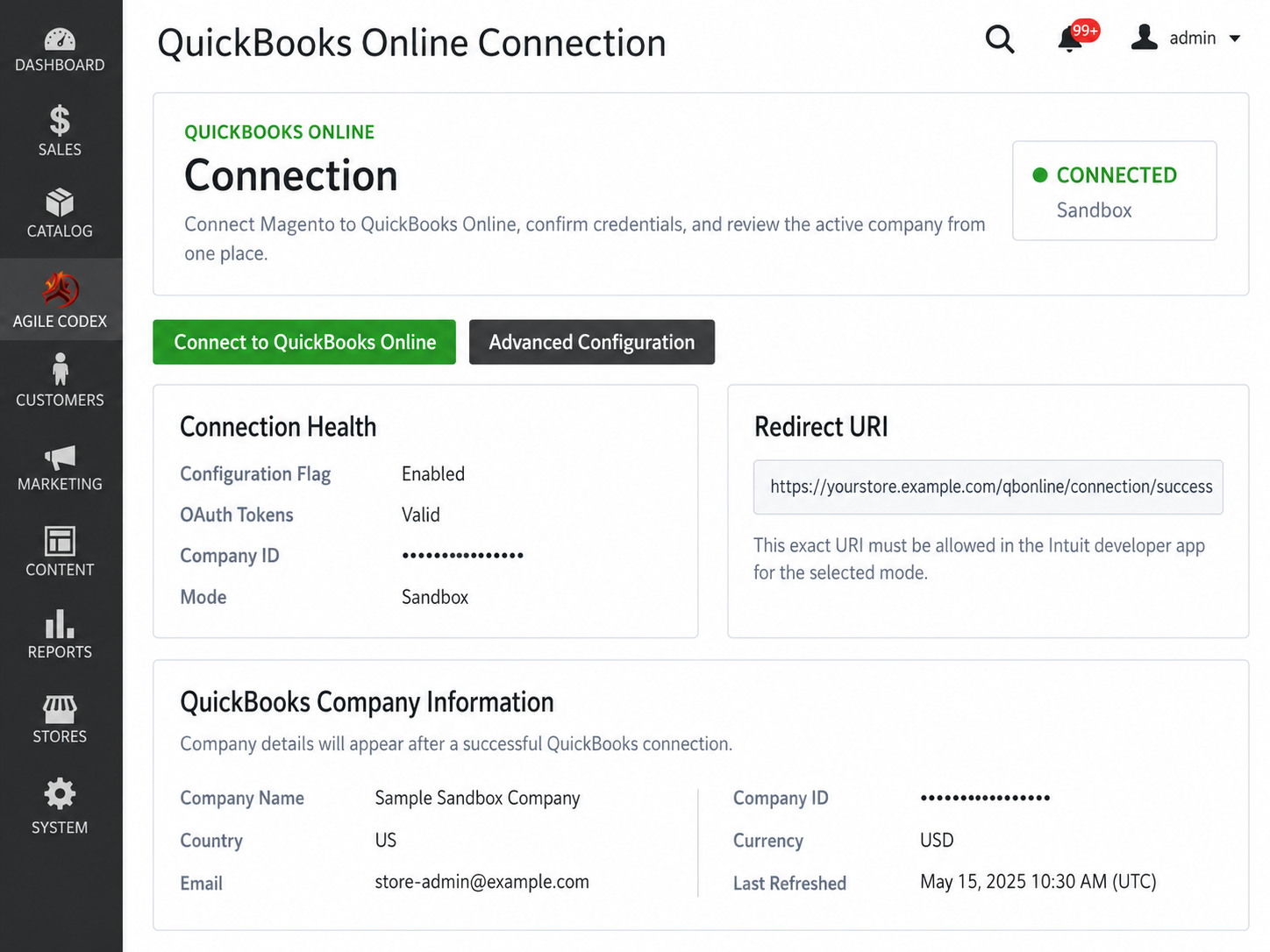
- View connection status in one place
- Check Sandbox or Production mode
- Review credential readiness
- See OAuth token health and company information
- Access Connect, Disconnect, and Advanced Configuration actions
Simple OAuth Setup with Redirect URI Guidance
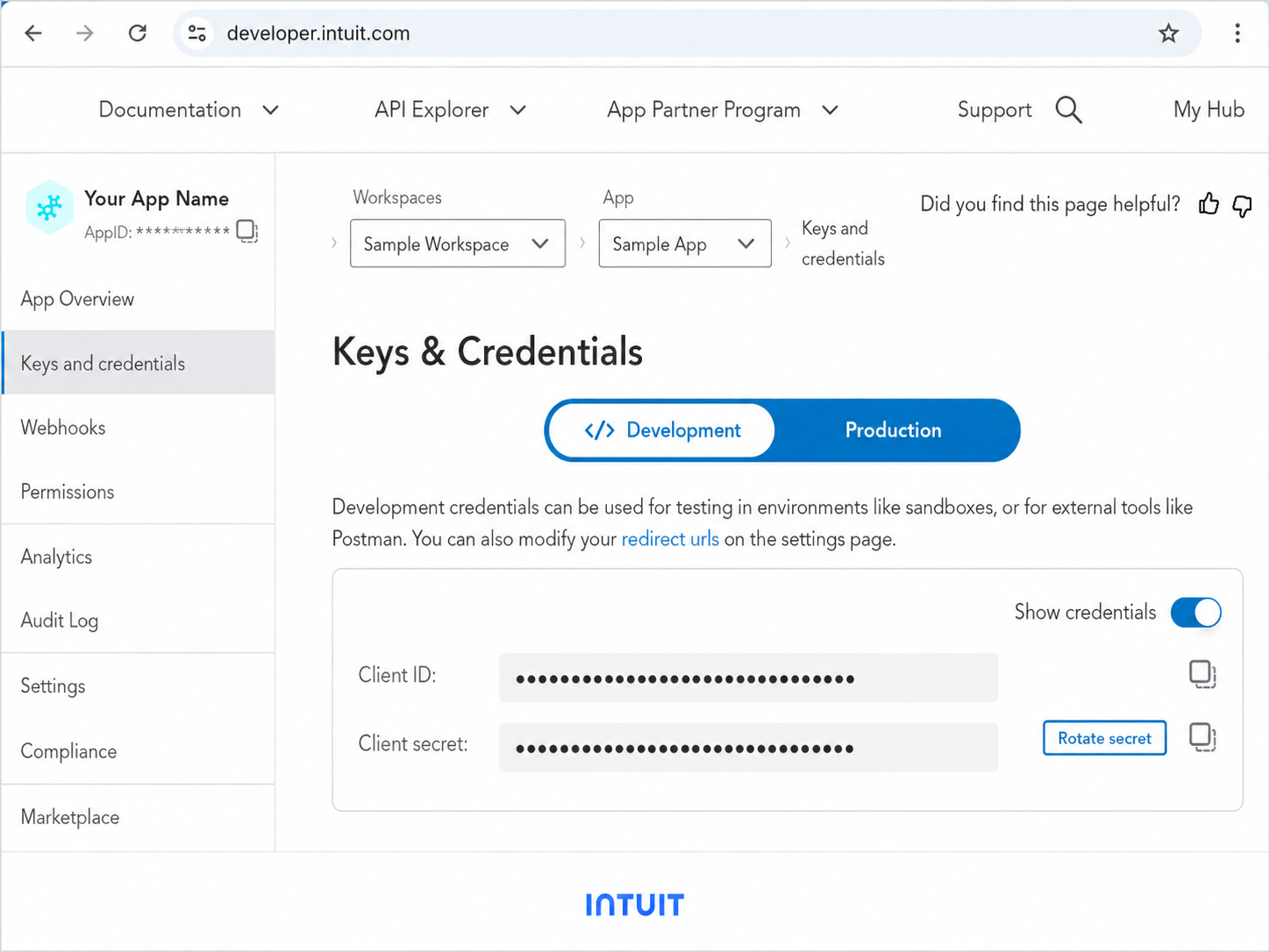
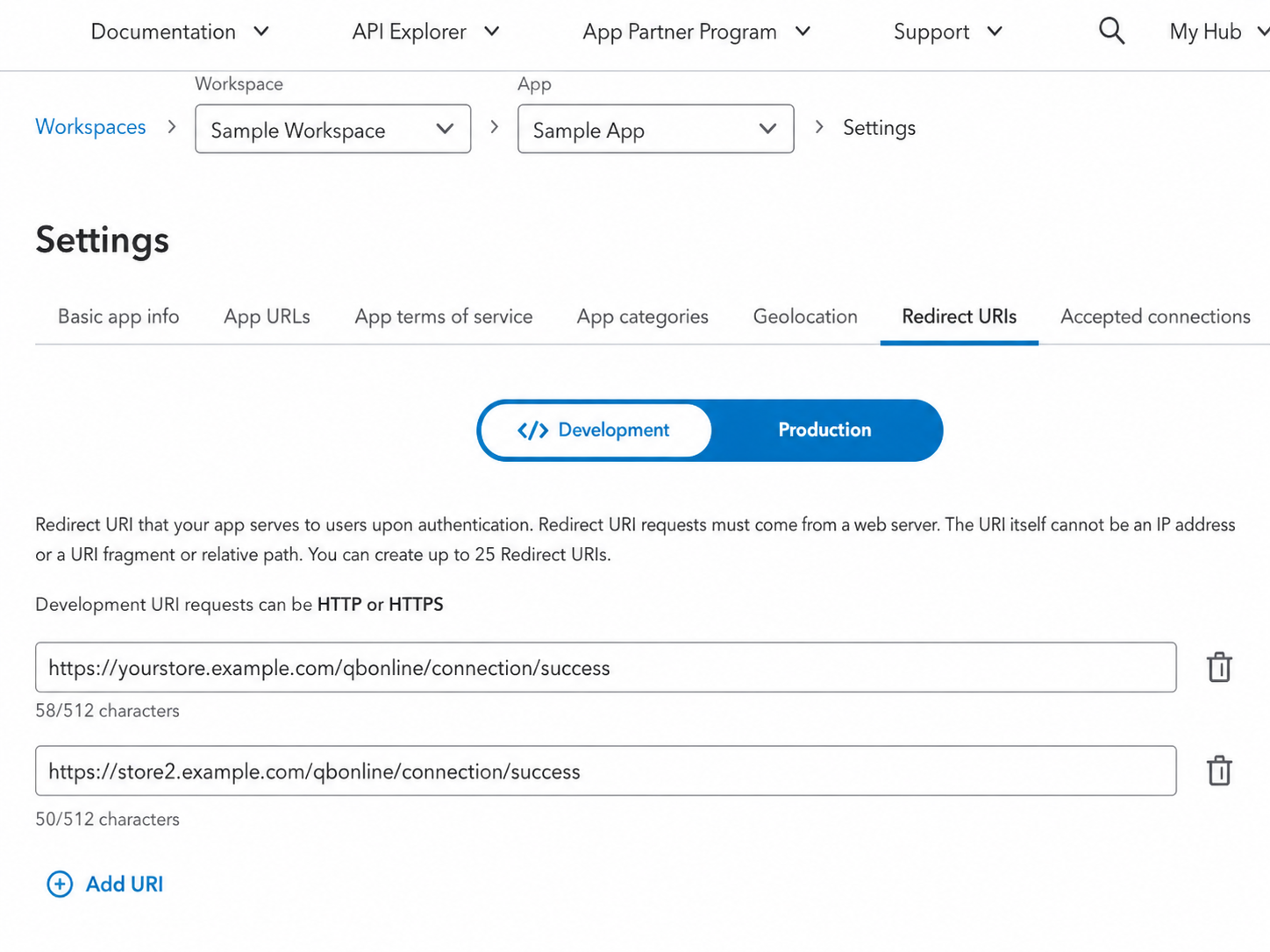
Configure QuickBooks app credentials and copy the exact Redirect URI that must be allowed in your Intuit developer app.
- Sandbox and Production connection modes
- Separate Client ID and Client Secret fields
- Visible Redirect URI for Intuit app setup
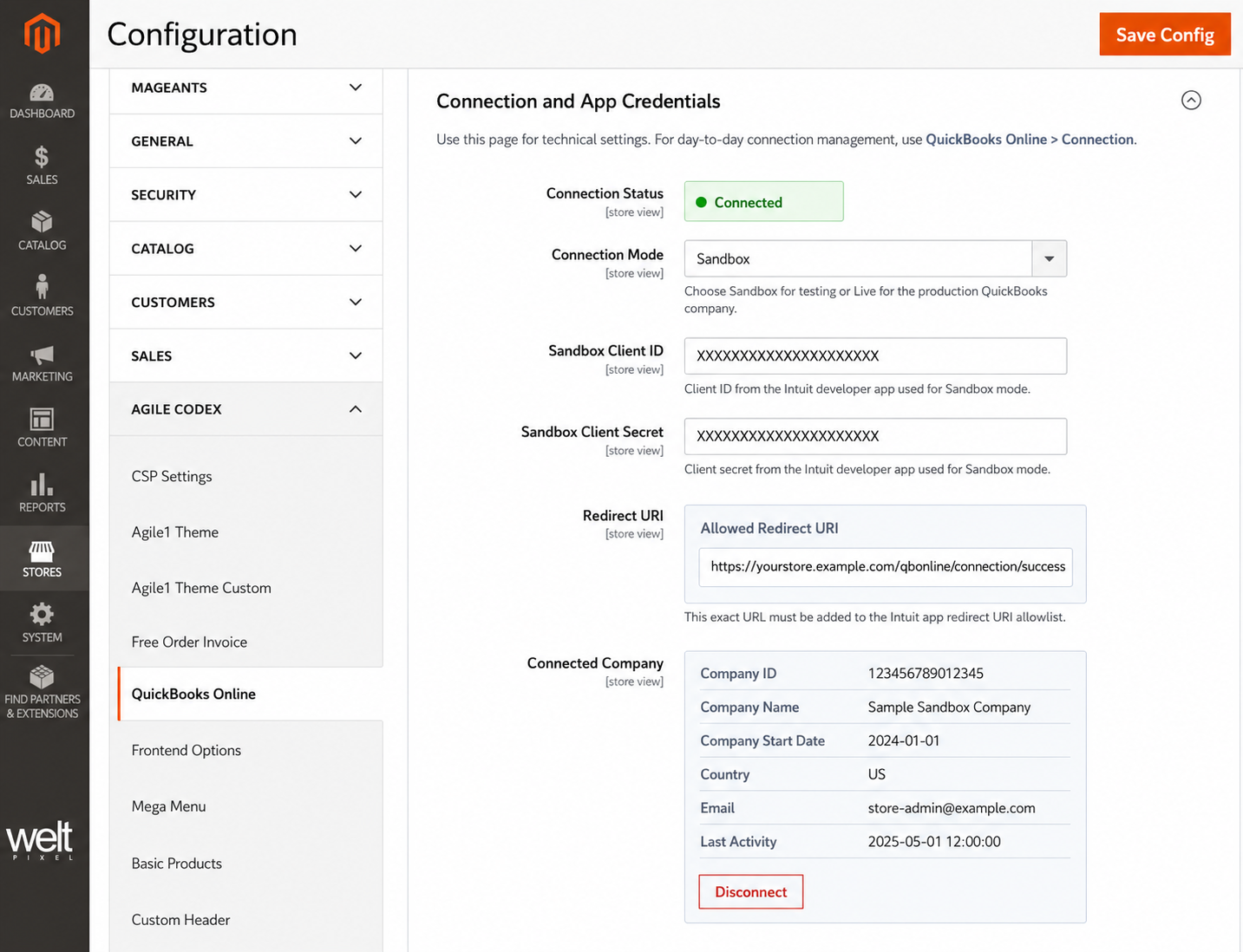
- Connection status and company information after authorization
- Disconnect action for reconnecting or changing accounts
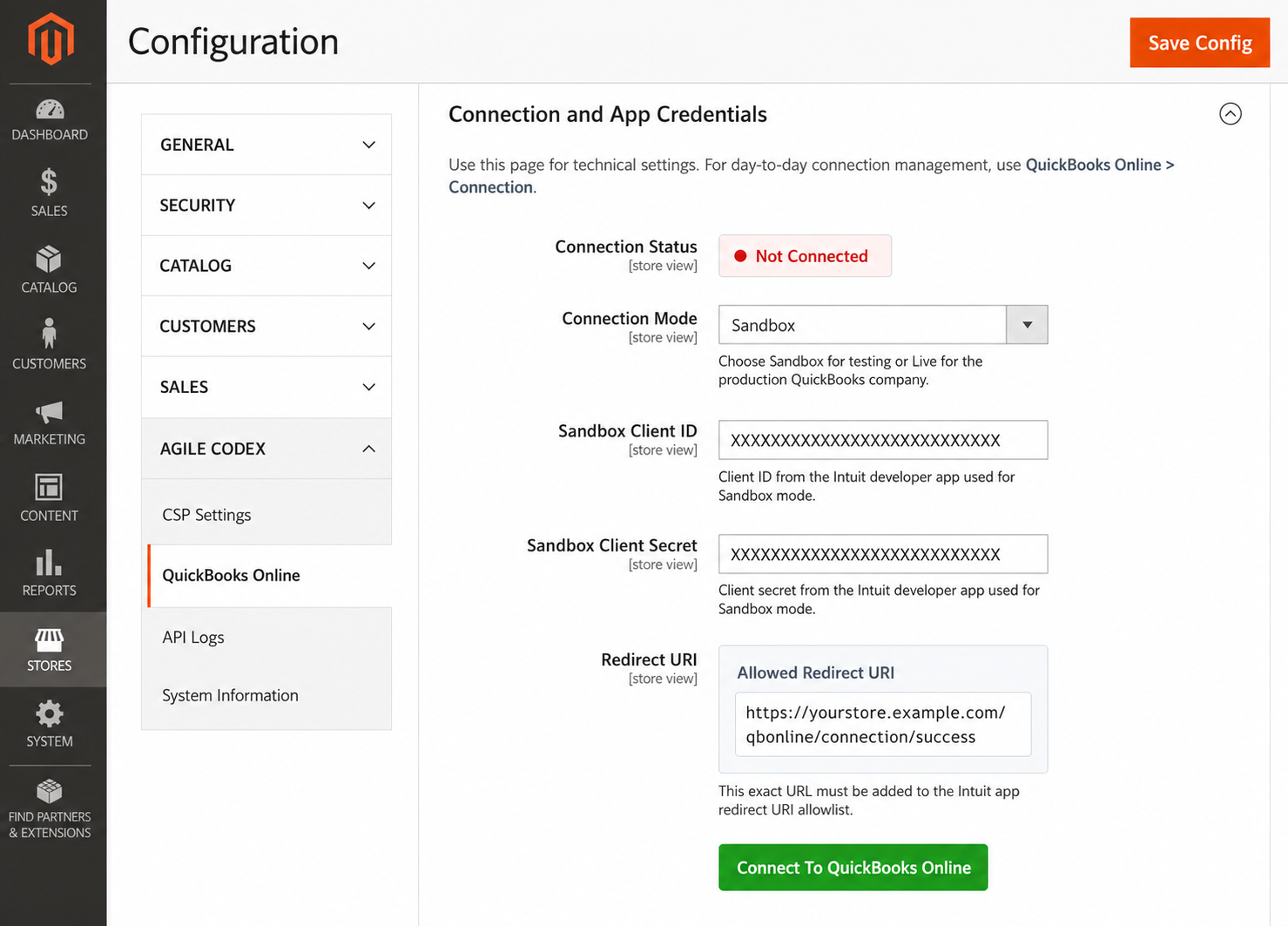
QuickBooks App Setup
The module provides the Magento Redirect URI required for the Intuit Developer app, making QuickBooks OAuth setup easier to complete.
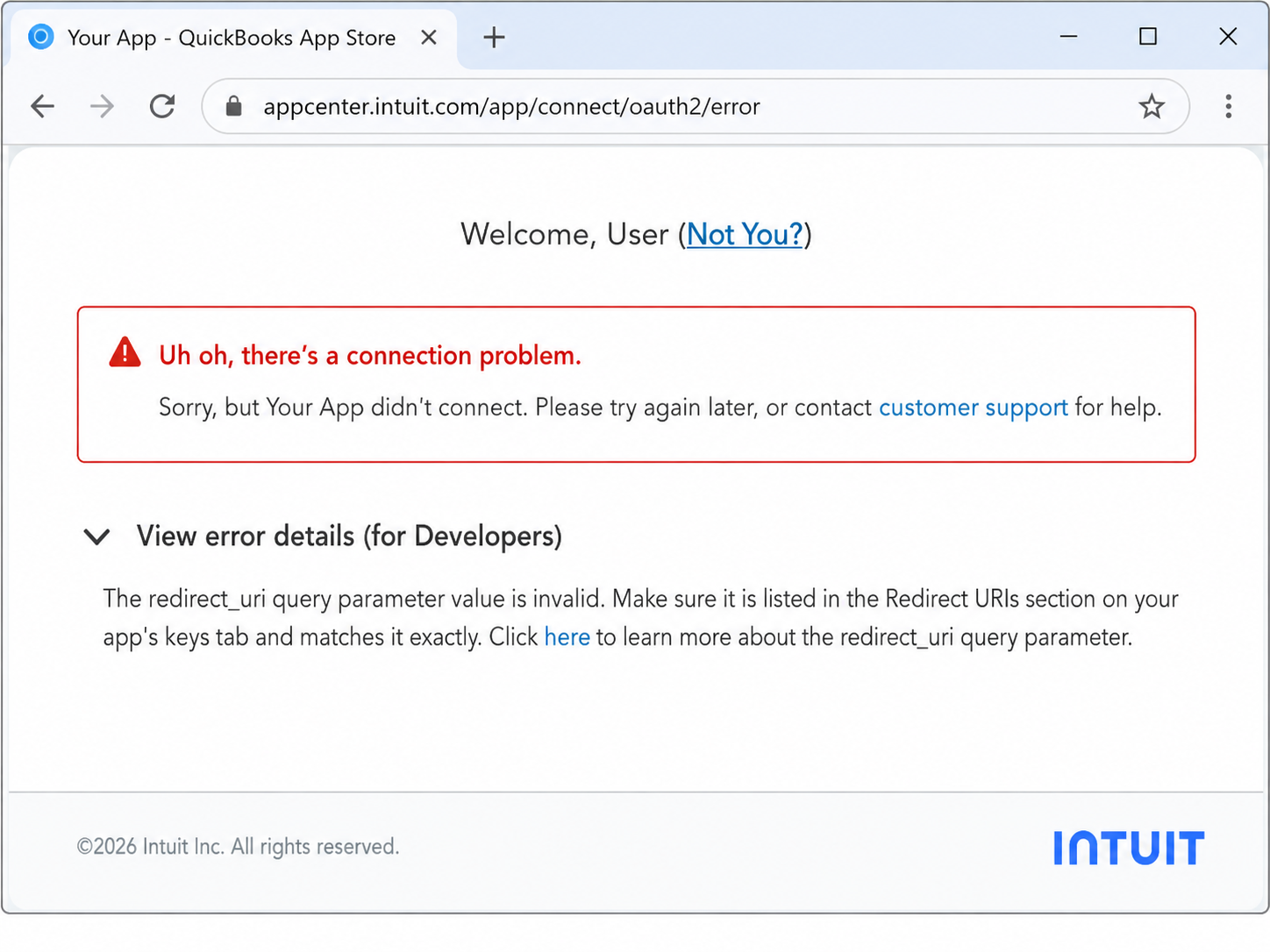
Clear Connection Status
Store admins can quickly see whether the QuickBooks Online app is connected or disconnected, and take the correct action without guessing.
Queue-Based Sync for Safer Processing
Queue records before sending them to QuickBooks Online, then process them in controlled batches. This is useful for production stores where checkout and admin save actions should remain fast.
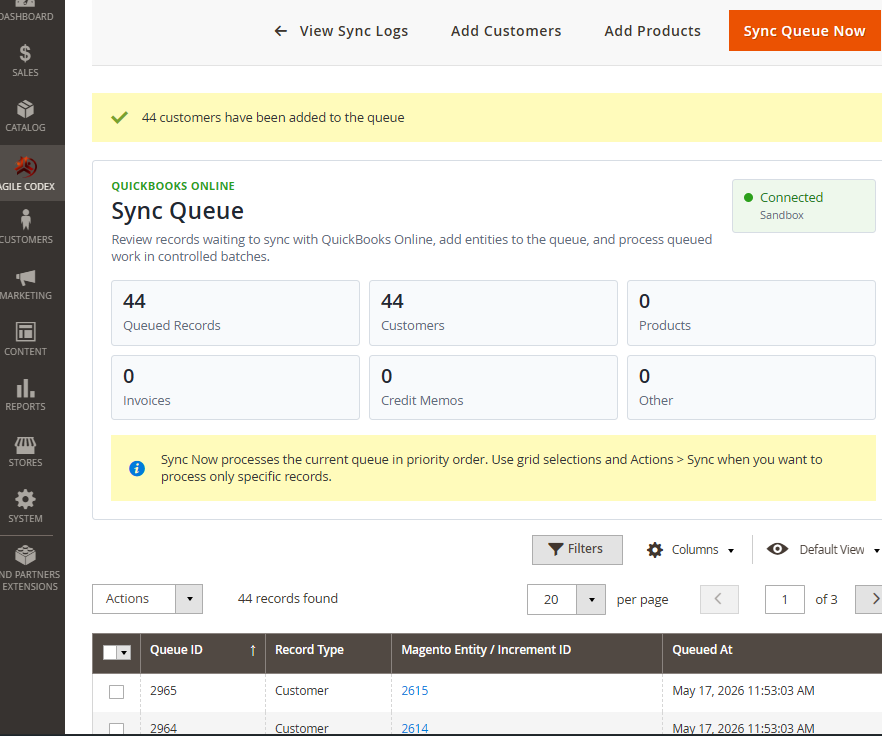
- Add customers, products, invoices, and other records to the queue
- Process queued records manually or through cron-based sync
- Reduce risk of slow admin actions during QuickBooks API calls
- Review queued records before synchronization
- Retry failed records with better visibility
Payment Method Mapping
Map Magento payment methods to QuickBooks payment methods and deposit accounts so payment data can be synchronized more accurately.
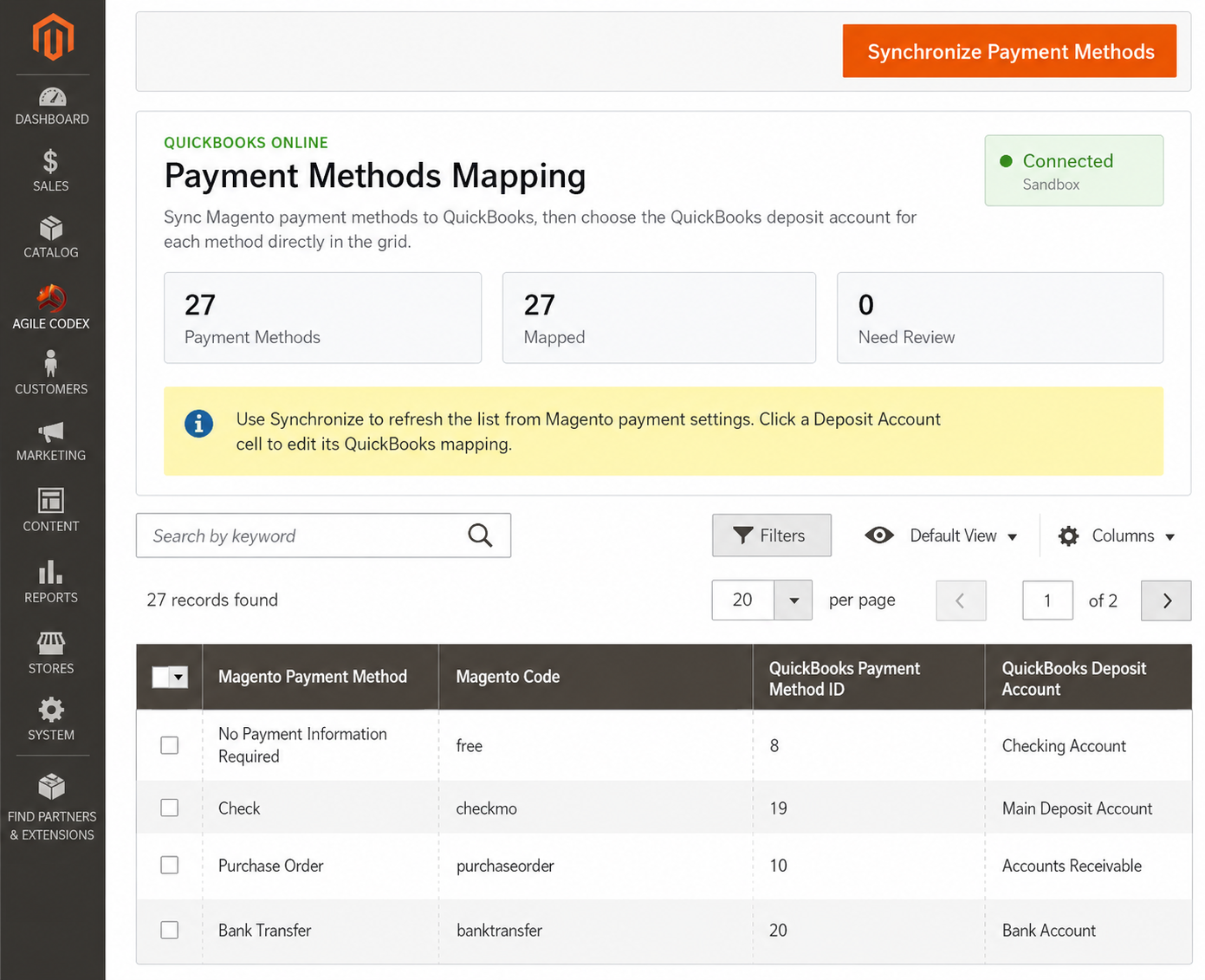
- Synchronize Magento payment methods
- Map each method to a QuickBooks payment method
- Choose QuickBooks deposit account per method
- Review mapped and unmapped payment methods
- Improve payment posting accuracy
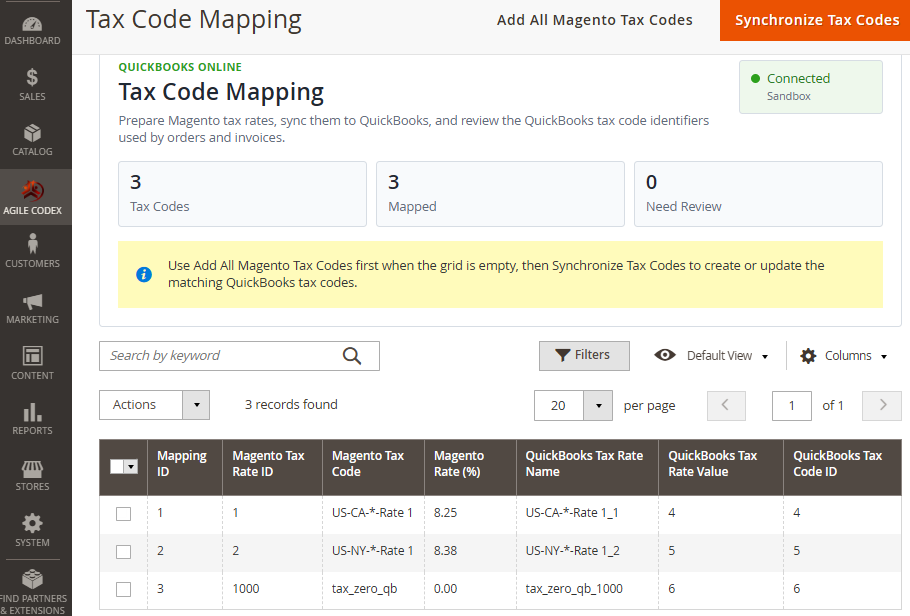
Tax Code Mapping
Prepare Magento tax rates and map them to QuickBooks tax codes before syncing orders, invoices, and other sales documents.
- Add Magento tax rates to the mapping grid
- Create or update matching QuickBooks tax codes
- Review mapped and unmapped tax rates
- Use QuickBooks tax identifiers during sales sync
- Reduce tax-code mismatch issues
Advanced Sync Behavior Controls
Choose how each record type is sent to QuickBooks Online. Immediate sync is useful for simple workflows, while queue or cron-based sync is recommended for production stores.
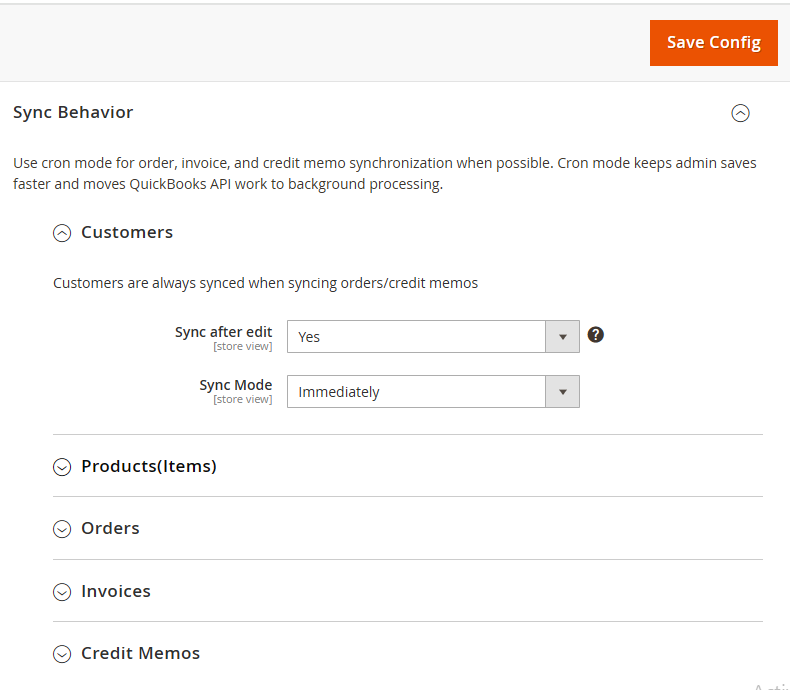
- Control sync behavior for customers, products, orders, invoices, and credit memos
- Choose immediate, queue, or cron-based synchronization
- Limit sync to selected store views where needed
- Use reference prefixes to prevent transaction number conflicts
- Enable diagnostics only when troubleshooting
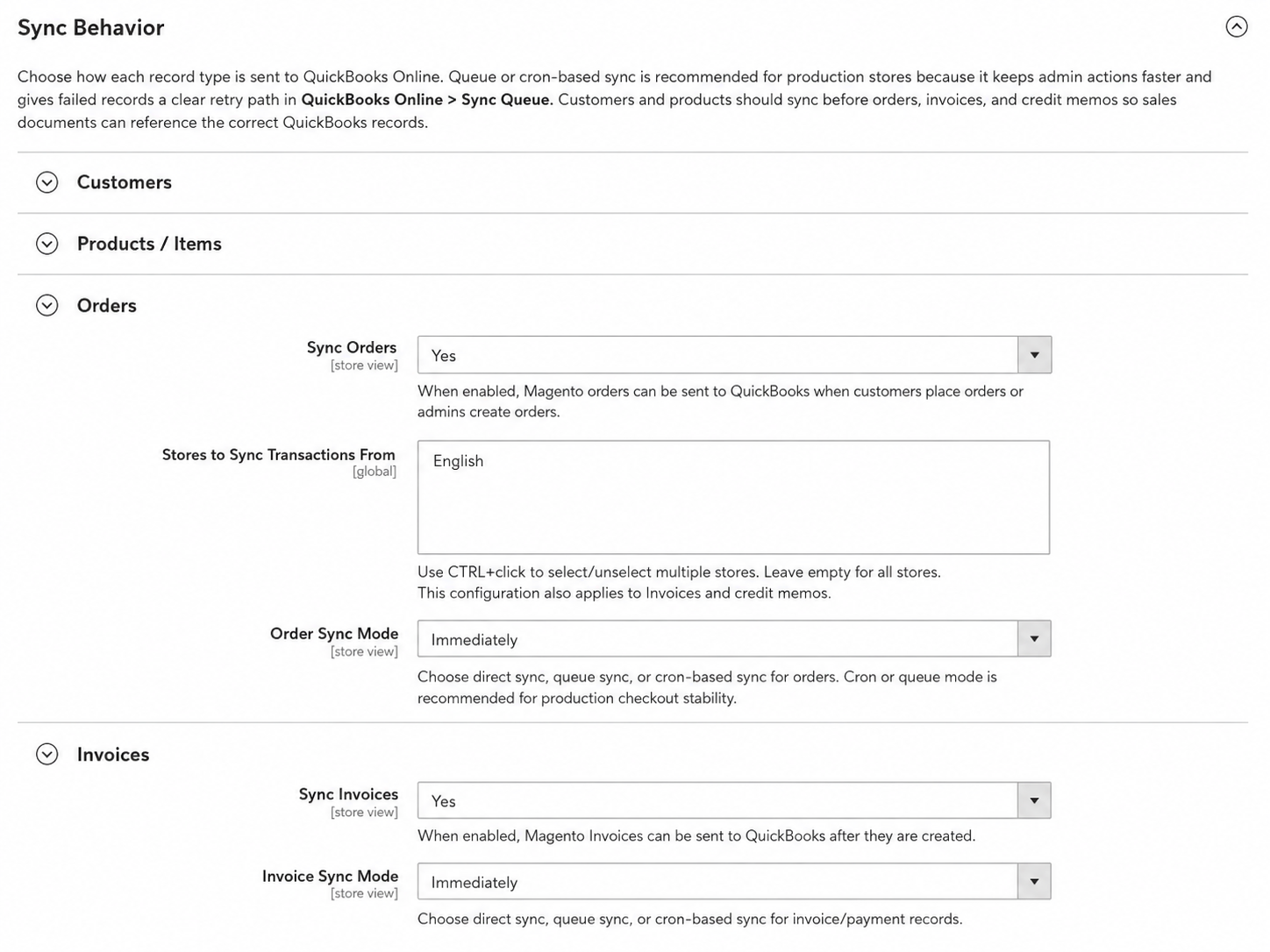
Order and Invoice Sync Settings
Configure how Magento orders and invoices are synchronized with QuickBooks Online, including queue or cron-based processing for safer production usage.
- Enable or disable order synchronization
- Enable or disable invoice synchronization
- Choose immediate, queue, or cron-based sync mode
- Control reference number behavior
- Use queue processing to keep admin actions faster
Credit Memo Sync Settings
Synchronize Magento credit memos and refund records with QuickBooks Online for better financial traceability.
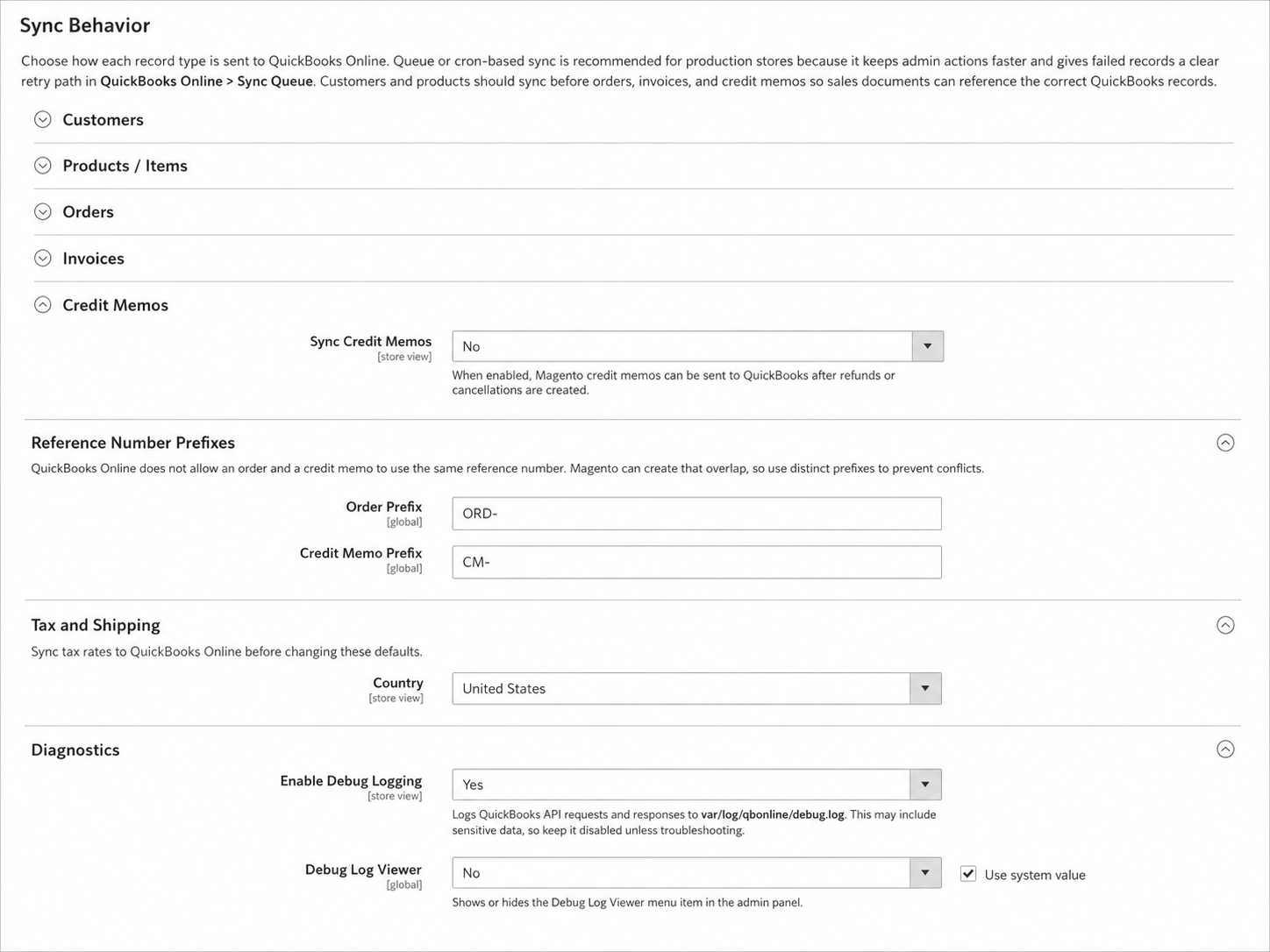
- Enable or disable credit memo synchronization
- Choose when refund data should be sent to QuickBooks
- Use reference prefixes to avoid transaction number conflicts
- Process credit memo sync through queue or cron mode
- Keep refund records traceable between Magento and QuickBooks
Best Fit Use Cases
Magento Stores Using QuickBooks Online
Connect ecommerce sales operations with accounting workflows without constant manual entry.
Stores with High Order Volume
Use queue and cron processing to keep admin actions faster and API sync more controlled.
Stores Needing Better Accounting Visibility
Track sync status, review logs, and confirm which Magento records reached QuickBooks.
Reliable QuickBooks Online Integration for Magento 2
AgileCodex QuickBooks Online Integration helps Magento 2 merchants connect ecommerce operations with QuickBooks accounting through structured sync, mapping, queue processing, and admin visibility.
QuickBooks Online Integration Screenshots
Explore the main setup and synchronization screens of the Magento 2 QuickBooks Online Integration module, including QuickBooks app setup, connection management, sync queue, payment mapping, tax mapping, and sync behavior settings.
Zoom In
Connection Dashboard
Zoom In
Connection Configuration
Zoom In
QuickBooks API Keys
Zoom In
Redirect URI Setup
Zoom In
Disconnected Status
Zoom In
Connected Status
Zoom In
Sync Queue
Zoom In
Payment Method Mapping
Zoom In
Tax Code Mapping
Zoom In
Sync Configuration
Zoom In
Order & Invoice Sync Settings