
Magento 2.4.8 / 2.4.9 Upgrade Checklist, Issues & Fixes
Magento 2.4.8 / 2.4.9 Upgrade: Real-World Issues, Compatibility Checklist, and Post-Upgrade Fixes
Upgrading Magento is not only a Composer command. A successful Magento 2.4.8 or 2.4.9 upgrade needs extension compatibility checks, checkout testing, theme validation, cron review, search verification, cache validation, and careful post-upgrade troubleshooting. This guide explains the practical issues store owners and Magento developers should expect before and after upgrading.
Magento upgrades are often treated as a routine technical task. In reality, the upgrade itself is only one part of the work. The bigger risk usually appears after the upgrade: checkout errors, missing JavaScript templates, broken admin grids, incompatible third-party modules, CSP problems, static content deployment issues, Varnish confusion, or payment/shipping integration failures.
This article is written from a practical Magento support and extension-development perspective. It focuses on the problems that usually affect real stores after upgrading to Magento 2.4.8, 2.4.9, or a nearby patch version.
Quick recommendation
Do not upgrade a live Magento store directly. First clone the website to a staging environment, confirm PHP/Composer/database/search compatibility, disable or patch risky custom modules, run the upgrade, deploy static content, and test checkout, payment, shipping, cron, email, and admin order flows.
1. Why Magento 2.4.8 / 2.4.9 upgrade planning matters
Magento 2.4.8 and 2.4.9 include important platform, security, compatibility, and quality improvements. But every major or minor Magento upgrade can also expose old technical debt. A custom module that worked on 2.4.6 or 2.4.7 may fail after dependency updates. A theme override may reference an outdated template. A checkout customization may break because a JavaScript dependency changed. A payment module may need a newer API version.
For store owners, the real question is not simply: “Can we upgrade Magento?” The better question is: “Can we upgrade Magento without breaking checkout, admin operations, integrations, and daily order processing?”
Security and platform support
Running an older Magento version can increase security and maintenance risk. Newer releases usually include security fixes, dependency updates, and compatibility changes for the modern PHP, database, search, cache, and message queue ecosystem.
Extension compatibility
Magento stores often depend on custom modules, payment gateways, shipping methods, ERP integrations, QuickBooks integrations, theme modules, and admin workflow customizations. These must be checked before the upgrade reaches production.
Checkout reliability
Checkout is the highest-risk area after an upgrade. Even a small JavaScript, Knockout, CSP, payment, shipping, or address validation issue can reduce conversion and block orders.
Operational continuity
Admin users still need to create invoices, shipments, refunds, purchase orders, quotes, emails, PDFs, and reports after the upgrade. A technically “successful” upgrade is not complete until these flows are validated.
2. What to check before upgrading
Before running Composer, prepare an upgrade audit. This reduces downtime and prevents avoidable failures.
2.1 Environment compatibility
- Confirm the target Magento version and patch version.
- Confirm supported PHP version for the target release.
- Check Composer version compatibility.
- Check MySQL or MariaDB compatibility.
- Check OpenSearch or Elasticsearch compatibility.
- Check Redis, Varnish, RabbitMQ, and other service versions.
- Confirm required PHP extensions are installed.
- Confirm enough disk space for Composer, generated files, logs, backups, and static content deployment.
2.2 Extension and customization audit
This is where many Magento upgrades fail. Before upgrading, list all modules and classify them by risk.
| Area | Why it matters | Upgrade action |
|---|---|---|
| Payment modules | Can block checkout or payment capture. | Check vendor compatibility, test payment authorization, capture, invoice, refund, and webhook flows. |
| Shipping modules | Can block shipping rates or checkout progression. | Test carrier rates, address validation, free shipping rules, and shipment creation. |
| Checkout customizations | Often depend on Knockout templates, RequireJS mapping, layout XML, and JS mixins. | Review browser console errors and test guest/customer checkout fully. |
| Theme overrides | Old template overrides can hide new core changes. | Compare overridden templates with the target Magento version. |
| Admin UI components | Data providers, grids, forms, and buttons can fail after dependency or PHP changes. | Test admin grids, edit forms, mass actions, custom buttons, and save controllers. |
| Integrations | ERP, QuickBooks, CRM, warehouse, POS, and API integrations may rely on old data structures. | Test order export, invoice sync, payment sync, product sync, and cron jobs. |
| Custom reports | SQL queries can fail due to stricter database behavior or changed joins. | Test reports with real data, filters, date ranges, and export actions. |
Important
Do not assume that “module enabled” means “module compatible.” A module can install successfully but still fail during checkout, cron execution, API sync, PDF generation, email sending, or admin save actions.
3. Safe Magento upgrade workflow
The exact commands vary by project, hosting, Composer setup, and target version. The following workflow gives a safe structure for most Magento upgrades.
3.1 Create backups
php bin/magento maintenance:enable

# Backup code, composer files, app/etc/env.php, media, and database.
# Use your hosting/server backup system as well.
A backup is not enough unless it has been tested. For important production stores, confirm that the backup can actually be restored in a staging environment.
3.2 Check current Magento status
php bin/magento --version
php bin/magento module:status
php bin/magento indexer:status
php bin/magento cron:run
composer show magento/product-community-edition
3.3 Switch to a staging environment
Run the first upgrade attempt on staging. Keep production stable while you identify compatibility issues.
# Example only. Adjust branch names for your workflow.
git checkout -b upgrade/magento-2-4-9
composer validate
composer diagnose
3.4 Run Composer upgrade
# Example for Magento Open Source.
# Confirm the exact target version before running this.
composer require magento/product-community-edition=2.4.9 --no-update
composer update
If Composer fails, do not force the upgrade blindly. Review dependency conflicts. Some third-party modules may require updated versions or temporary removal.
3.5 Run Magento upgrade commands
rm -rf generated/code generated/metadata var/cache var/page_cache var/view_preprocessed

php bin/magento setup:upgrade
php bin/magento setup:di:compile
php bin/magento setup:static-content:deploy -f
php bin/magento cache:clean
php bin/magento cache:flush
php bin/magento indexer:reindex

php bin/magento maintenance:disable
Developer mode note
In developer mode, Magento may generate static files differently from production mode. Always test production deployment mode before approving the upgrade for live use.
4. Common issues after Magento 2.4.8 / 2.4.9 upgrade
The following issues are common after Magento upgrades, especially on stores with custom themes and custom modules.
Issue 1: Checkout page loads but cannot continue
Symptoms may include disabled buttons, broken payment step, missing shipping methods, stuck loader, or JavaScript console errors.
Common causes:
- Old checkout JS mixin.
- Broken RequireJS map.
- Missing Knockout template.
- CSP blocking payment or tracking scripts.
- Payment module not compatible with the new Magento version.
- Shipping carrier API or configuration issue.
How to investigate:
# Check Magento logs
tail -f var/log/system.log
tail -f var/log/exception.log
tail -f var/log/debug.log

# Check browser console
# Look for failed JS files, missing templates, CSP violations, or payment errors.
Issue 2: Missing template error
Example:
Failed to load template: Vendor_Module/template/path/template.htmlThis usually means Magento is trying to load a frontend template that does not exist in the expected location, is not deployed into static content, or is referenced incorrectly in a UI component or JavaScript file.
Fix checklist:
- Confirm the file exists under
view/frontend/web/template/or the correct area. - Confirm the path matches the JS component reference exactly.
- Remove old static files and redeploy.
- Check whether the template is overridden by the theme.
- Check browser network tab for the real missing URL.
rm -rf pub/static/frontend/* var/view_preprocessed/*
php bin/magento setup:static-content:deploy -f
php bin/magento cache:flush
Issue 3: Admin grid or form crashes
Admin grids and forms often fail after upgrades because of PHP type changes, UI component data provider issues, ACL problems, or old constructor signatures.
Common symptoms:
- Admin page is blank.
- Grid spinner never stops.
- Save button returns a 500 error.
- Mass action fails.
- Export fails.
- Data provider throws a type error.
Check these files first:
var/log/exception.log
var/log/system.log
var/report/*
generated/code/*
app/code/Vendor/Module/view/adminhtml/ui_component/*.xml
app/code/Vendor/Module/Model/*DataProvider.php
Issue 4: Static content deployment completes but frontend still looks broken
This usually happens when old static files, browser cache, CDN cache, Varnish, or theme fallback issues are still active.
Fix checklist:
- Confirm the correct theme is assigned to the store view.
- Confirm static files are deployed for the correct locale.
- Flush Magento cache.
- Purge Varnish/CDN cache.
- Hard-refresh browser or test in private mode.
- Check if the page is loading from old cached HTML.
php bin/magento cache:clean
php bin/magento cache:flush

# If Varnish is used, purge Varnish according to your server setup.
# If CDN is used, purge CDN cache as well.
Issue 5: CSP blocks payment, chat, analytics, or external scripts
Content Security Policy errors are common after upgrades or frontend changes. Payment gateways, analytics tools, chat widgets, map scripts, image CDNs, and iframe-based services may need explicit CSP whitelisting.
Example browser console symptom:
Refused to load the script because it violates the following Content Security Policy directive...Do not disable CSP globally as a quick fix. Identify the exact blocked domain and add a proper whitelist entry through a module or configuration.
Issue 6: Cron jobs stop working
After an upgrade, cron issues can affect emails, indexers, inventory reservation cleanup, sitemap generation, order processing, integration sync, and custom module automation.
php bin/magento cron:run
php bin/magento cron:install
crontab -l

# Check cron logs
tail -f var/log/cron.log
tail -f var/log/system.log
Issue 7: Search results or category pages break
Magento 2 depends heavily on the configured search engine. After upgrading, confirm that OpenSearch or Elasticsearch is compatible, reachable, correctly configured, and reindexed.
php bin/magento config:show catalog/search/engine
php bin/magento indexer:reindex catalogsearch_fulltext
php bin/magento indexer:status
5. Practical troubleshooting commands and fixes
When the upgraded site does not behave correctly, use a structured debugging process instead of changing many things at once.
5.1 Clear generated code and caches safely
rm -rf generated/code generated/metadata
rm -rf var/cache var/page_cache var/view_preprocessed
php bin/magento cache:flush
php bin/magento setup:di:compile
php bin/magento setup:static-content:deploy -f
5.2 Check module status
php bin/magento module:status

# Disable a risky custom module temporarily only in staging first:
php bin/magento module:disable Vendor_Module
php bin/magento setup:upgrade
php bin/magento cache:flush
5.3 Find the source of a JavaScript template error
# Search custom modules and themes for the missing template path.
grep -R "template/path/name" app/code app/design -n

# Search for JS component references.
grep -R "Vendor_Module/template" app/code app/design -n
5.4 Check dependency injection compile errors
php bin/magento setup:di:compile

# If it fails, read the first real error carefully.
# Later errors are often side effects of the first class/interface/signature problem.
5.5 Review recent exceptions
tail -n 200 var/log/exception.log
tail -n 200 var/log/system.log
ls -lt var/report | head
Good debugging rule
Fix the first reproducible error, clear generated files/cache, retest, then move to the next issue. Do not patch five unrelated files at once unless you already know the root cause.
6. Post-upgrade testing checklist
A Magento upgrade should not be approved only because the homepage loads. Test the business-critical workflows.
| Area | What to test | Pass condition |
|---|---|---|
| Homepage | Header, menu, banners, CMS blocks, product sliders, search, footer. | No broken layout, no major console errors, no missing images. |
| Product page | Price, stock status, add to cart, gallery, tabs, related products, custom options. | Product can be added to cart with correct price and options. |
| Cart | Quantity update, coupon, shipping estimate, totals. | Totals update correctly and cart proceeds to checkout. |
| Checkout | Guest checkout, customer checkout, shipping, payment, order placement. | Order is placed successfully and confirmation email is generated. |
| Payment | Authorization, capture, invoice, refund, webhook, failure handling. | Payment status and Magento order status remain consistent. |
| Shipping | Shipping methods, rate calculation, shipment creation, tracking. | Shipping rates show correctly and shipment can be created. |
| Admin order flow | Invoice, shipment, credit memo, comments, email sending. | Admin users can process orders without error. |
| Emails | Order email, invoice email, shipment email, contact form, custom templates. | Emails send with correct layout, variables, and attachments if applicable. |
| Integrations | ERP, QuickBooks, CRM, POS, warehouse, API jobs. | Data sync works and failed jobs are logged clearly. |
| Performance | Full page cache, Varnish, Redis, static assets, Lighthouse/GTmetrix checks. | Pages are cached correctly and no obvious frontend bottleneck remains. |
Recommended smoke test before going live
- Place a guest order.
- Place a logged-in customer order.
- Test at least one real payment method in sandbox or live low-value mode.
- Create invoice, shipment, and credit memo from admin.
- Test contact form and transactional emails.
- Run cron manually and confirm no critical error appears.
- Reindex and confirm all indexers are valid.
- Check browser console on homepage, product page, cart, checkout, and customer account pages.
- Check error logs after testing.
- Confirm production cache/Varnish/CDN behavior after deployment.
7. Magento 2.4.8 vs 2.4.9: should you upgrade directly to 2.4.9?
If you are planning a new upgrade now, it usually makes sense to evaluate the latest stable Magento release line rather than investing effort into an older target version. However, the right decision depends on your server stack, extension compatibility, payment/shipping modules, custom code, and business risk.
Practical decision rule
If your store depends on many third-party or custom modules, do not choose the target Magento version only by release date. First confirm whether your key modules support that version. A slightly older but fully tested patch version may be safer than a newer version with unresolved extension conflicts.
8. When to ask for Magento upgrade support
You may need professional Magento upgrade help if:
- Composer dependency conflicts are blocking the upgrade.
- Checkout breaks after upgrade.
- Payment or shipping modules are not working correctly.
- Admin grids, forms, or reports fail with PHP errors.
- Custom modules need compatibility fixes.
- Theme overrides are outdated and breaking frontend layout.
- Static content deployment or RequireJS errors are difficult to trace.
- Varnish, Redis, OpenSearch, cron, or email behavior is inconsistent.
- You need a staging-to-production deployment plan with rollback protection.
Need help upgrading Magento safely?
AgileCodex helps Magento store owners with version upgrades, custom module compatibility, checkout debugging, performance optimization, QuickBooks integration, admin workflow fixes, and post-upgrade support.
Request Magento Upgrade SupportNote: Always verify exact system requirements, security patches, and compatibility notes from the official Adobe Commerce / Magento Open Source documentation before upgrading a production store.
-
 Magento 2 Purchase Management
As low as $199.00 Regular Price $299.00
-
 Advanced Inventory & Warehouse Management for Magento 2
As low as $249.00 Regular Price $399.00
-
 Payment or Deposit for Magento 2
As low as $249.00
-
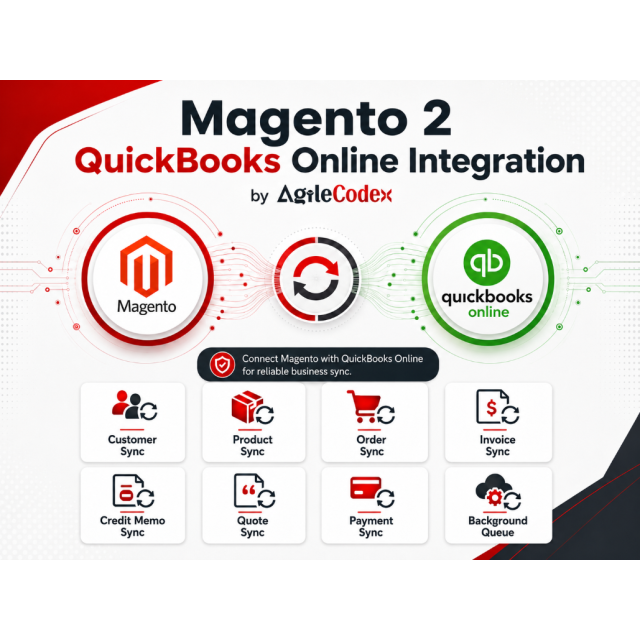 Magento 2 QuickBooks Online Integration
As low as $199.00