This is a digital Magento 2 extension. No physical product will be shipped.
Download access will be provided after successful payment.
Magento 2 Support Desk & Ticket Management
As low as $99.00 Regular Price $179.00
In stock
Manage customer support conversations inside Magento 2.
Give your team one ticket workspace for customer context, replies, assignment and follow-up.
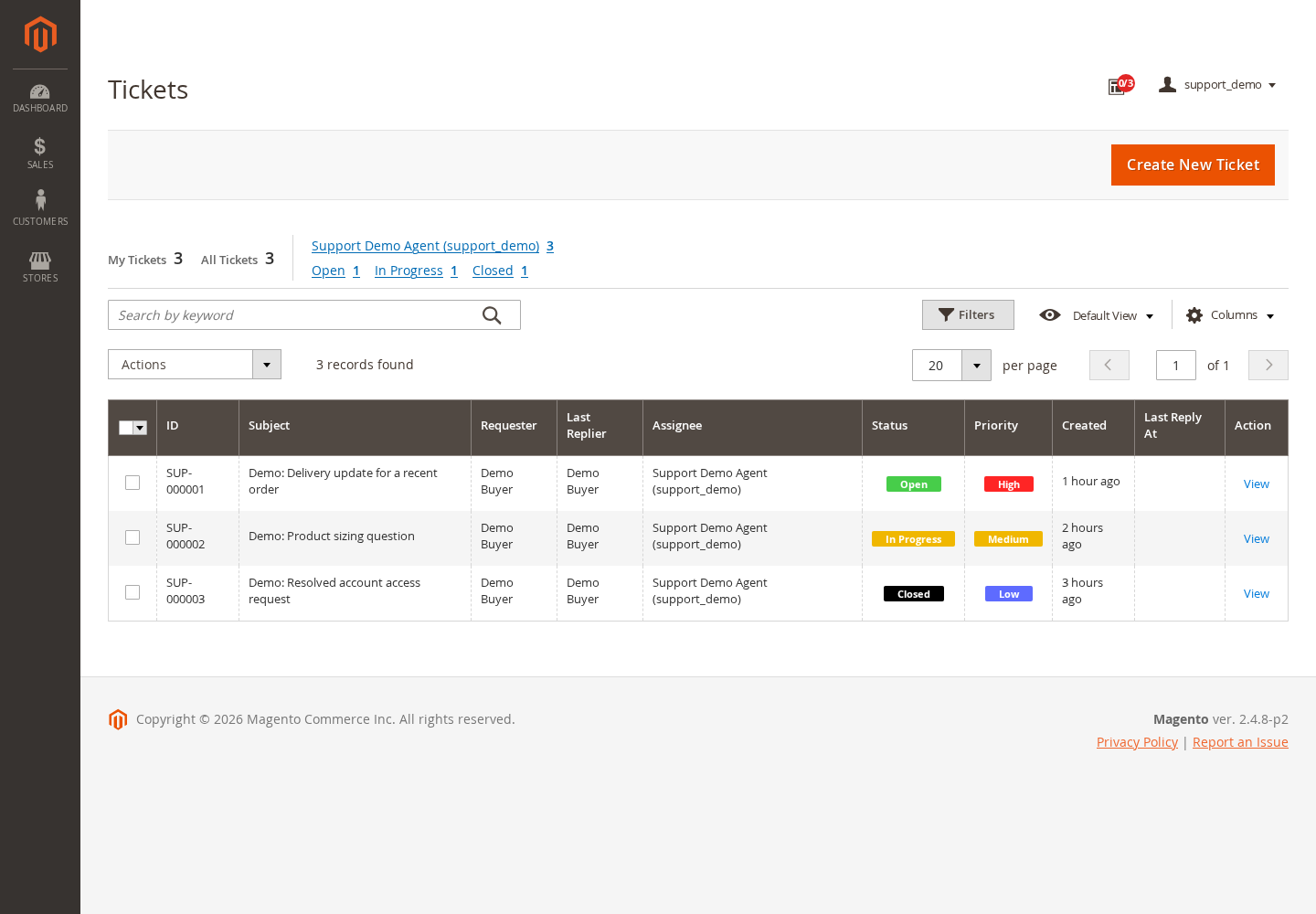
- Review open, in-progress and closed tickets from a filterable dashboard
- Assign requests to support teams and agents
- Track priorities and conversation history
- Choose public replies or internal notes
- Keep customer and order context alongside the ticket
- Configure customer-account support and a storefront feedback tab
- Control agent access through Magento roles and Support permissions
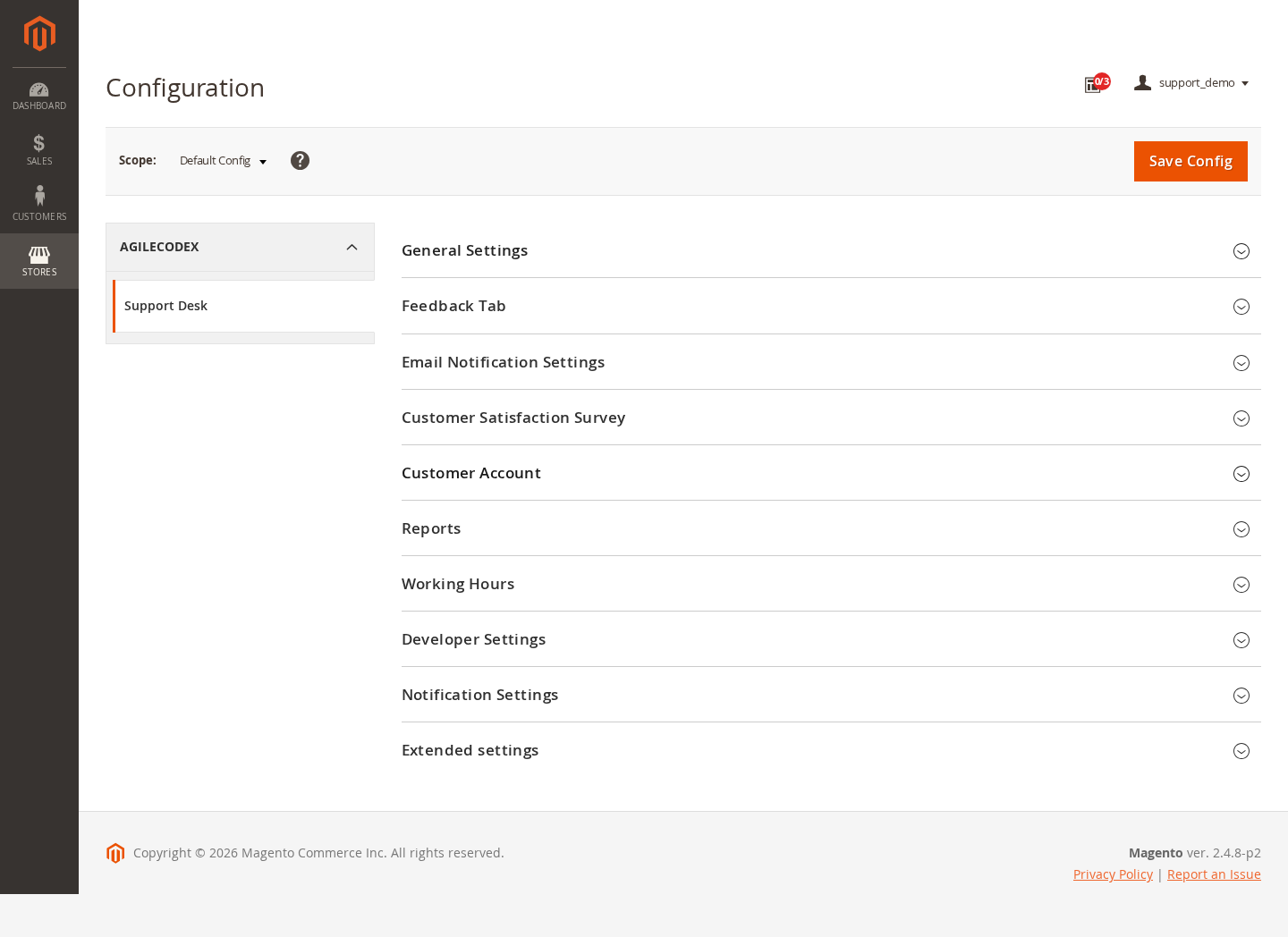
- Configure notification templates, satisfaction and working-hours options
This is a digital Magento 2 extension. No physical product will be shipped.
Download access will be provided after successful payment.
Magento 2 Support Desk
Organize customer requests without moving between disconnected conversations. ACx Support gives agents a Magento Admin ticket workspace with assignment, status, priority, customer details and message history.
A clear ticket queue
See ticket references, subjects, requesters, owners and priorities together. Use My Tickets, All Tickets, agent filters and status filters to focus on the work that needs attention.
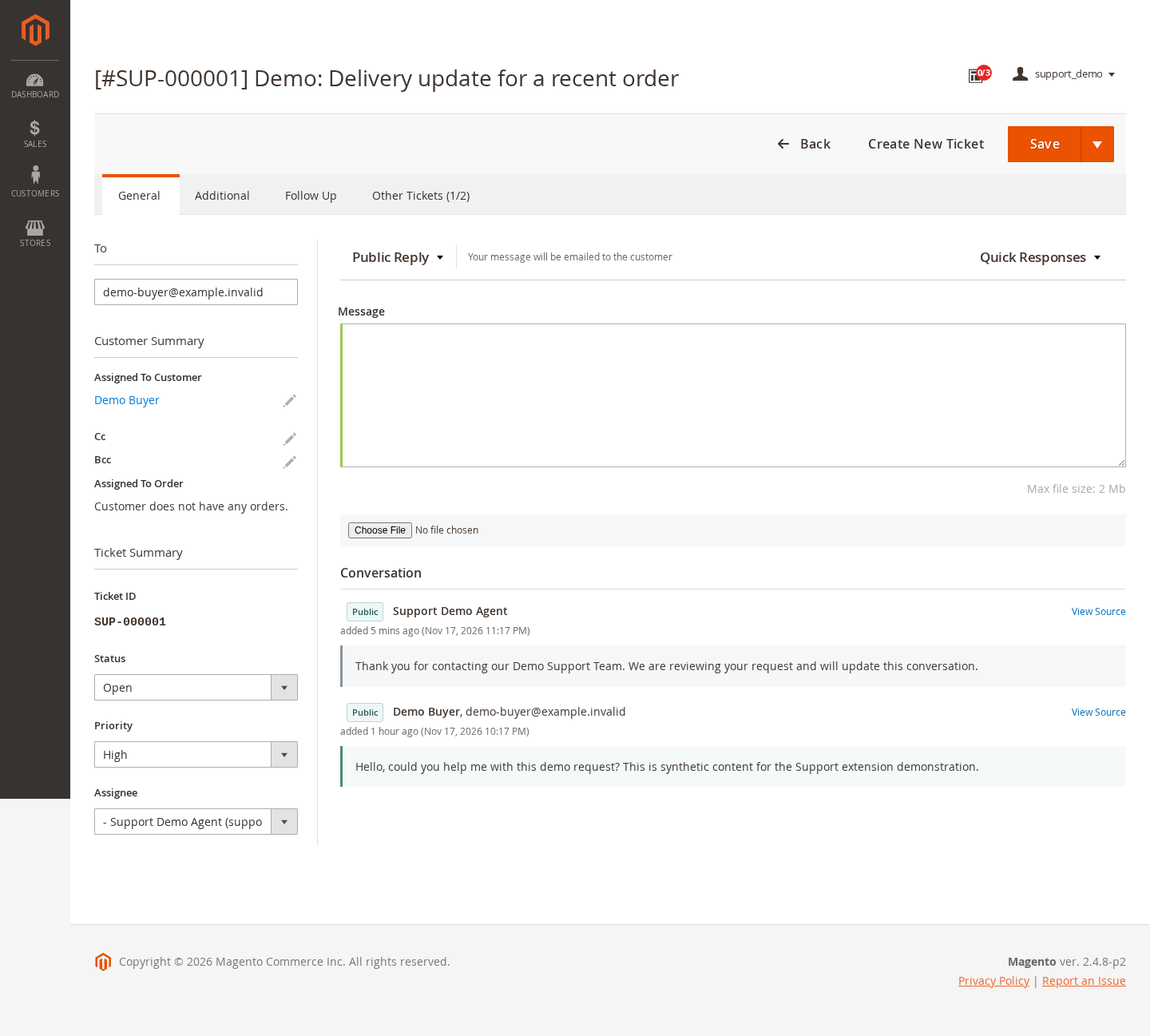
Context beside the conversation
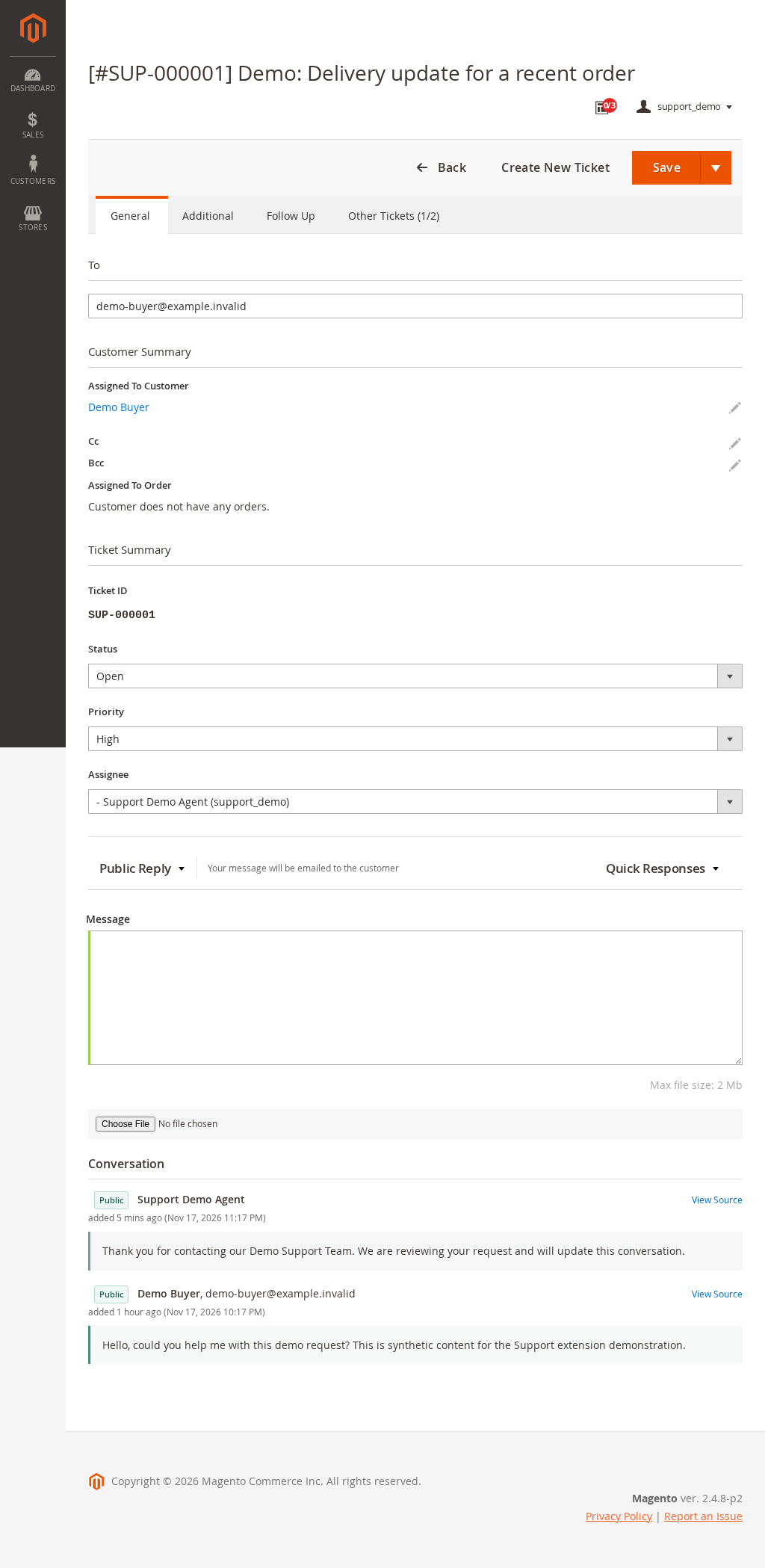
Open a ticket to review customer details, related order selection, status and assignment alongside the message composer and conversation history.
Public replies and internal collaboration
Choose the appropriate reply mode before writing. The workspace distinguishes public conversation from internal notes and includes attachment and quick-response controls.
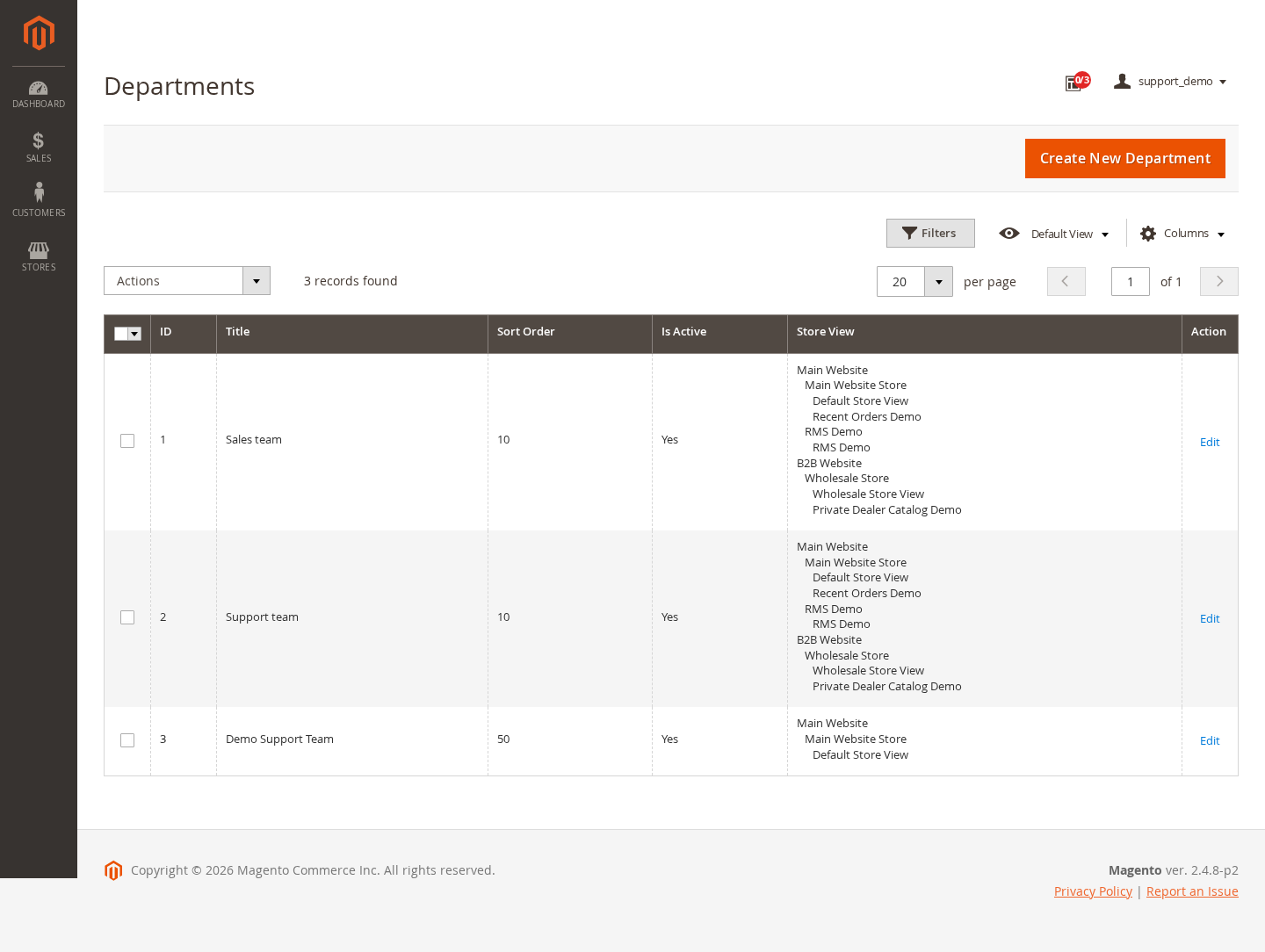
Teams, agents and access
Create support departments, assign agents and associate teams with store views. Configure Magento admin resources and the module's department permissions to match staff responsibilities.
Customer-facing support options
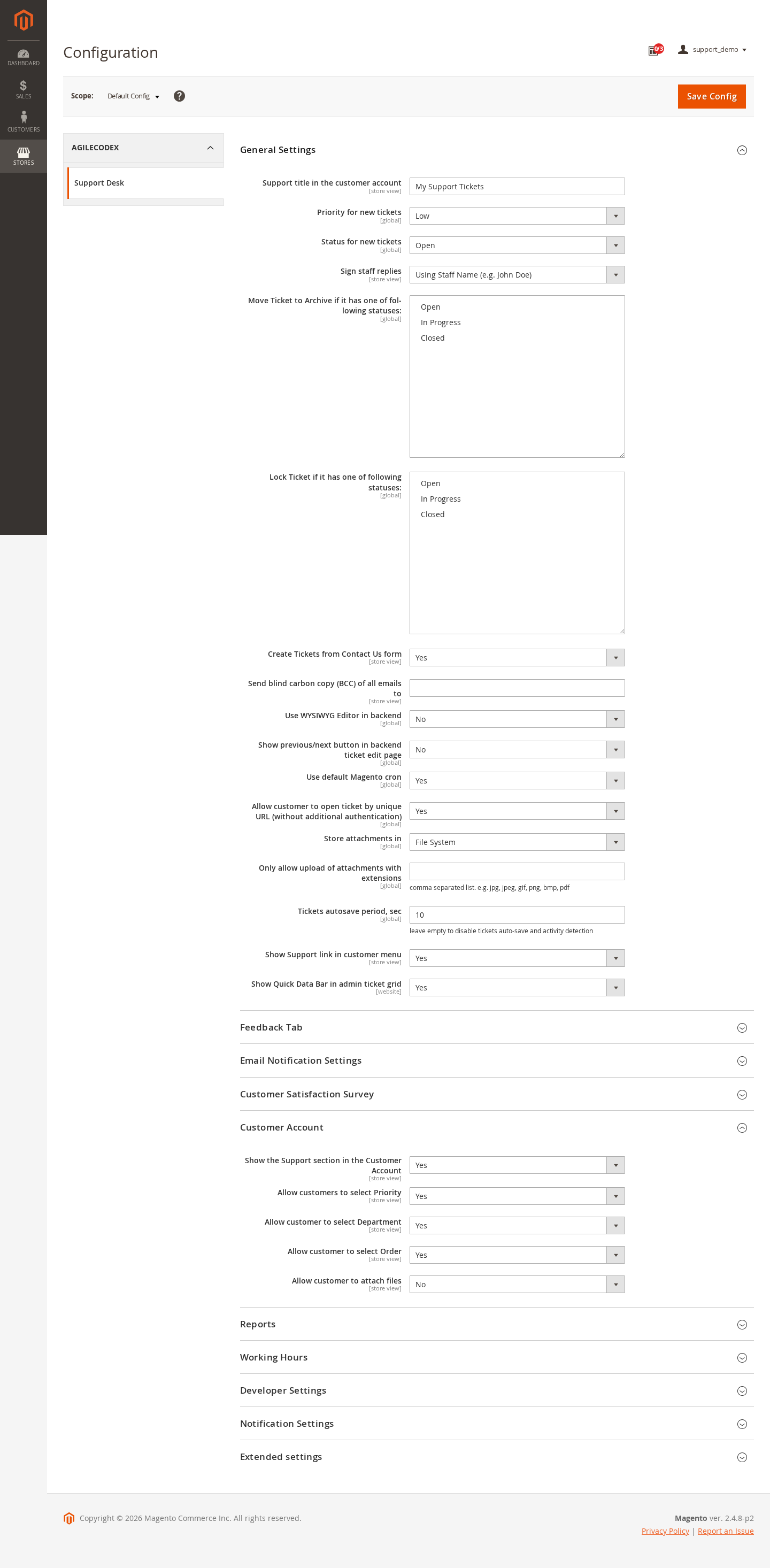
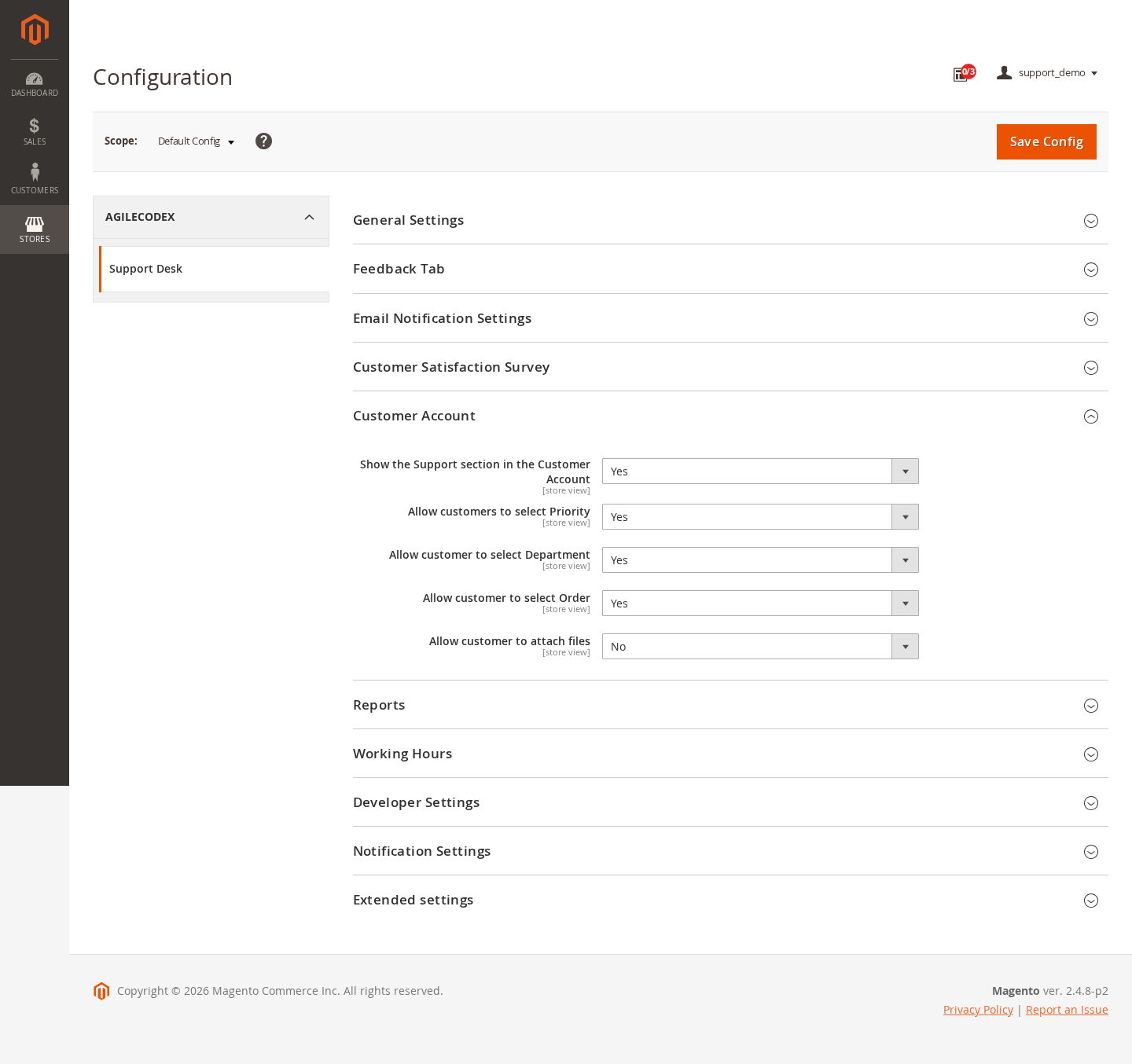
Configure the support area in customer accounts and the storefront Feedback Tab. Choose whether customers can select a department, priority or related order, and review attachment rules before enabling uploads.
Configuration for your service process
Set default ticket status and priority, reply signatures, archive/lock behavior and notification templates. The installed configuration also includes satisfaction, reporting and working-hours options.
Department-level isolation has not been verified in the demo; existing all-role permissions can take precedence. Test agent access separately before relying on department restrictions.
Email ingestion, outgoing delivery, attachment handling and automation should be tested with controlled mailboxes and the dependencies required by the purchased package before production use. The demo illustrates ticket handling; it does not certify live email delivery.
Read the Support Desk user guide
Explore the demo
The demo contains synthetic requests in Open, In Progress and Closed states. Open a ticket, inspect the customer summary and compare the conversation with its status, priority and agent assignment.