
Magento 2 Pick & Pack User Guide
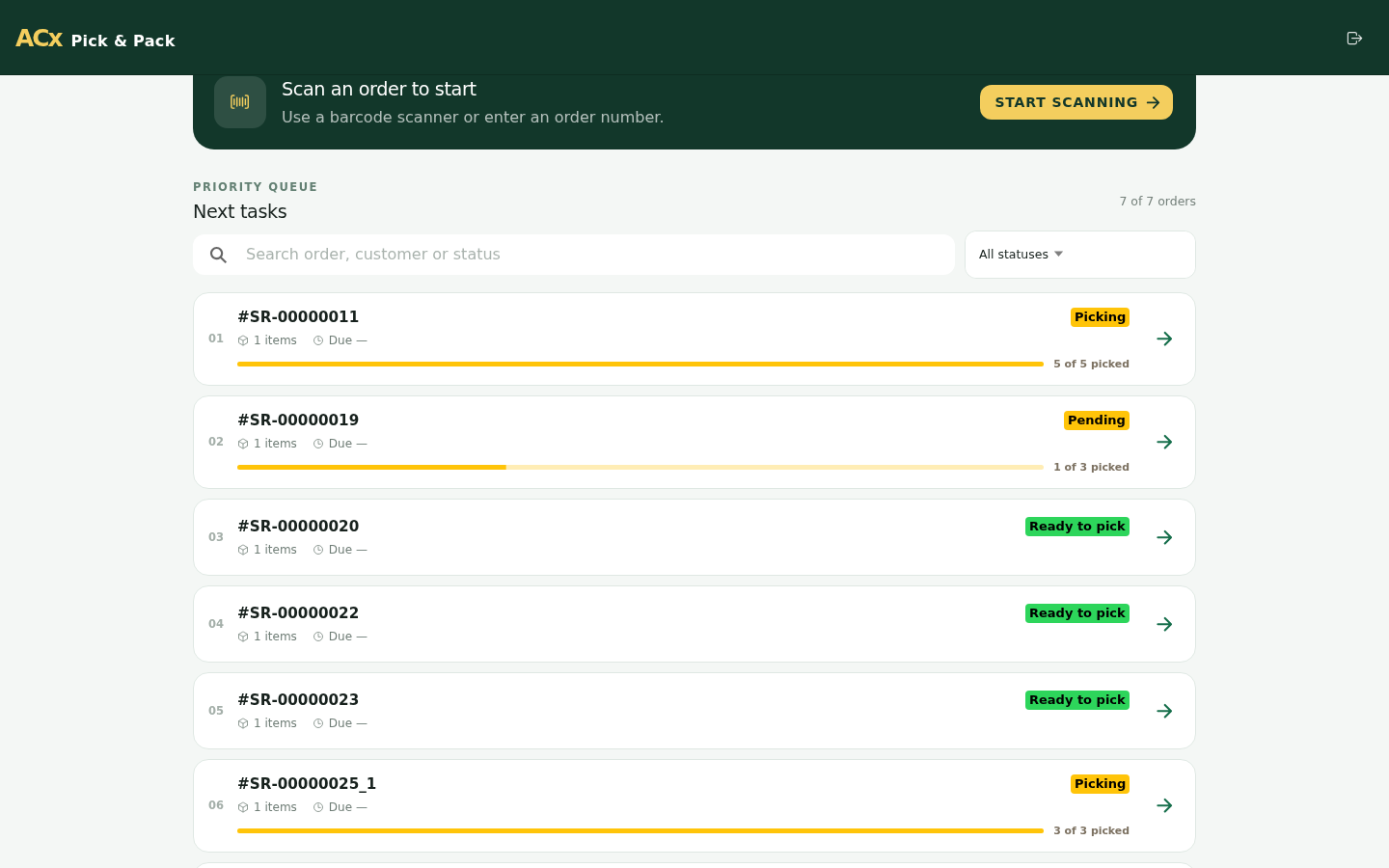
Process Magento orders through a focused PWA workflow for order queues, item picking, packing, offline work, and synchronization review.
Who This Guide Is For
This guide is for Magento operations teams, store staff, warehouse pickers, and administrators who use Agile Codex Pick & Pack to process fulfillment work from a dedicated PWA instead of handling every step inside the Magento admin order grid.
Pick & Pack Workflow Features
- Staff PWA Login: Pickers use a focused web app for fulfillment tasks.
- Order Queue: Review downloaded, priority, pending, and completed work.
- Pick Lists: Open an order and work through item quantities and SKU details.
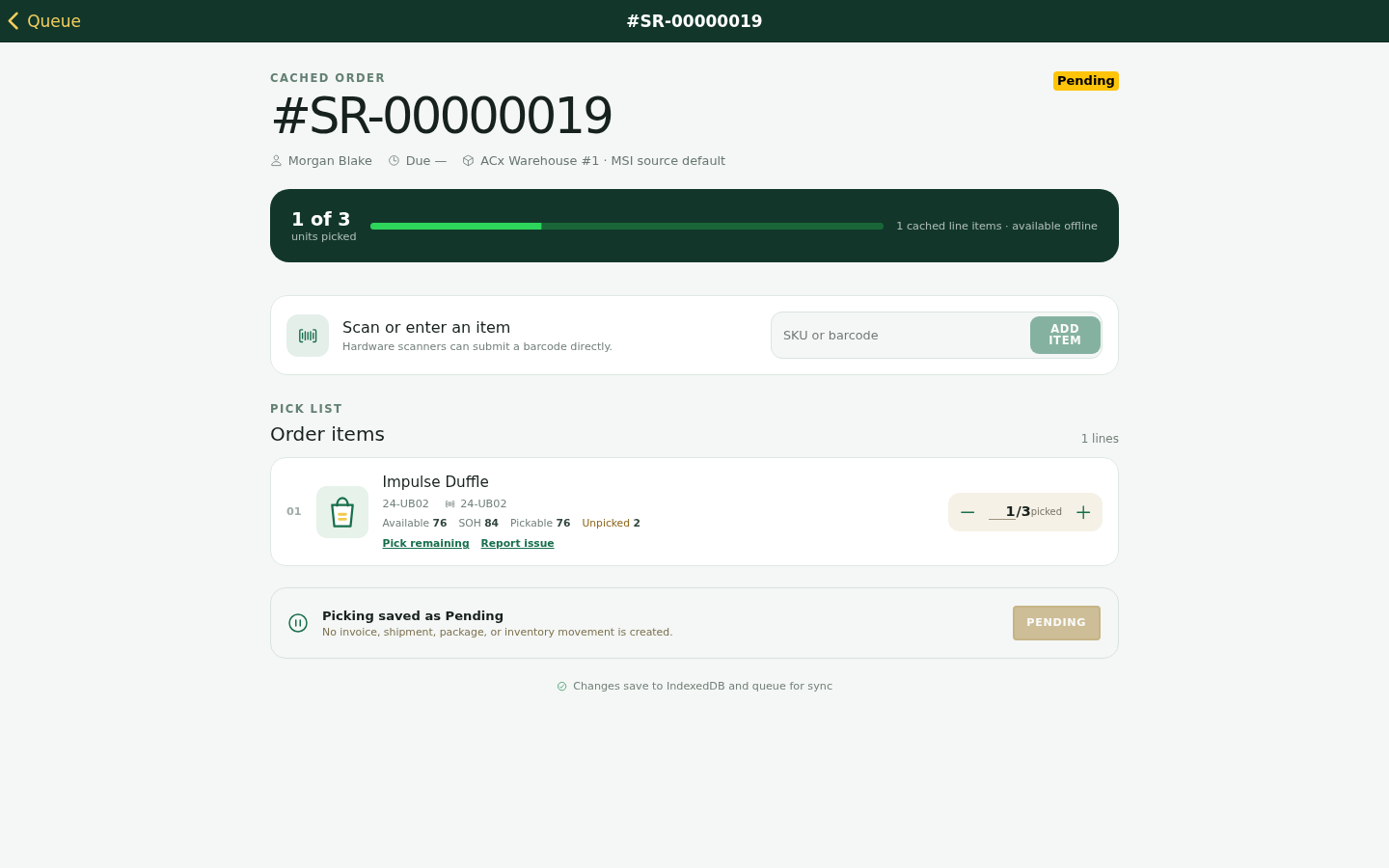
- Pending Work: Save unfinished picking work and resume it later.
- Packing Step: Move fully picked orders into box selection and packed-item review.
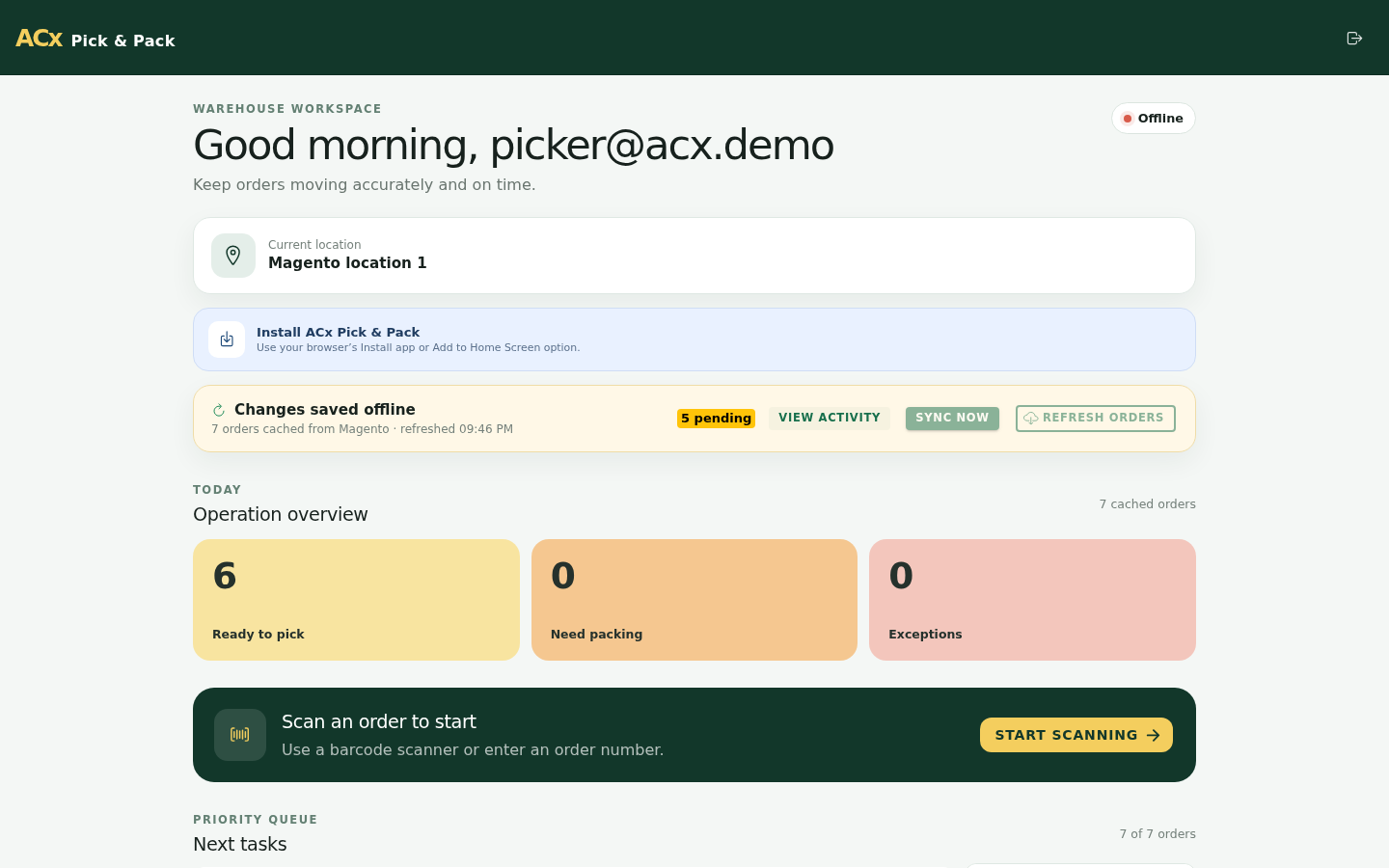
- Offline-Friendly Operation: Keep local work visible and review queued synchronization activity.
- Mobile Screens: Use responsive screens on phones, tablets, and desktop workstations.
Sign In to the Pick & Pack PWA
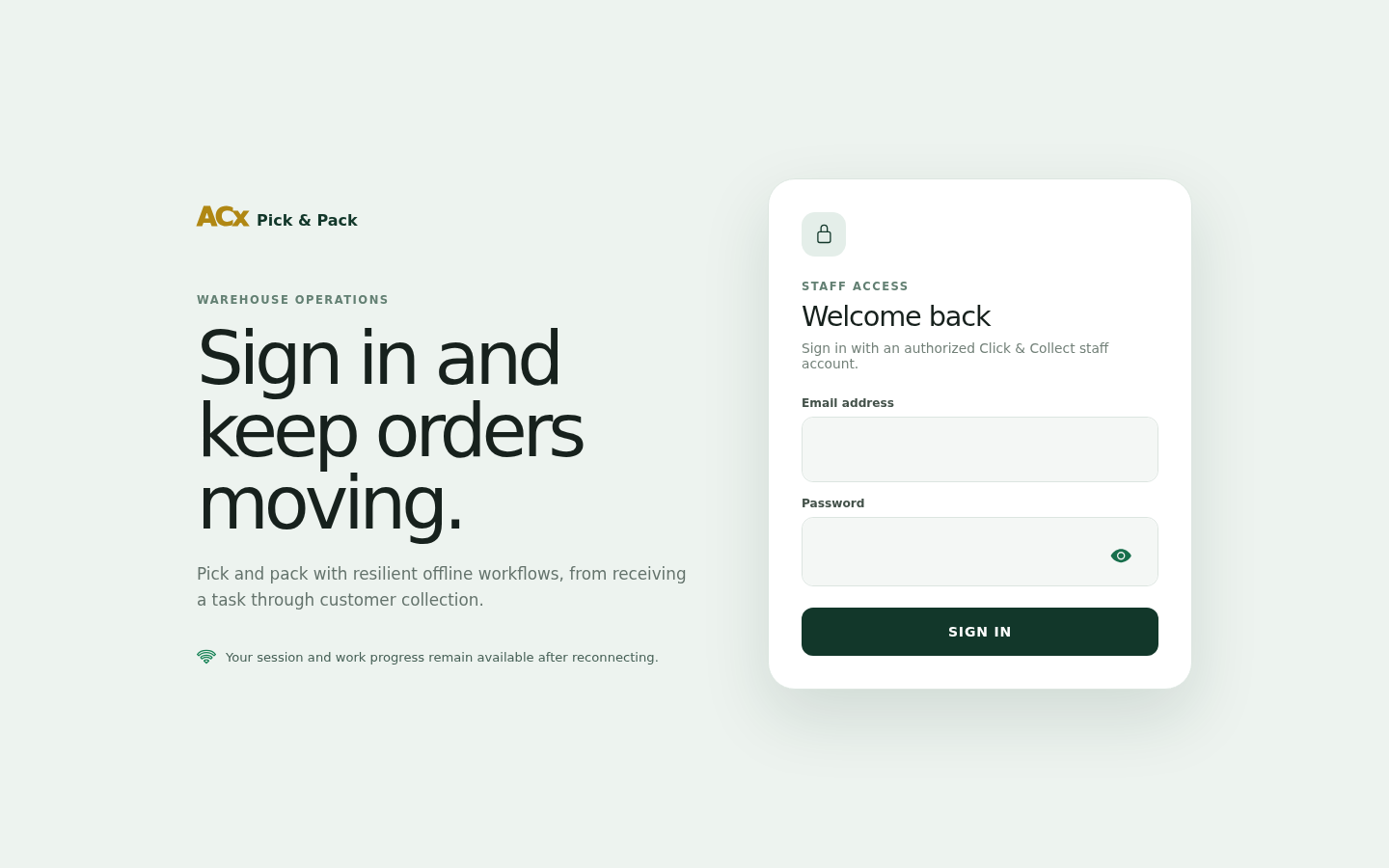
Open the Pick & Pack PWA supplied with your Magento installation and sign in with a staff account that has permission to process fulfillment work.
- Use a dedicated staff account rather than a shared administrator account.
- Confirm the user is assigned to the correct warehouse, store, or fulfillment role when your installation uses those controls.
- Test on the same device type that pickers will use in production.
Review the Order Queue
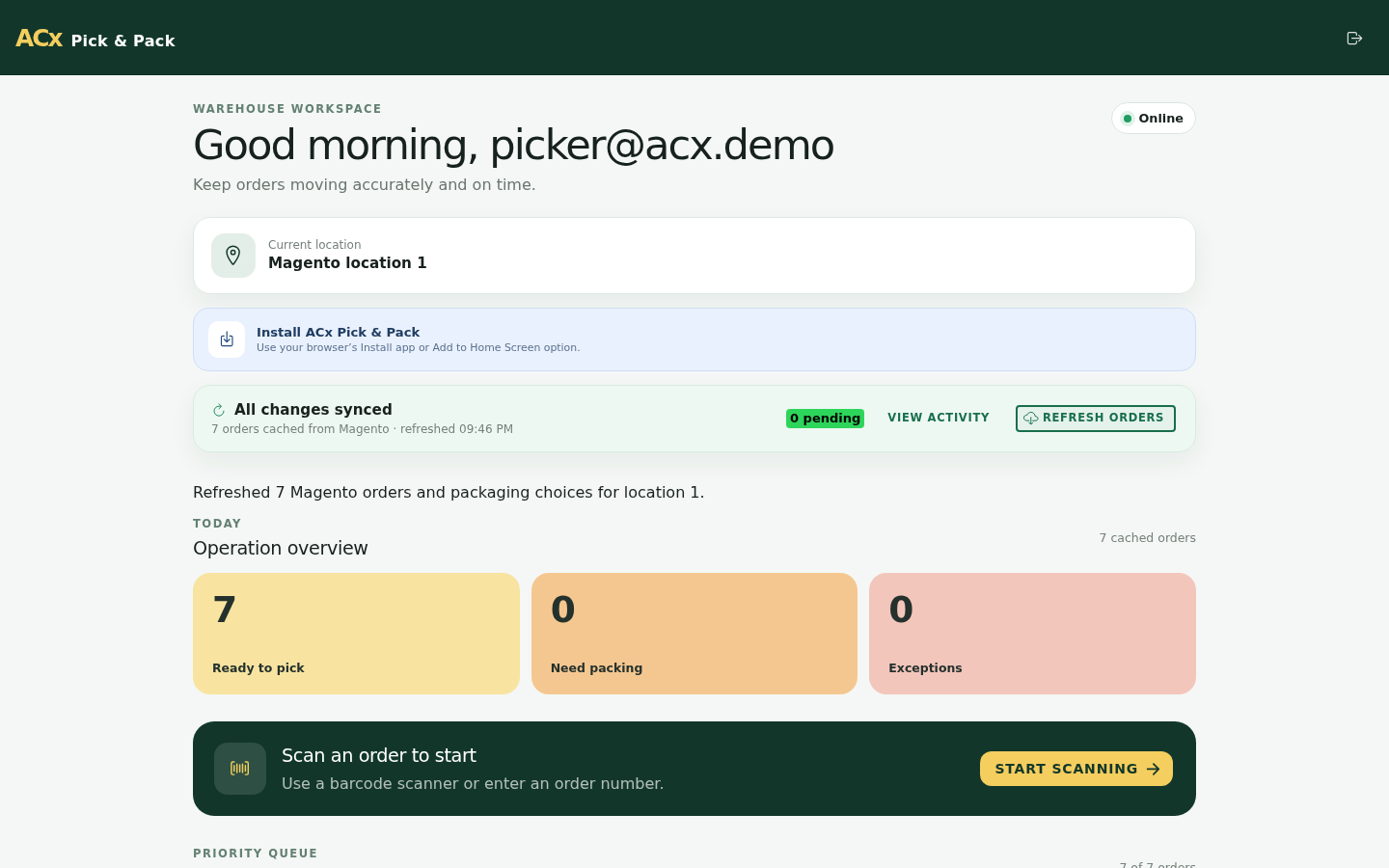
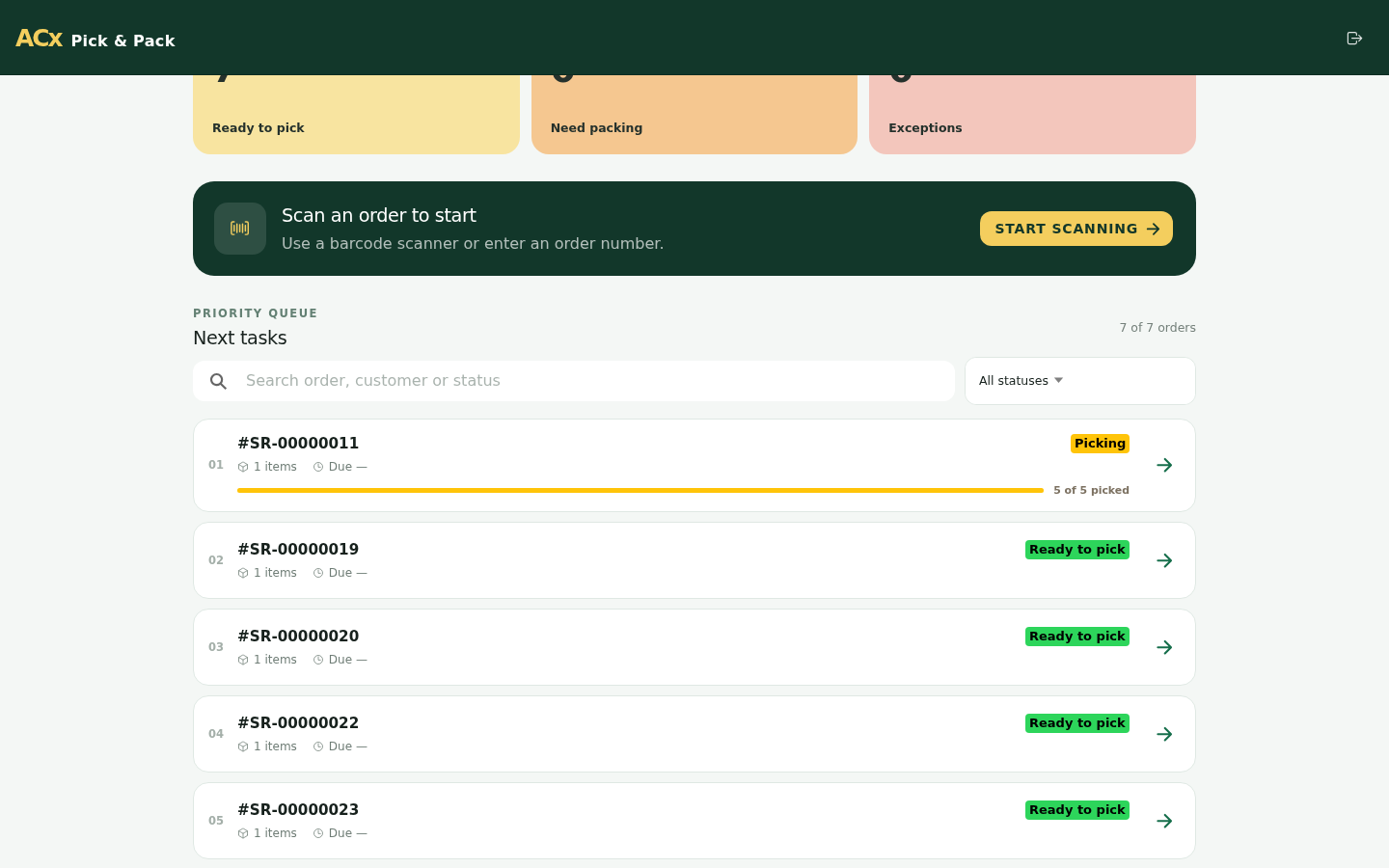
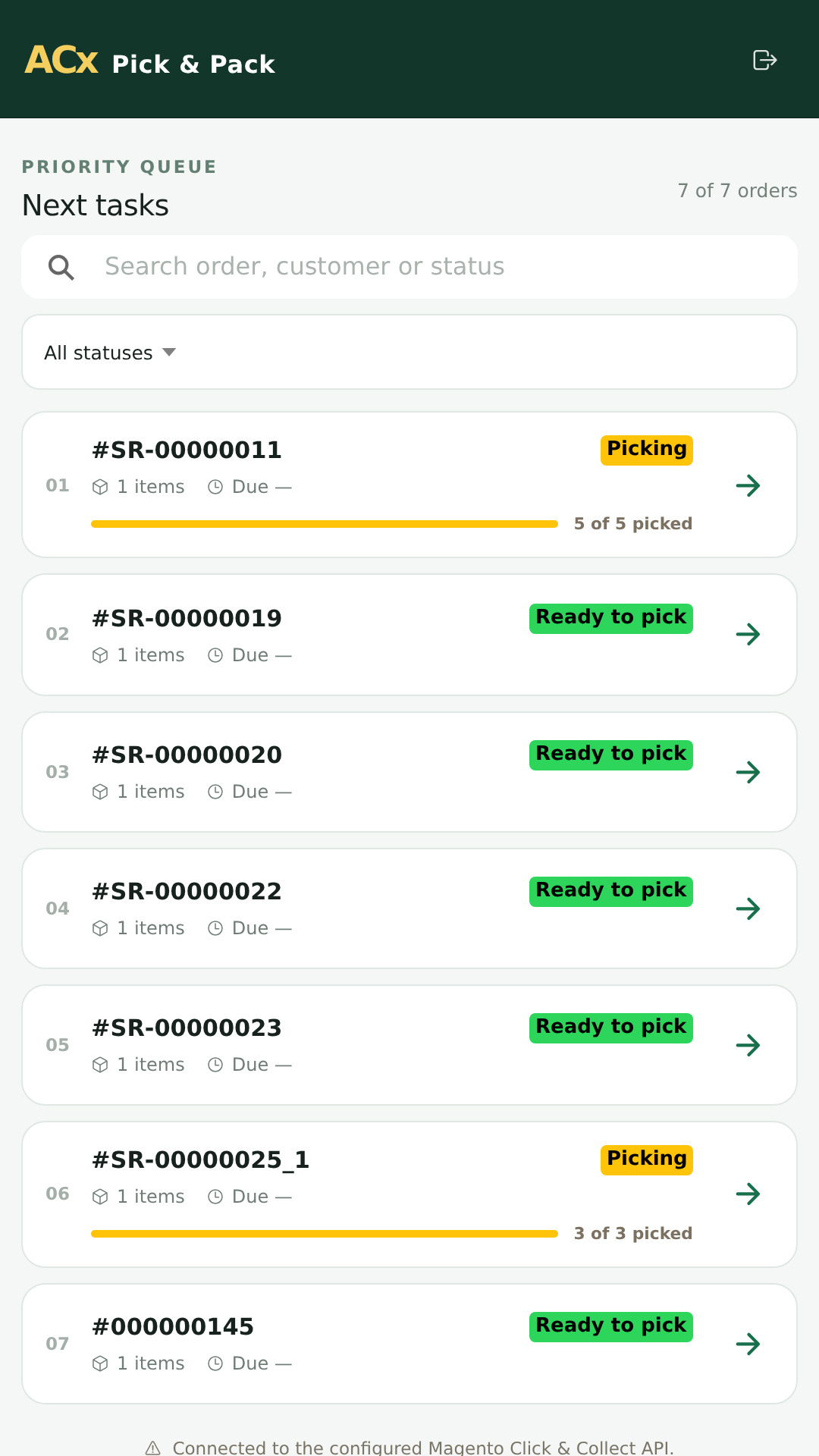
The dashboard shows orders available for Pick & Pack processing. Staff can review status, order information, location context, and pending work before opening an order.
- Open the order queue from the dashboard.
- Review priority, order status, customer, location, and item summary.
- Choose the next order to pick.
Pick Order Items
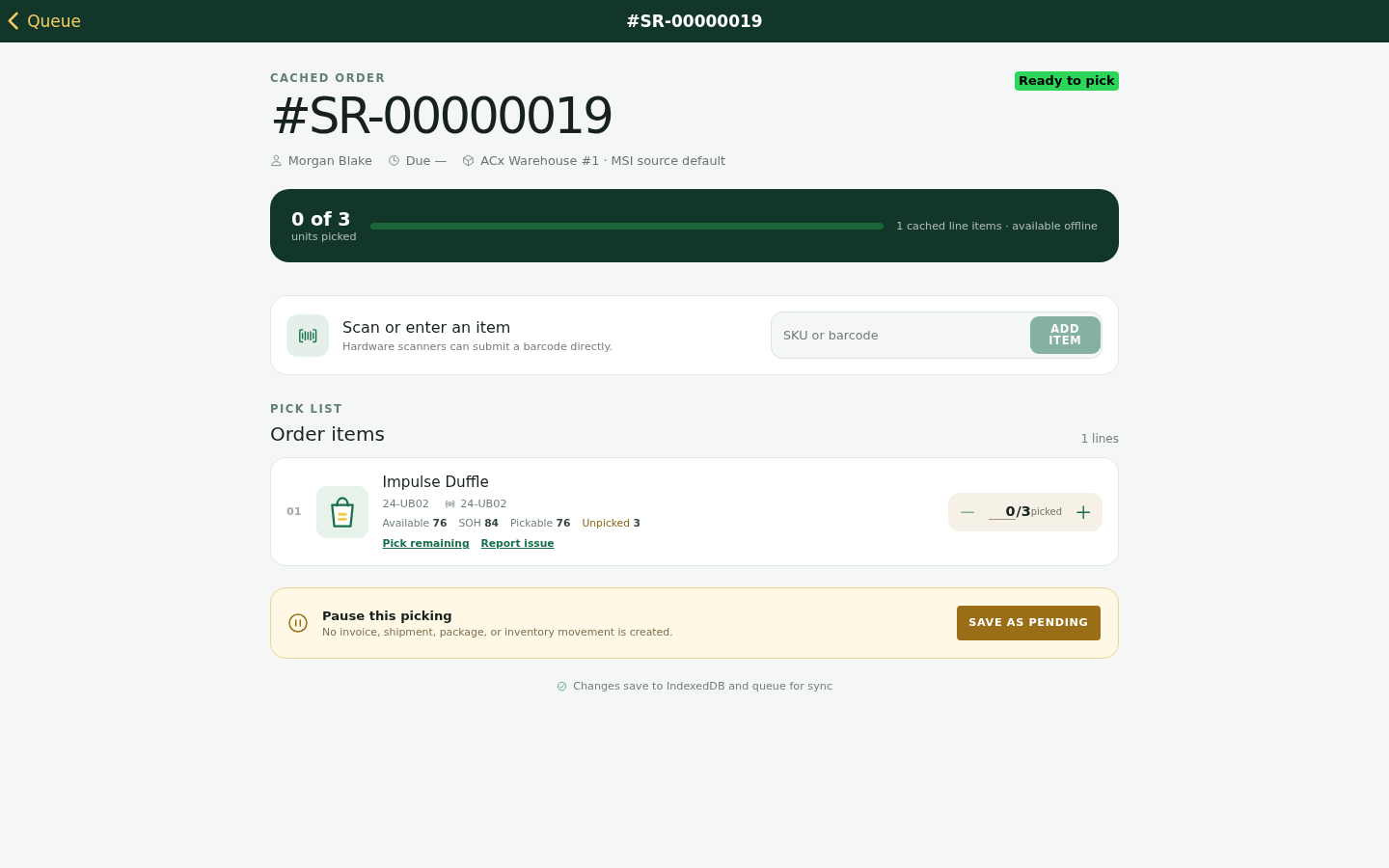
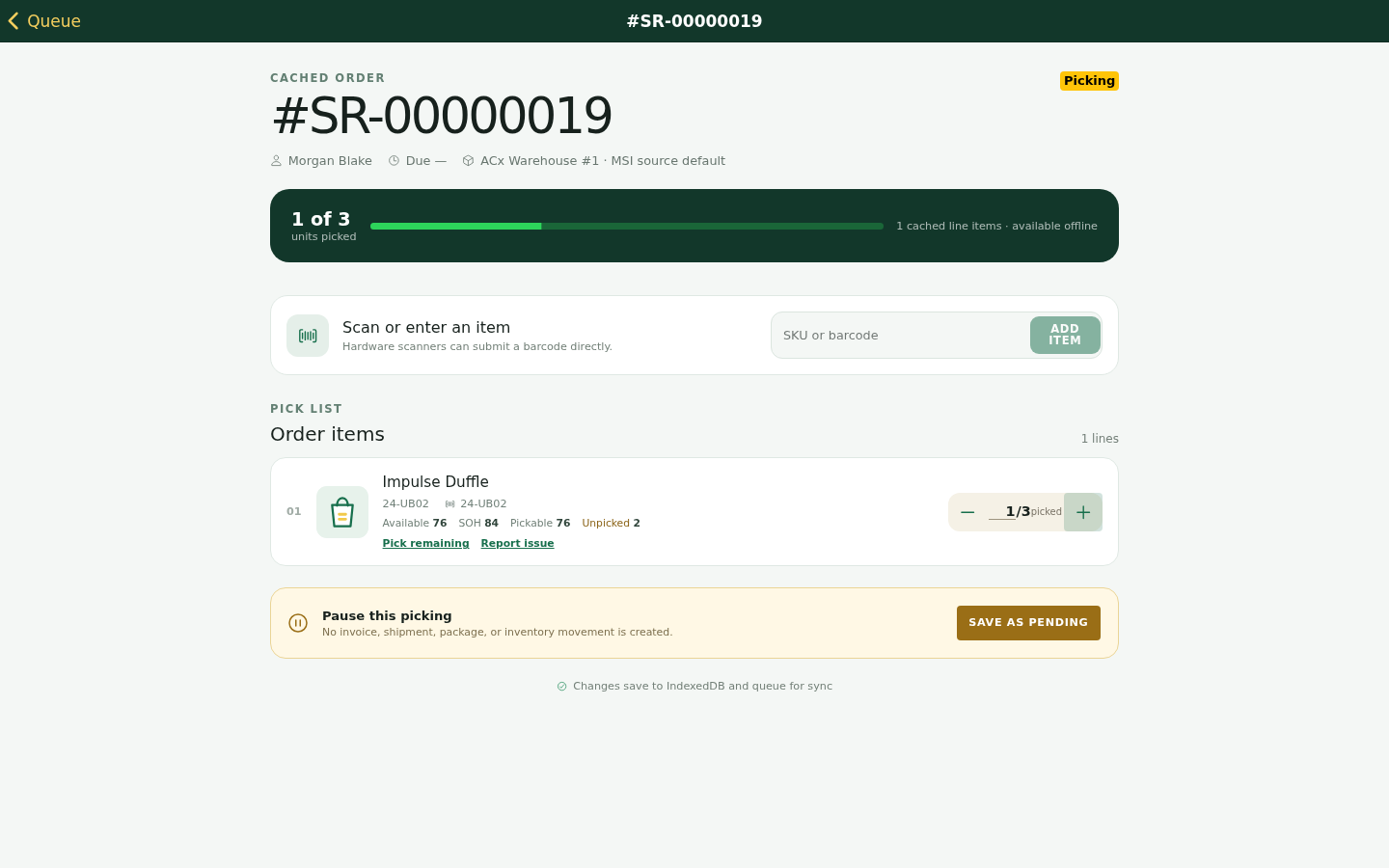
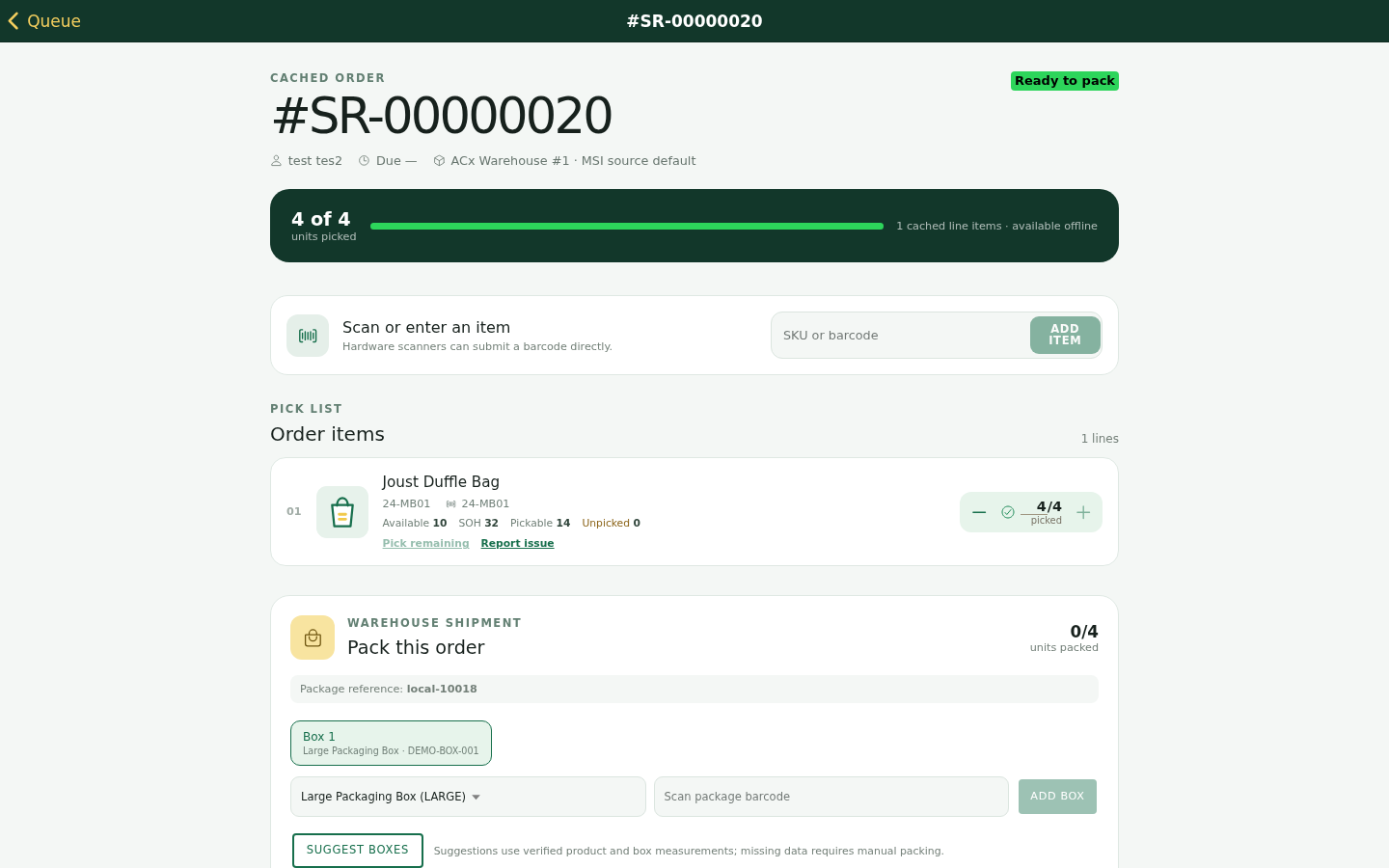
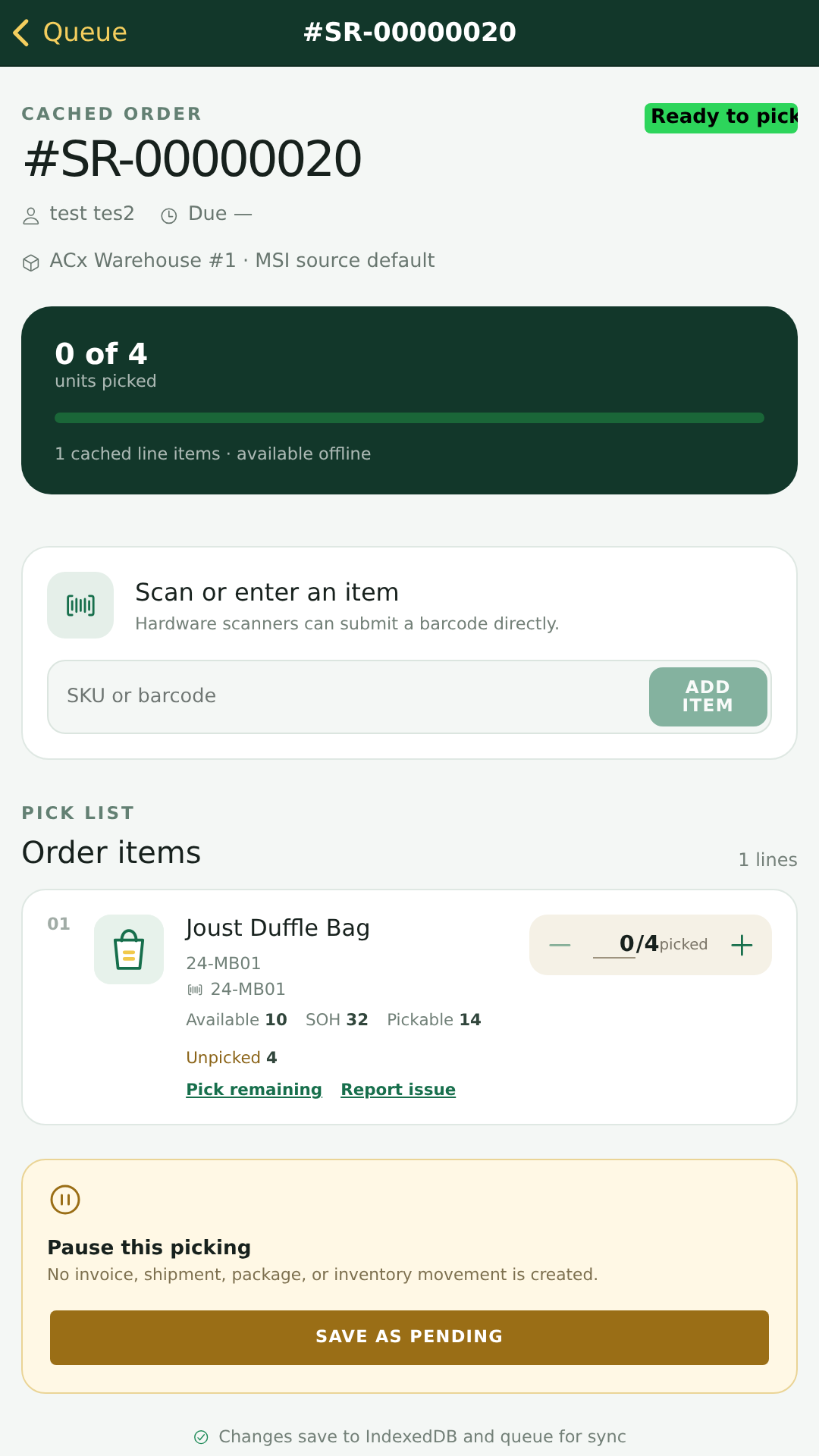
Open an order to view its item-level pick list. The picker can verify SKU, quantity, availability, and current progress before confirming picked quantities.
- Open the selected order.
- Review each SKU and required quantity.
- Enter or confirm picked quantities.
- Save progress as pending if the order cannot be completed in one pass.
Pack the Picked Order
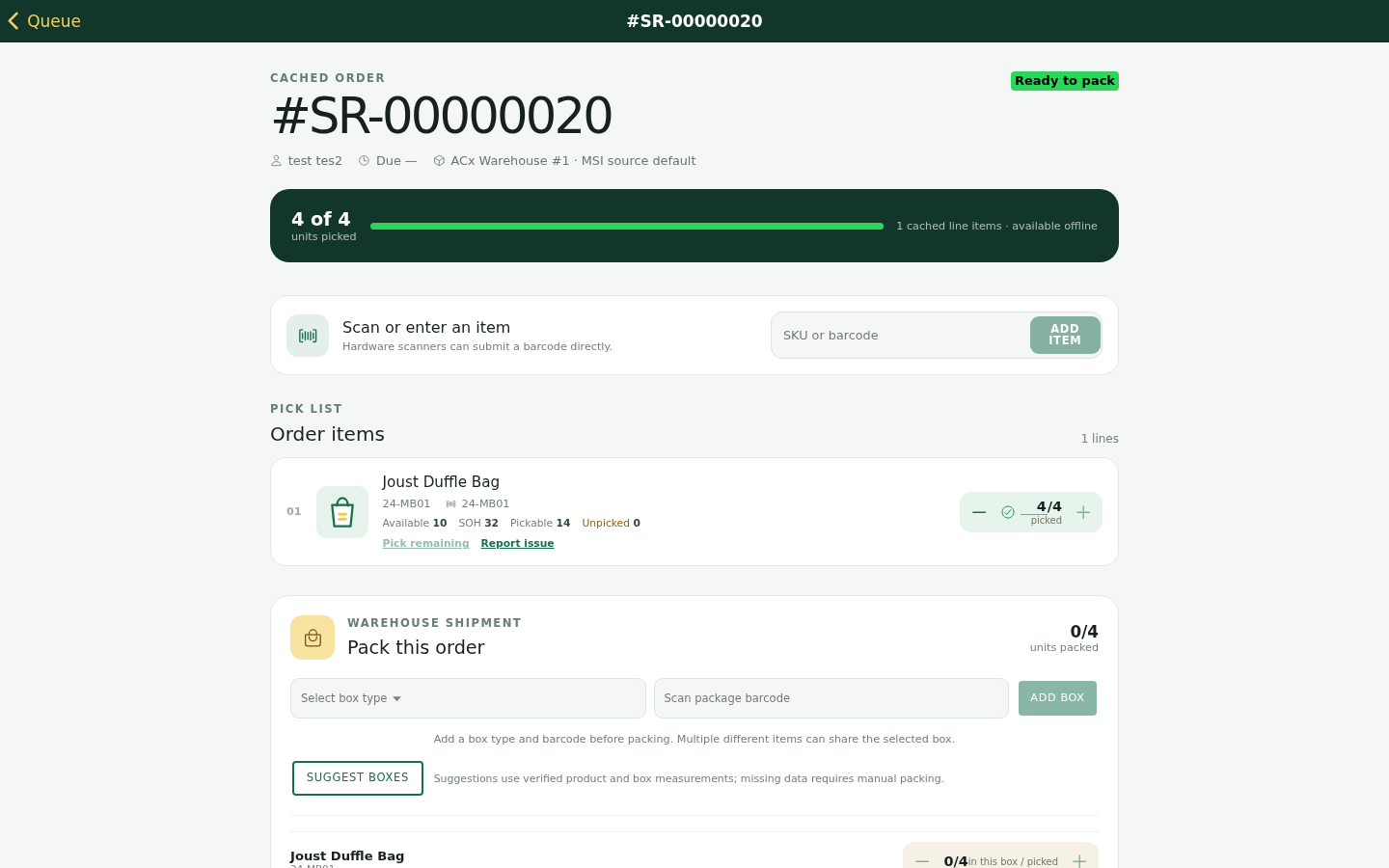
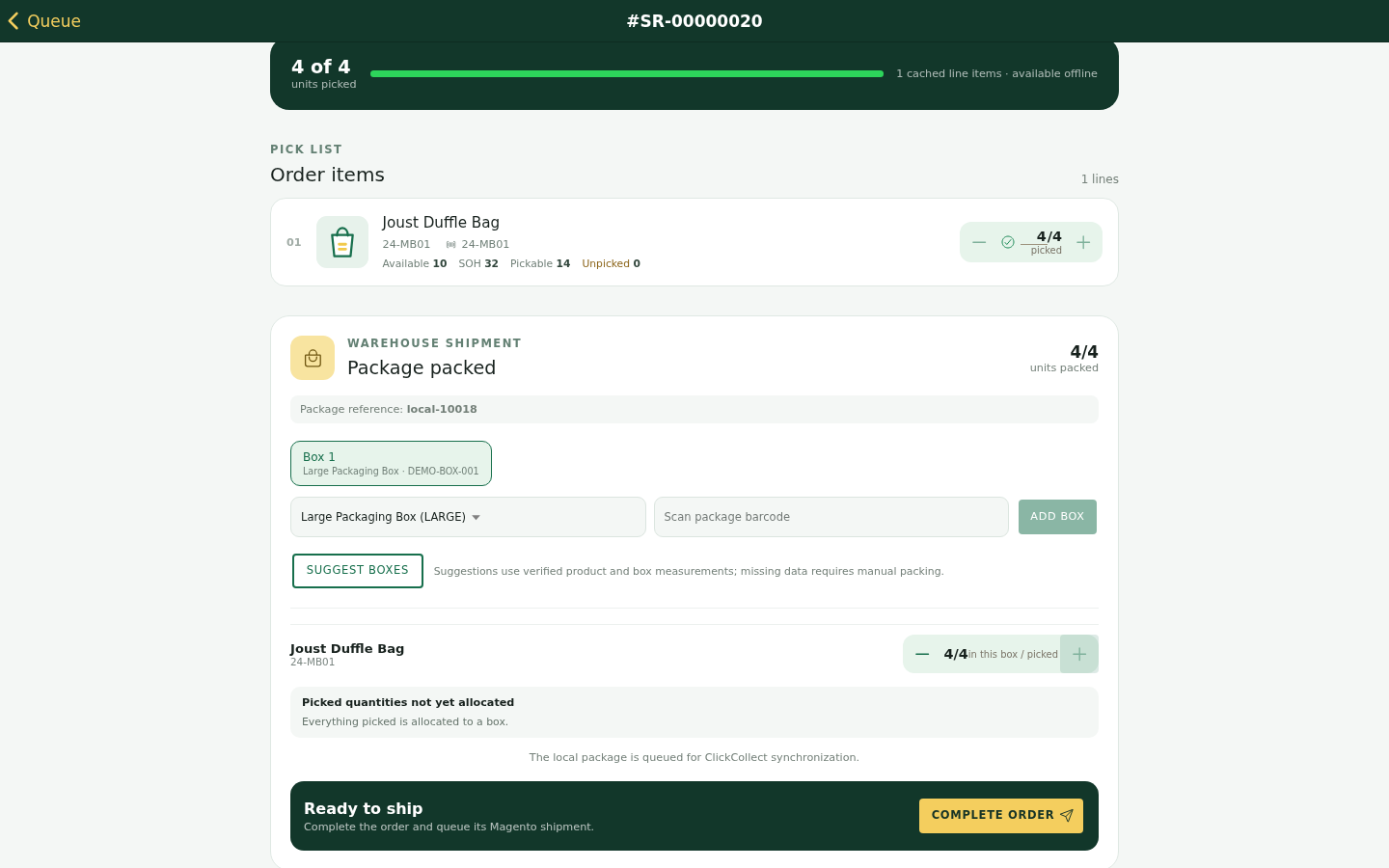
When required items are picked, move the order into packing. Staff can select a box, assign items, and review the packed state before completing the local task.
- Confirm the order is ready to pack.
- Select or add the required box.
- Assign picked items to the box.
- Review packed items before completion.
Work Offline and Review Sync Activity
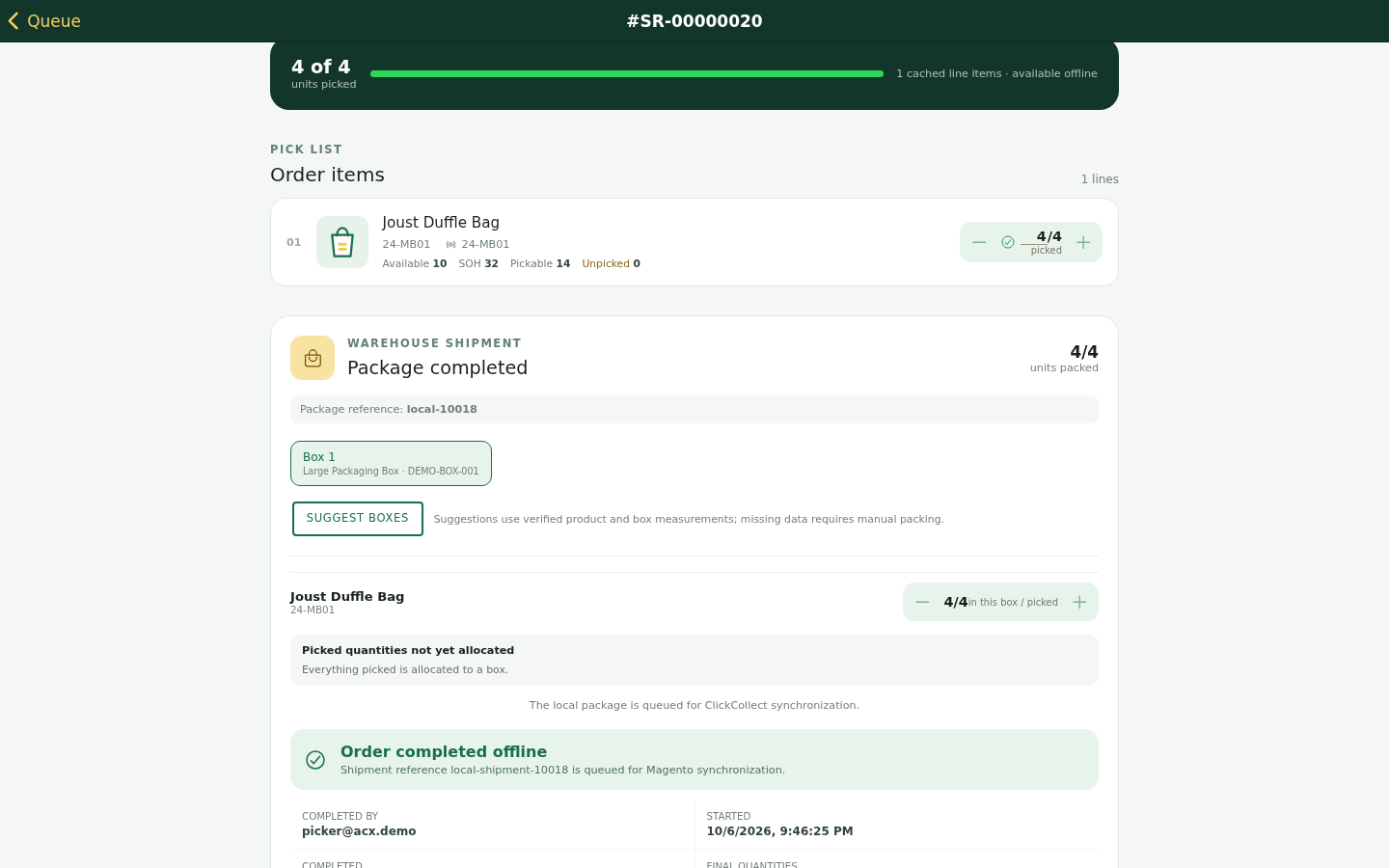
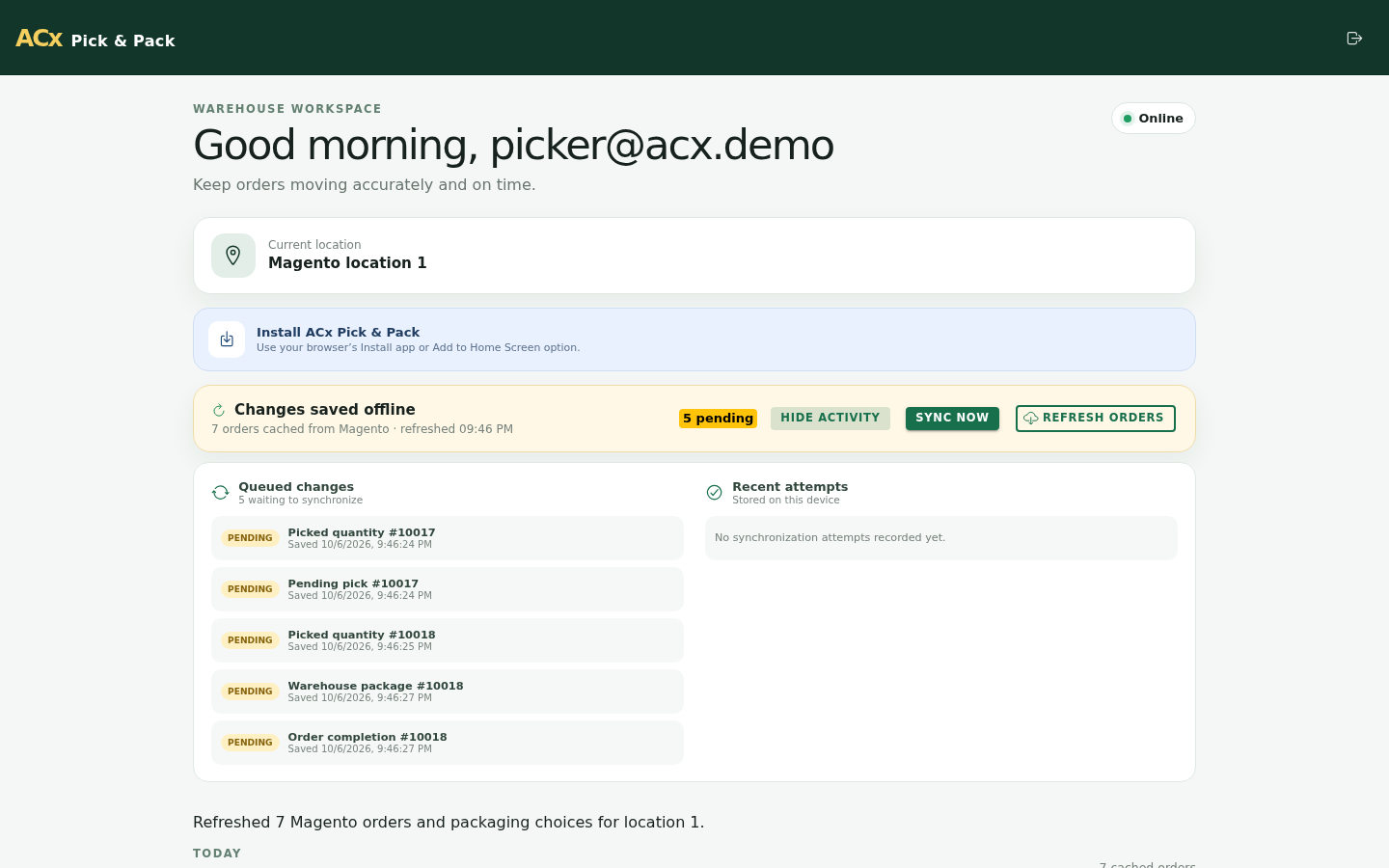
The PWA can keep local progress visible when connectivity is interrupted. Completed local actions can appear in synchronization activity until Magento communication is available again.
- Use offline mode for visibility into locally saved work.
- Review queued synchronization activity before assuming Magento has received every action.
- Do not close operational exceptions until the app shows the expected synchronized state.
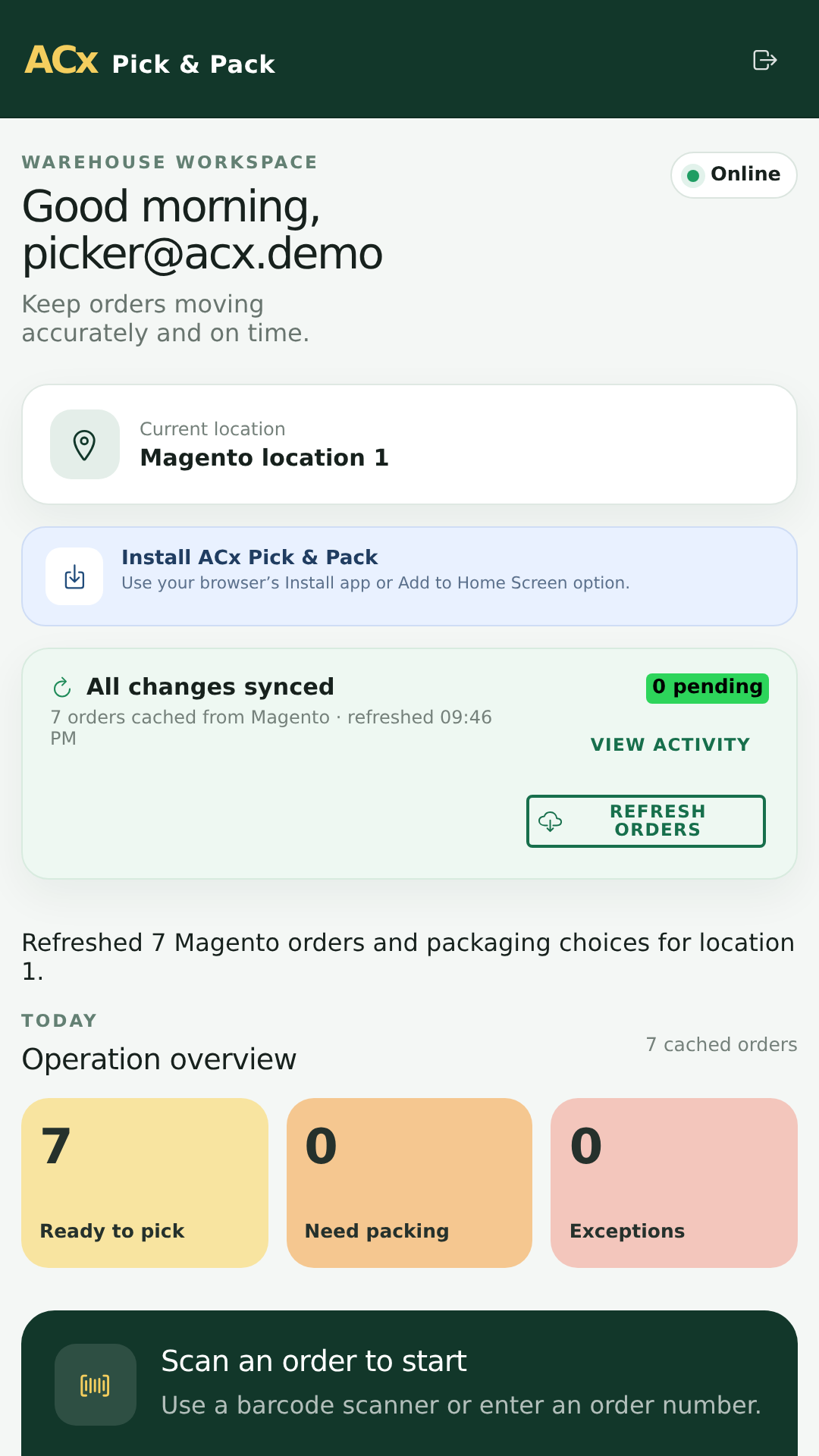
Use Pick & Pack on Mobile
The PWA includes responsive mobile screens for staff using phones or tablets while moving through a warehouse, stockroom, or store collection area.
Operational Checks Before Production
- Install and test the extension and PWA on a staging or demo environment before production.
- Confirm Magento order statuses that should enter the Pick & Pack queue.
- Confirm staff accounts, roles, warehouses, store locations, and device access.
- Test partial picking, pending work, packing, completion, offline behavior, and synchronization recovery.
- Verify Magento-side order, shipment, inventory, and notification behavior according to your configured workflow.
- Train pickers to check sync activity before assuming an offline action has reached Magento.
Troubleshooting
- No orders appear: Check order status filters, staff permissions, store or warehouse assignment, and Magento API connectivity.
- Picker cannot sign in: Confirm the staff account, password, assigned role, and enabled account status.
- Picked quantity looks wrong: Recheck the order item quantity, available warehouse stock, and any local pending work.
- Offline completion has not reached Magento: Reconnect the device and review synchronization activity until the queued action is cleared.
- Mobile layout is difficult to use: Test supported browsers, device viewport size, zoom settings, and PWA install mode.