
User Guide (Manual) for Magento 2 Click and Collect
Configure store pickup locations, collection schedules, checkout pickup selection, and order fulfilment from Magento Admin.
Who This Guide Is For
This guide is for Magento store owners, administrators, and store staff who want to let customers order online and collect products from selected physical locations.
What You Can Configure
- Pickup Locations: Create and maintain physical store pickup points.
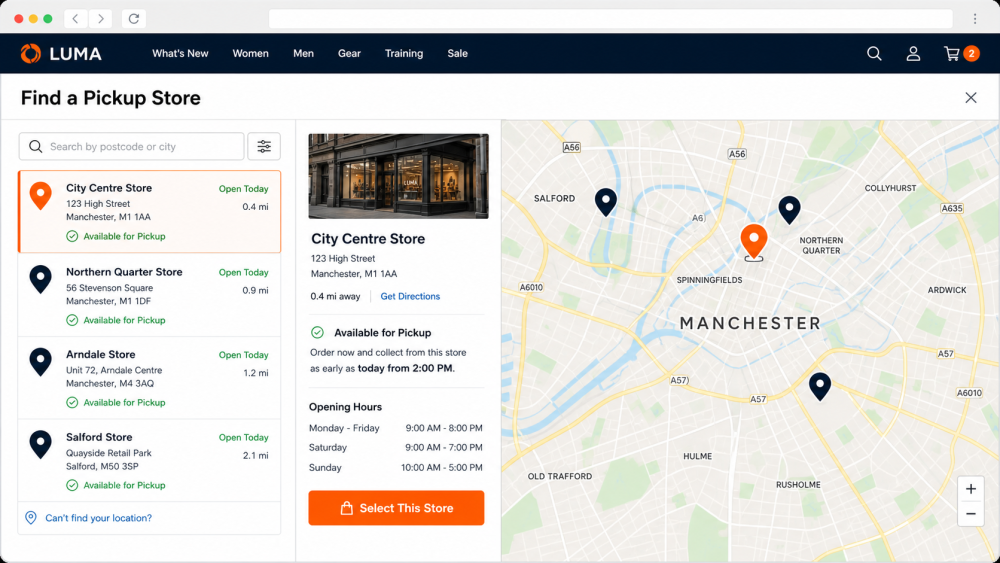
- Store Locator: Help customers find a suitable pickup location during checkout.
- Pickup Date and Time: Allow shoppers to choose an available collection window.
- Opening Hours and Special Days: Configure regular schedules, holidays, and temporary closures.
- MSI Integration: Connect pickup locations with Magento Multi-Source Inventory sources and stocks.
- Web POS Workflow: Process pickup packages and collection statuses from store operations.
- Customer Notifications: Show pickup details in order information and customer messages.
- API Support: Use REST and GraphQL support for compatible custom storefronts.
INSTALLATION
Before installing the extension, take a full backup of the Magento files and database.
- Upload the extension package to your Magento 2 root directory.
- Extract or copy the module files into the correct Magento module path.
- Run Magento setup commands from the Magento root directory:
php bin/magento setup:upgrade
php bin/magento setup:di:compile
php bin/magento setup:static-content:deploy -f
php bin/magento cache:flush
- Log in to Magento Admin and confirm the Click and Collect menus/configuration are available.
CONFIGURATION
Enable Click and Collect
- Open the Click and Collect configuration section from Magento Admin.
- Enable the module for the required website/store view.
- Configure map/location settings if your store locator uses Google Maps or distance search.
- Save the configuration and flush Magento cache.
Create Pickup Locations
- Add each physical store or pickup point with its name, address, contact details, and status.
- Assign each pickup location to the correct website and inventory source/stock.
- Enter latitude/longitude or map details when location search is used.
- Keep inactive locations disabled so customers cannot select them during checkout.
Configure Schedules
- Set regular opening and closing hours for each pickup location.
- Add special days for holidays, exceptional opening hours, and temporary closures.
- Review the customer-facing pickup date/time selector after schedule changes.
Connect Inventory
- Use Magento Multi-Source Inventory to keep pickup availability aligned with physical stock.
- Assign products to the inventory sources used by your pickup locations.
- Reindex inventory after large product/source assignment changes.
CUSTOMER CHECKOUT WORKFLOW
- The customer adds products to cart and opens checkout.
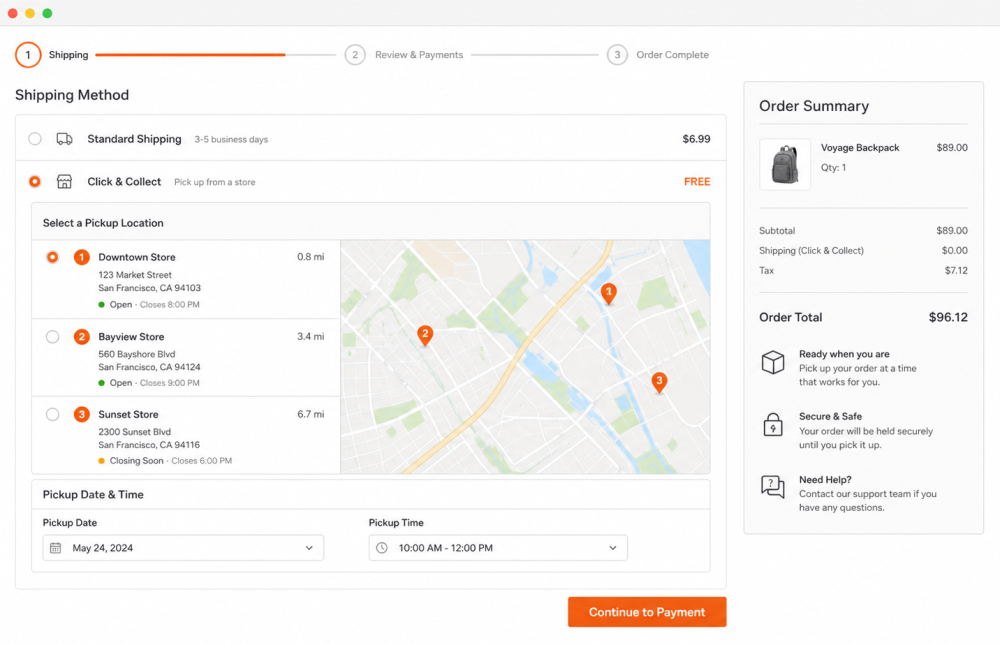
- The customer selects Click and Collect as the fulfilment option when available.
- The customer searches or chooses a pickup location.
- The customer selects a pickup date/time, if scheduling is enabled.
- The selected pickup details are saved with the order.
ADMIN AND STORE FULFILMENT WORKFLOW
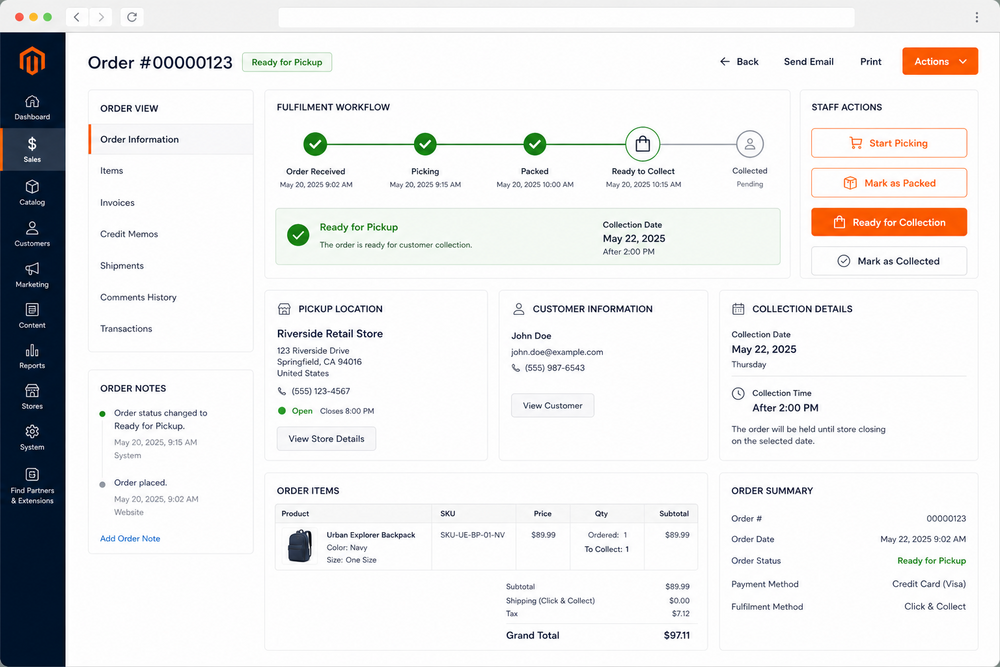
- Review new Click and Collect orders in Magento Admin or the connected store workflow.
- Prepare the order items for the selected pickup location.
- Update the package/order status when the order is ready to collect.
- Notify the customer with pickup information.
- Complete the collection when the customer receives the order.
SCREENSHOT REFERENCE
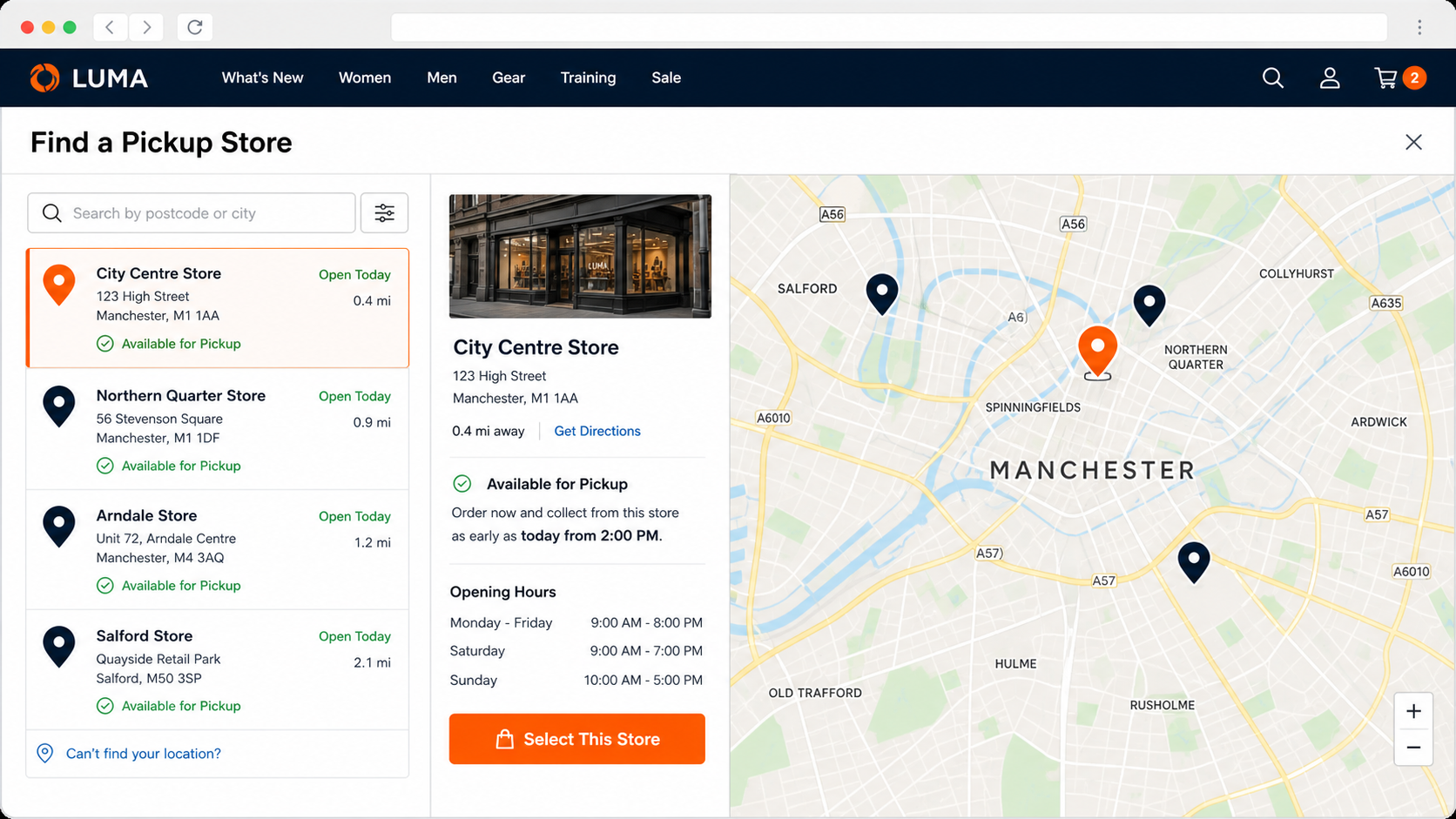
Store Locator and Pickup Locations
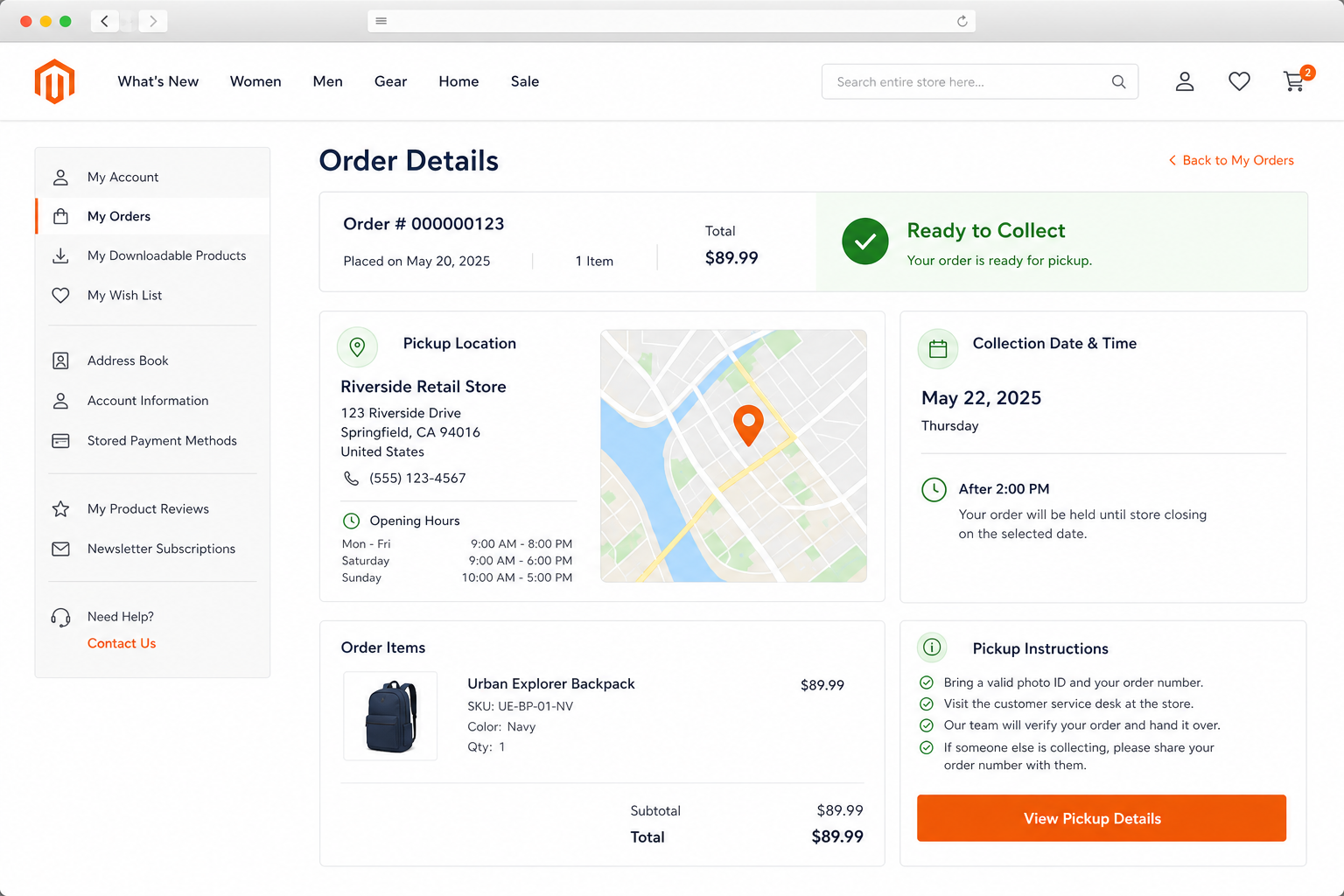
Customer Pickup Details

Customer Notification
Troubleshooting
- Pickup option is not visible: Confirm the module is enabled, the product is salable, and at least one active pickup location is available for the website.
- Location search does not show results: Check address, coordinates, map API key, and configured search radius.
- Pickup time is unavailable: Review opening hours, special days, and schedule rules for the selected location.
- Inventory is not matching: Confirm product source assignments and run Magento inventory/indexer updates.
- Customer does not see pickup details: Check order email templates, order view customizations, and cache after configuration changes.