
Magento 2 Advanced Reports Extension User Guide
Configure Advanced Reports, review business dashboards, apply reporting filters, and analyze sales, customer, and product performance inside Magento 2.
Who This Guide Is For
This guide is for Magento administrators, store owners, finance teams, marketing teams, and operations teams who need clearer reporting on orders, revenue, customers, promotions, and product performance.
Features of the Advanced Reports Extension
- Dashboard Overview: Review key sales, customer, and product reporting widgets from one Magento admin dashboard.
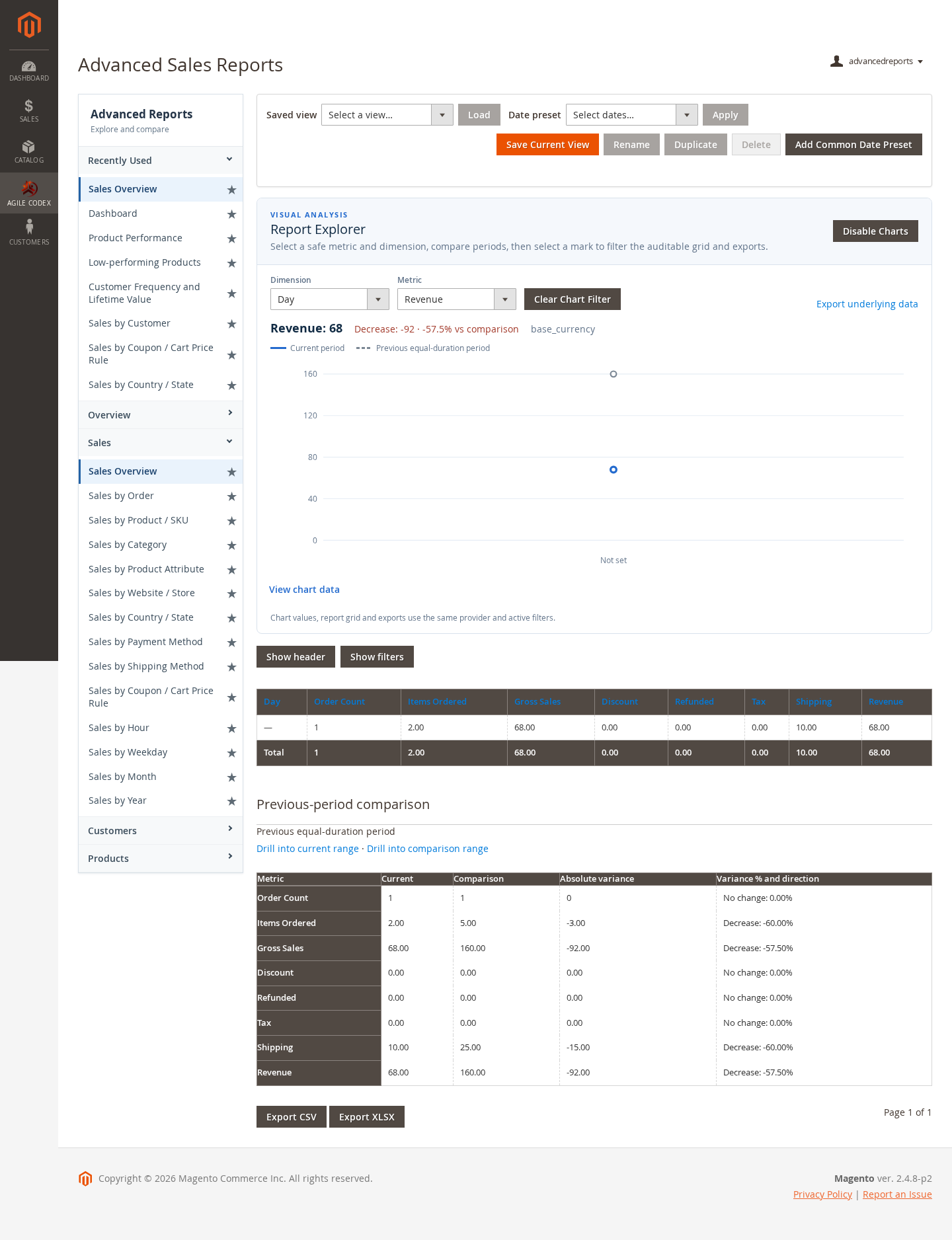
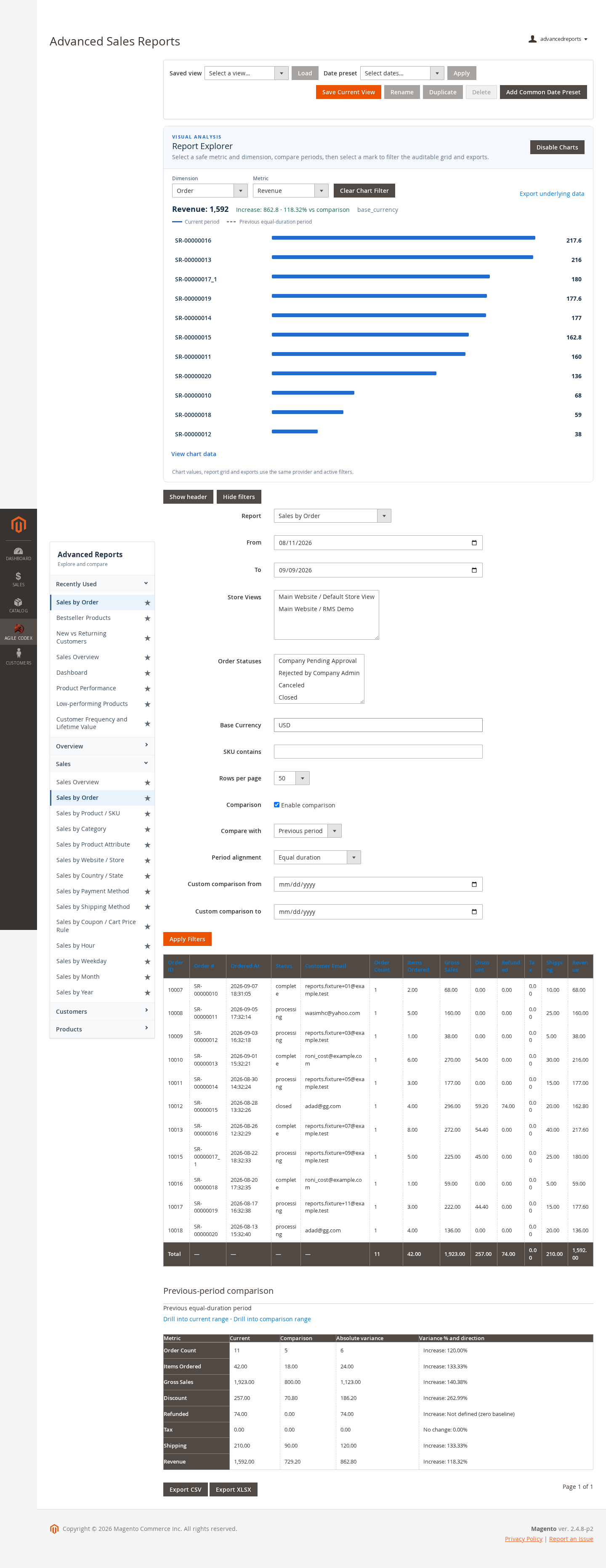
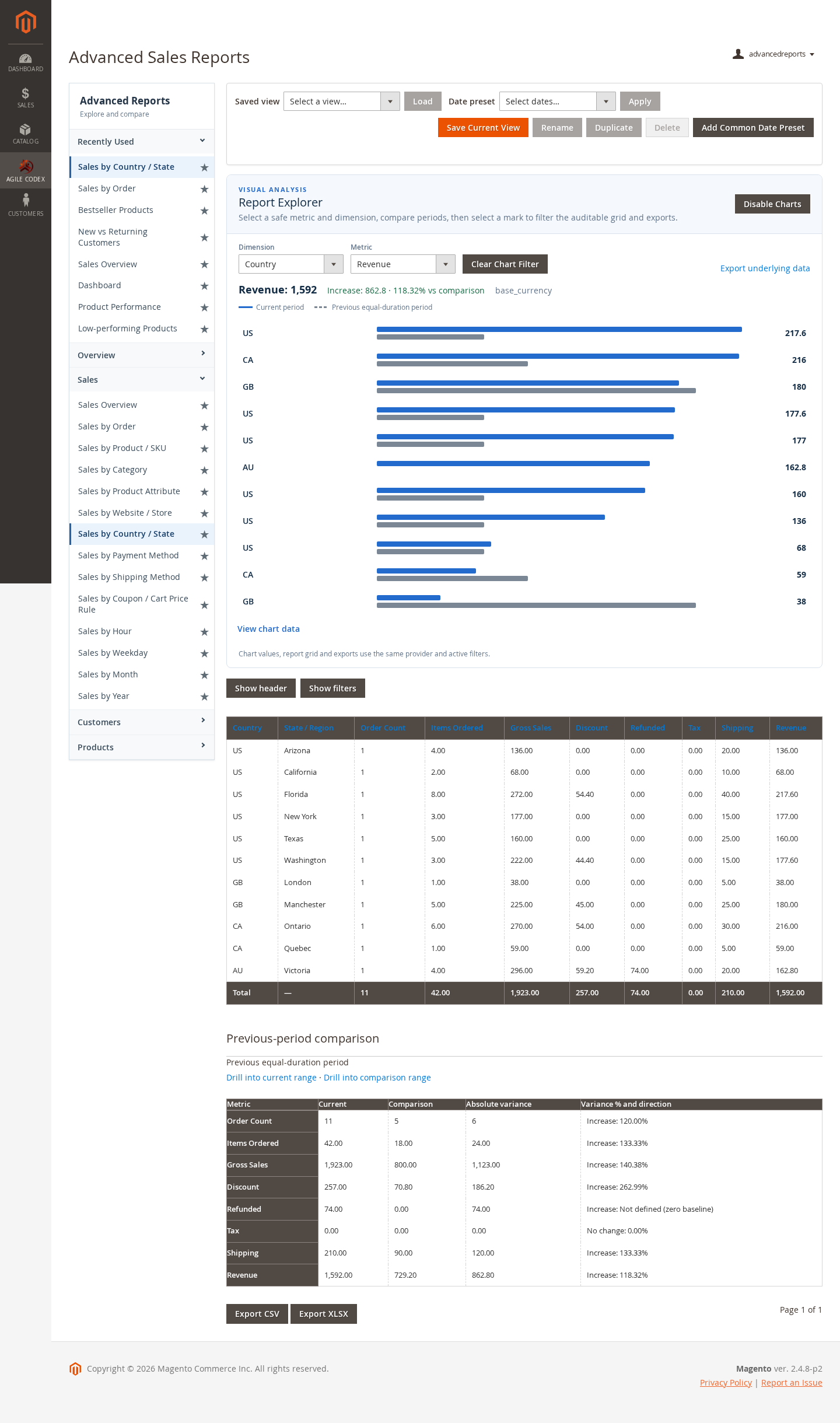
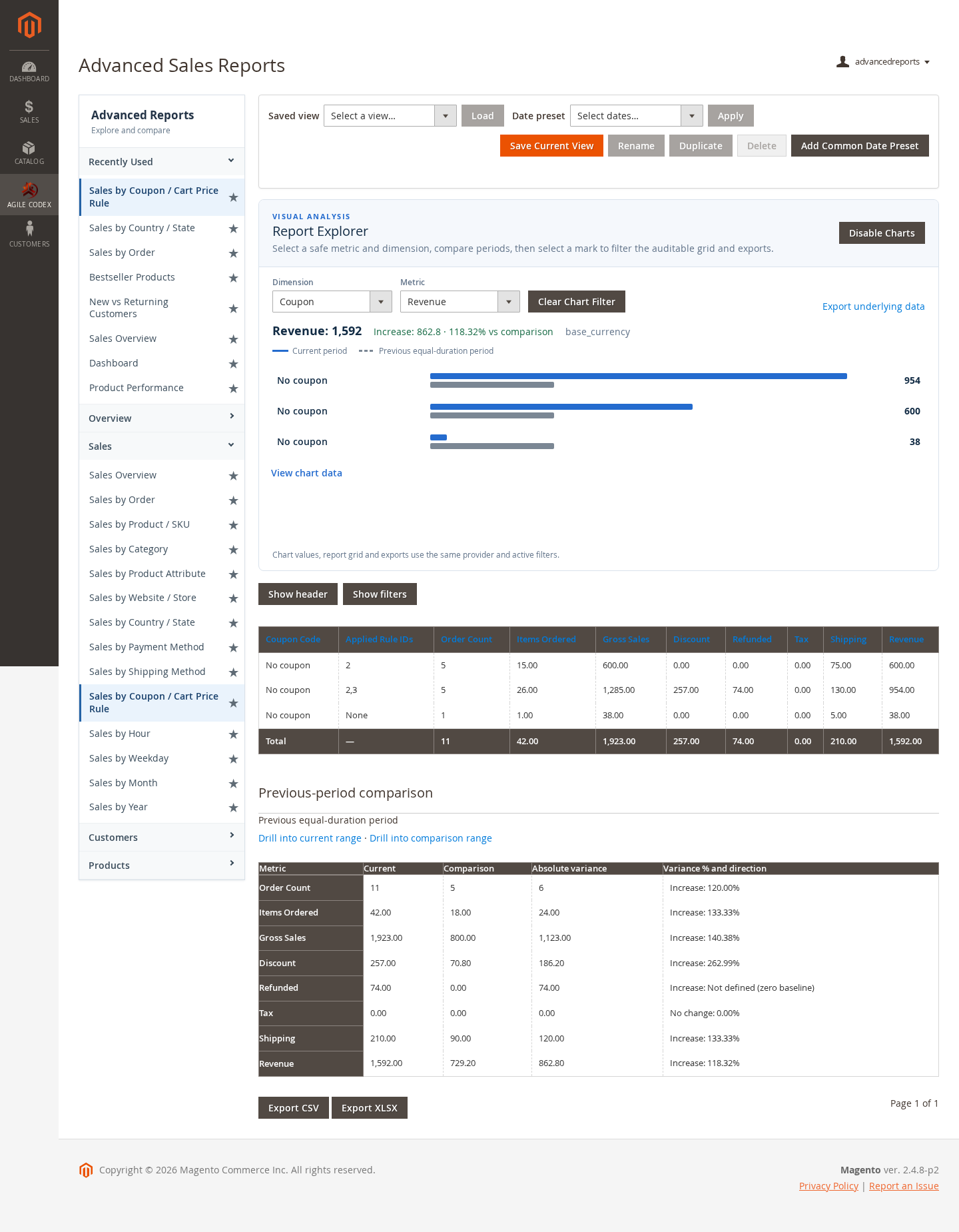
- Sales Reports: Analyze revenue, order activity, sales by country, promotion usage, and order-level filters.
- Customer Reports: Identify customer sales patterns, purchase frequency, and lifetime value trends.
- Product Reports: Review product performance and identify low-performing catalog items.
- Flexible Filters: Use report filters to narrow results by date range, store, customer, product, order status, and other available dimensions.
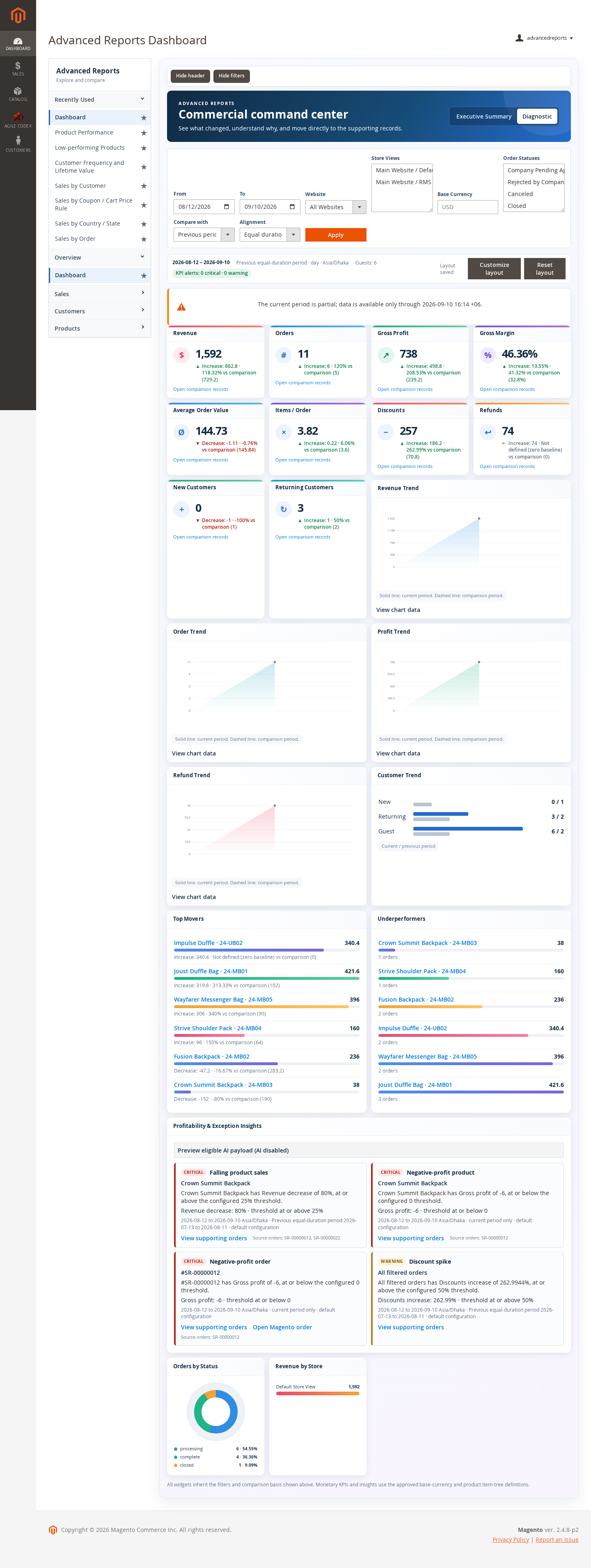
- Customizable Dashboard: Arrange dashboard widgets so each admin user can focus on the reports they use most often.
- Diagnostic View: Use diagnostic reporting to review reporting data health and processing status when troubleshooting.
Open the Advanced Reports Dashboard
- Sign in to Magento Admin.
- Open the Advanced Reports dashboard from the reporting menu added by the extension.
- Confirm that dashboard widgets load and display current report values.
- Use the available date range, store, and report filters before reviewing results.
Use Dashboard Filters
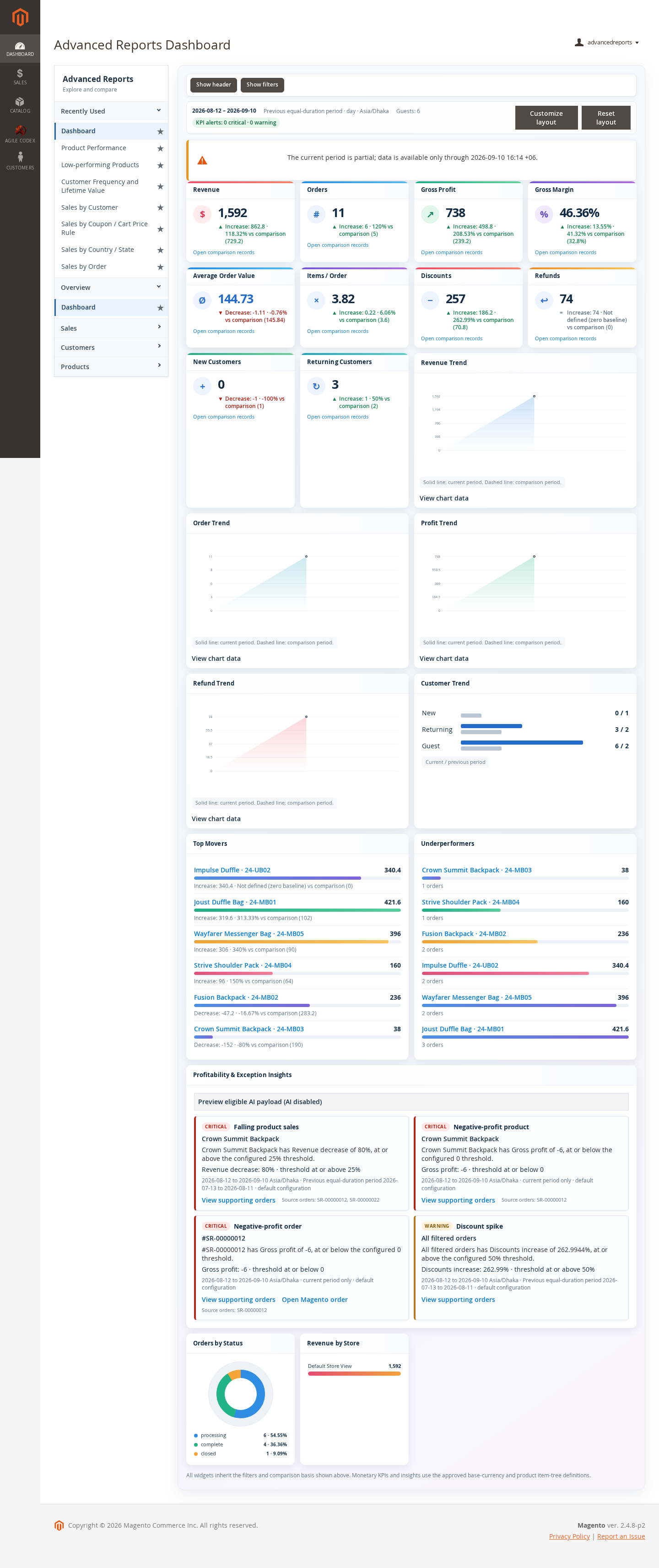
Filters help you compare the correct reporting period and store scope before making business decisions.
- Select the date range that matches the period you want to analyze.
- Apply store or website filters when your Magento installation has multiple stores.
- Refresh the report after changing filters so charts and grids use the same scope.
Customize the Dashboard Layout
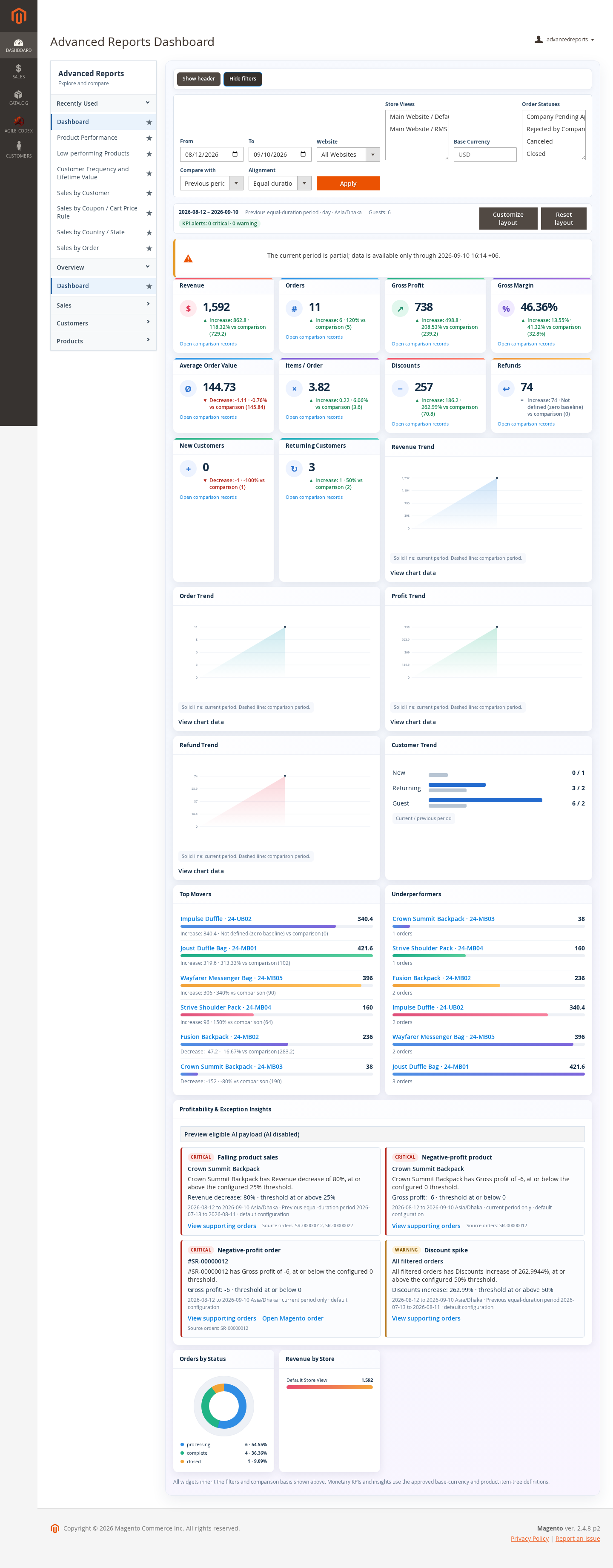
- Open the dashboard customization option.
- Choose the widgets or report panels that should be visible.
- Arrange the layout according to the admin workflow.
- Save the dashboard layout and reload the page to confirm the saved view.
Review Sales Reports
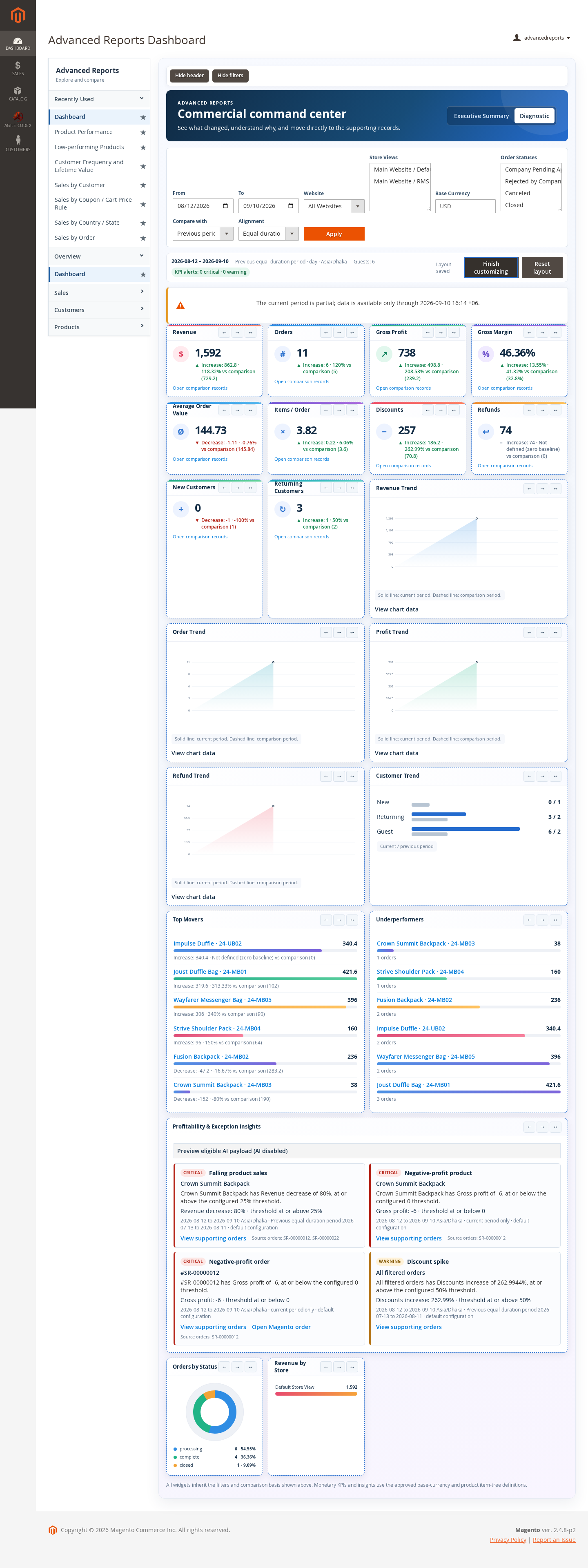
Sales reports help you monitor revenue, orders, discounts, country performance, and promotion impact.
- Open the Sales Reports area.
- Choose the relevant report type.
- Apply date, store, order, customer, or status filters where available.
- Review the chart and grid output for the selected reporting period.
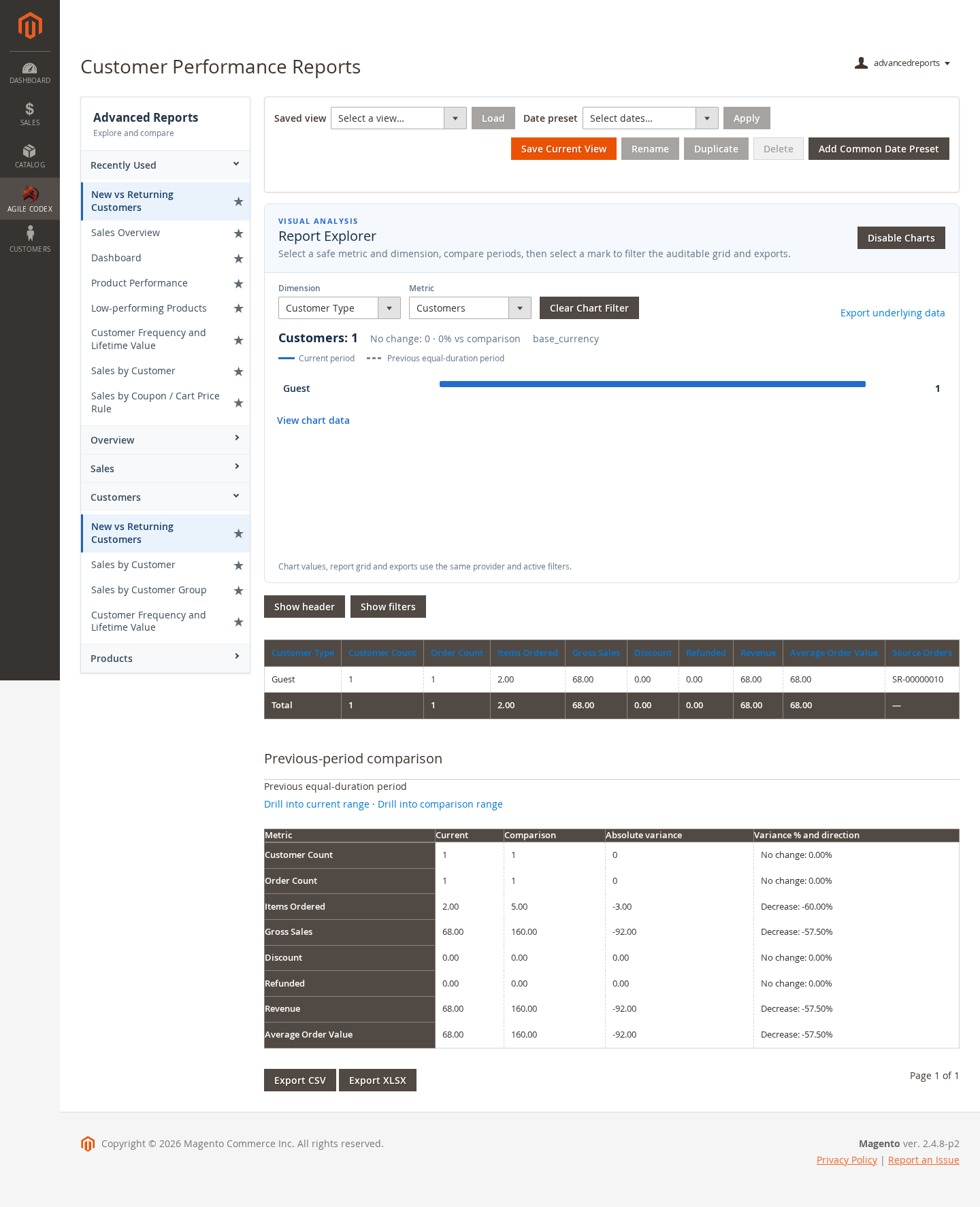
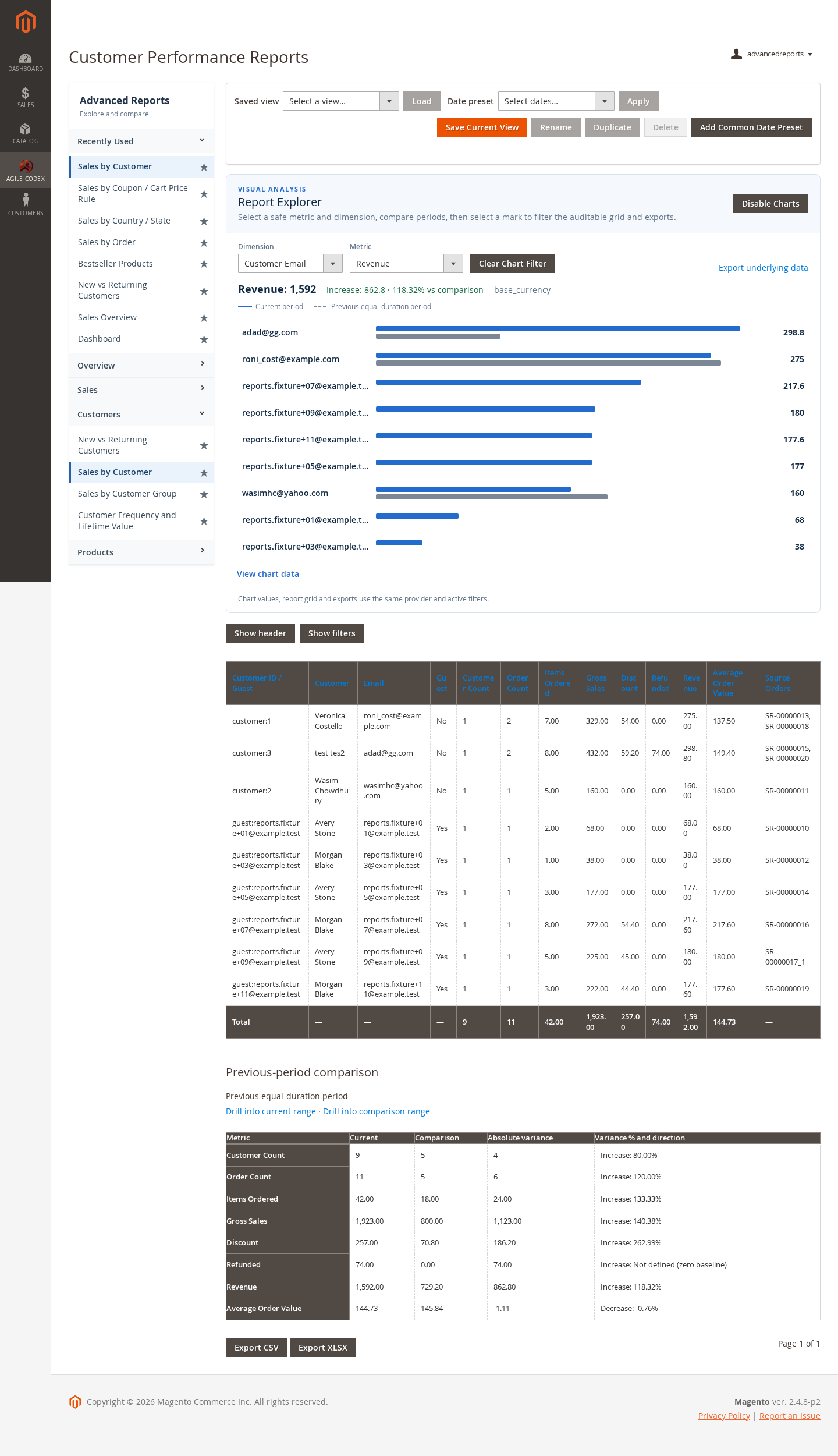
Review Customer Reports
Customer reports help you identify valuable customers, repeat-purchase behavior, and customer-level sales performance.
- Use customer sales reports to compare revenue and order activity by customer.
- Use the results to support retention, loyalty, and customer-service decisions.
Review Product Reports
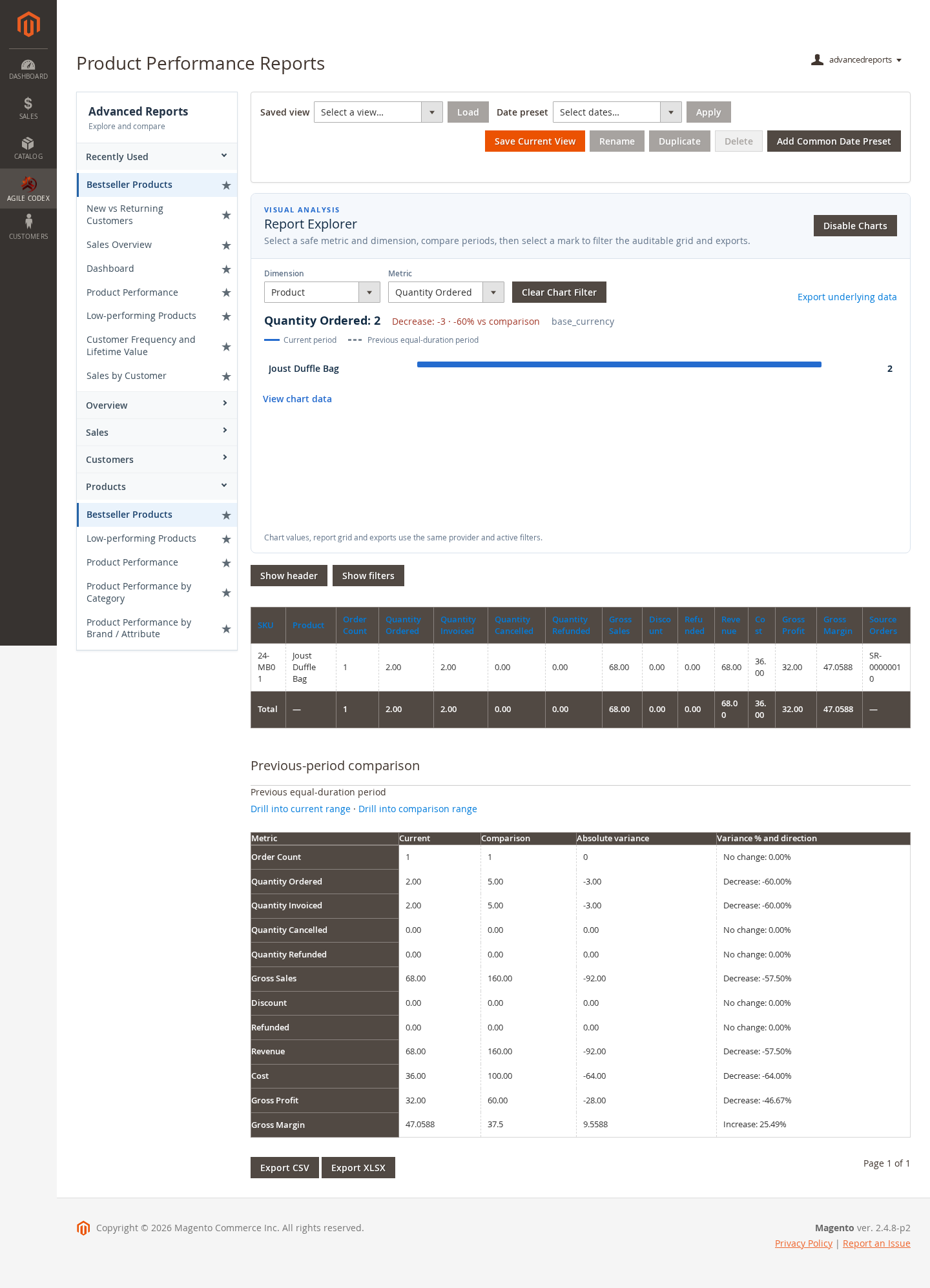
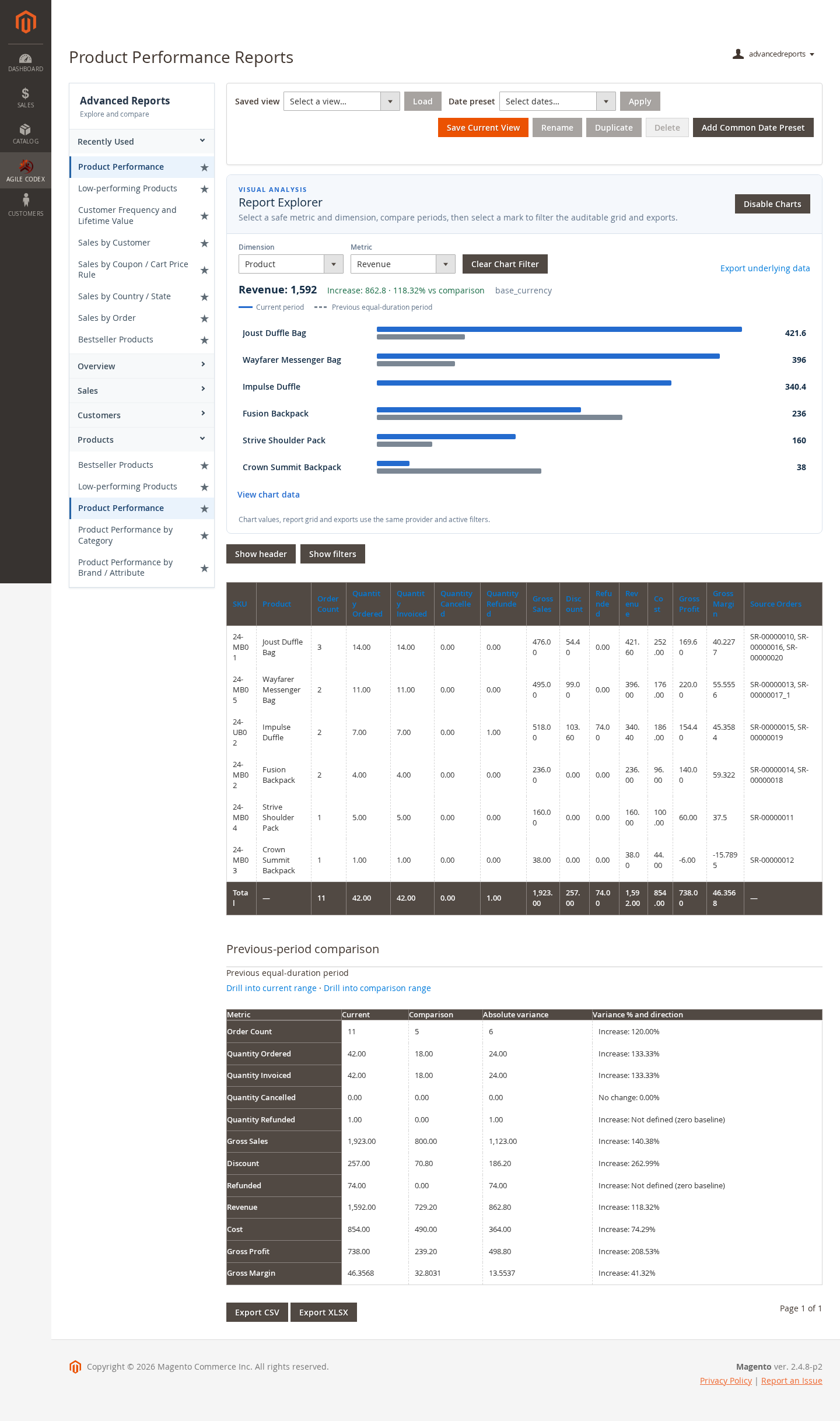
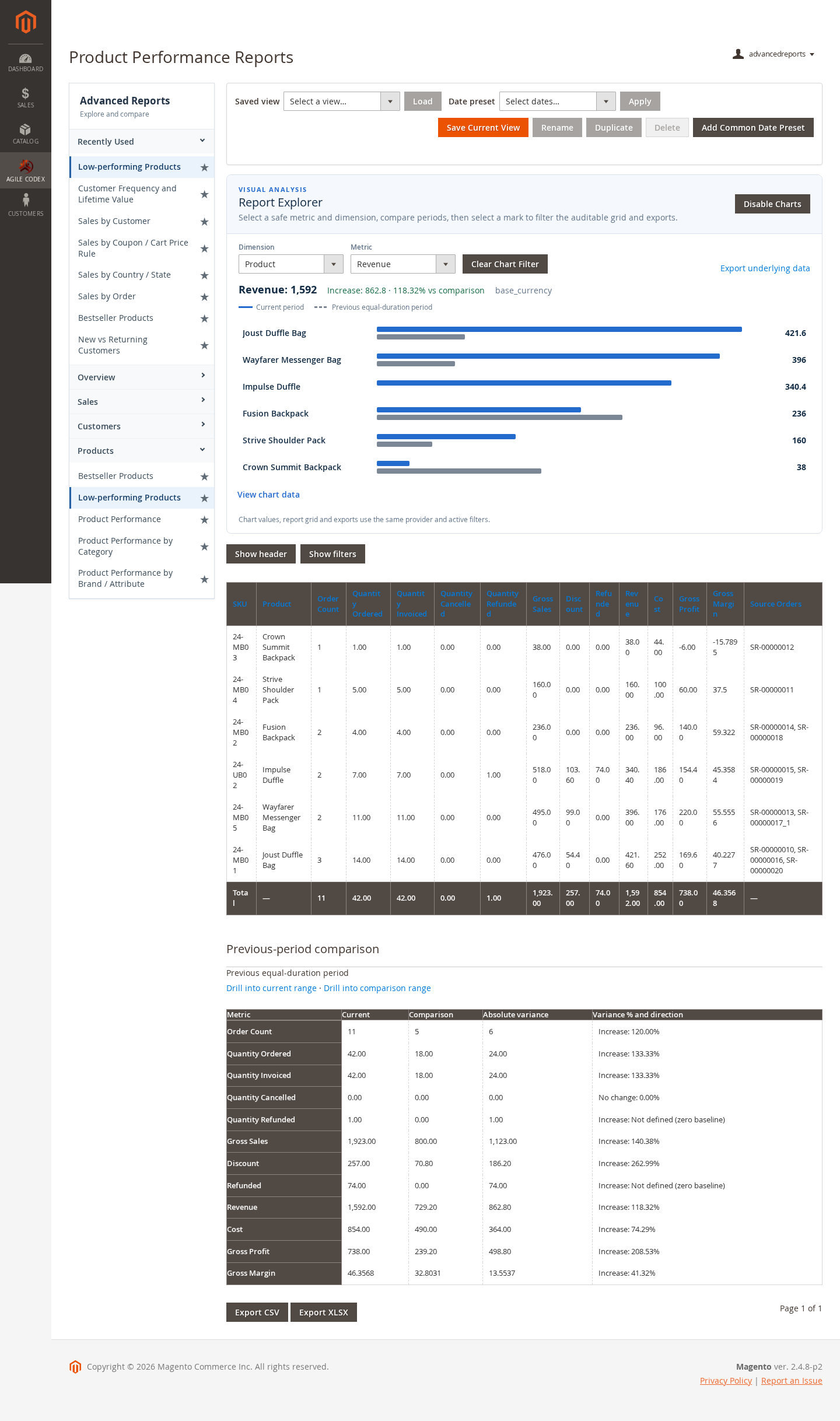
Product reports help you understand which catalog items contribute to sales and which products may need merchandising, pricing, or inventory attention.
- Open the Product Reports area.
- Select the product performance or low-performing products report.
- Apply the required date and store filters.
- Review quantities, sales value, and performance indicators before taking action.
Use Diagnostic Reporting
Diagnostic reporting is useful when report output needs to be checked after installation, configuration changes, data refreshes, or Magento upgrades.
- Open the diagnostic report from the Advanced Reports area.
- Review the displayed data and status information.
- Use the result to identify missing data, processing issues, or configuration problems.
Installation and Verification
Install and test the extension on a development or staging environment before production.
- Upload the extension package to the Magento root directory.
- Run Magento setup upgrade and dependency compilation according to your deployment process.
- Deploy static content for the active locale and theme.
- Flush Magento cache.
- Sign in to Admin and confirm that Advanced Reports menu items and dashboards are available.
- Open sales, customer, product, and diagnostic reports to verify that report data loads correctly.
If report values do not appear after installation, confirm that Magento cron is running, indexes are healthy, order data exists for the selected period, and the selected filters are not excluding all results.